


Draft message not copied to drafts folder due to ....

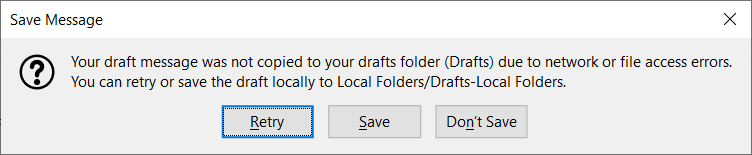
After Thunderbird updated to 78.4, I've encountered the error message shown in the first attachment.
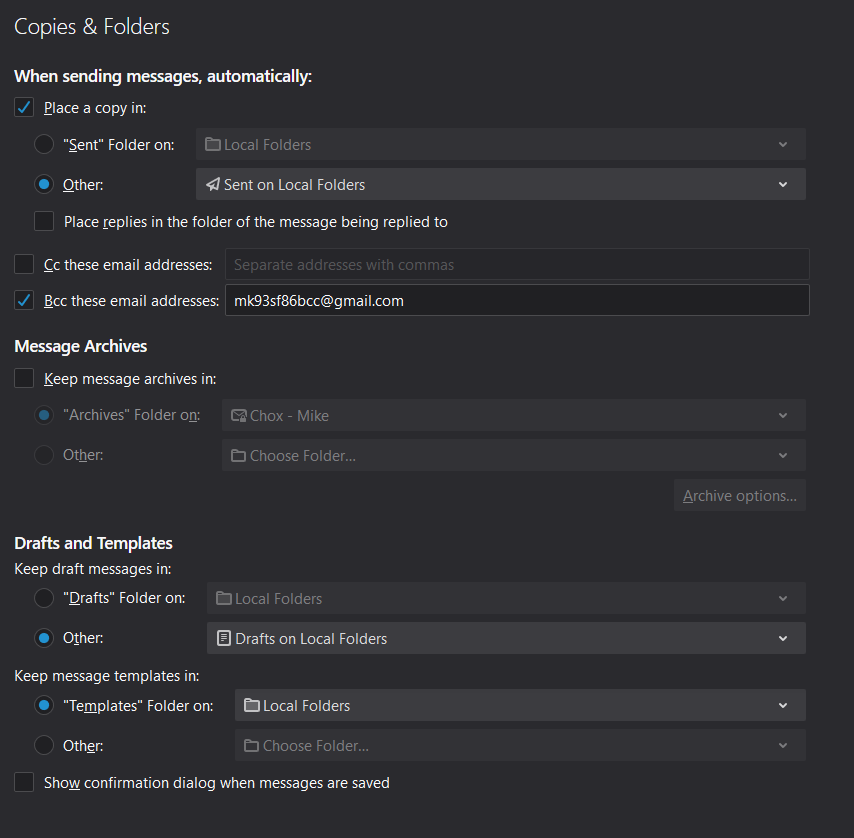
However, I have all mailboxes configured for copies and folders as shown in the second attachment.
When I click "Save," the message does not appear in the Drafts folder under Local Folders. After the third or fourth time I click "Save," the message will appear in the Drafts folder for the mailbox.
Even when I was having the drafts saved to the Drafts folder for the mailbox (account), I didn't have this issue prior to upgrading to 78.4.
Where else should I be looking? ...thanks!
Toutes les réponses (5)
Really? No one else has this issue? No solutions offered by Mozilla?
It may seem unnecessary, but I would select "Drafts" Folder on: Local Folders, not Other. Special folders such as Inbox, Sent, Drafts have properties that are specific to their function, unlike user-created folders. I think that will stop the error, which indicates an attempt to store on an IMAP server.
That's what I selected for Drafts.
Copies of Sent messages go into the Sent folder, but for every mailbox, I have drafts set to go to the Drafts folder on Local Folders.
Am I missing something?
No, I'm just suggesting you select the first choice for drafts, which applies the default Drafts folder in Local Folders, not the 'Other' selection.
OIC. I'd tried that before, but when I was having the issue, I changed to "Other." I'll try changing back to see if that makes any difference.