


Windows 10 reached EOS (end of support) on October 14, 2025. If you are on Windows 10, see this article.

Rechercher dans l’assistance

Évitez les escroqueries à l’assistance. Nous ne vous demanderons jamais d’appeler ou d’envoyer un SMS à un numéro de téléphone ou de partager des informations personnelles. Veuillez signaler toute activité suspecte en utilisant l’option « Signaler un abus ».

En savoir plus
Résolu Archivé

Thunderbird 78.4.0 (64-bit) on Linux Kubuntu 18.04 | How to enable Dark Mode ?

Balázs Meskó a répondu
Mozillaio

Dark Mode was introduced with the latest update.. https://www.thunderbird.net/en-GB/thunderbird/78.0/whatsnew/

a) How can I enable Dark Mode in Thunderbird 78.4.0 (64-bit) on Linux Kubuntu 18.04 ?

I am using Breeze Dark, so a dark system theme, however Thunderbird does not react. Where is the option/button to enable this manually in Thunderbird?

b) Did anyone think of the possibility that heaps of users might use a light OS theme while they would also enjoy having dark mode in certain apps?

Thank you for your help.
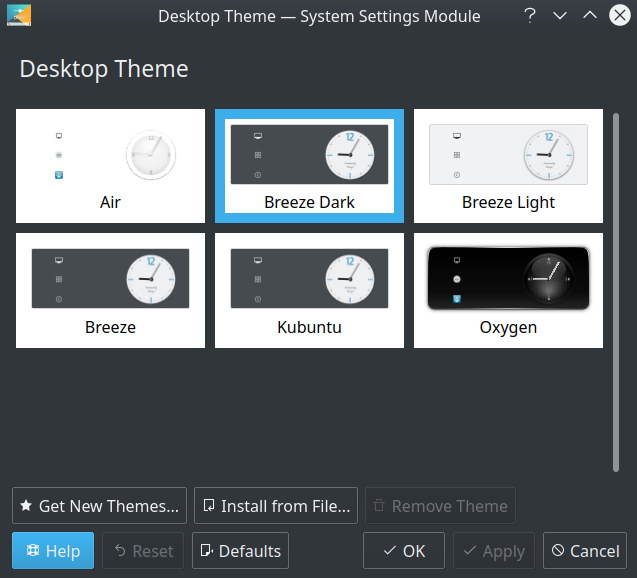
Dark Mode was introduced with the latest update.. https://www.thunderbird.net/en-GB/thunderbird/78.0/whatsnew/ a) How can I enable Dark Mode in Thunderbird 78.4.0 (64-bit) on Linux Kubuntu 18.04 ? I am using '''Breeze Dark''', so a dark system theme, however Thunderbird does not react. Where is the option/button to enable this '''manually''' in Thunderbird? b) Did anyone think of the possibility that '''heaps''' of users might use a light OS theme while they would also '''enjoy''' having dark mode in certain apps? Thank you for your help.
Captures d’écran jointes

Toutes les réponses (1)

Solution choisie

AFAIK there is no Qt theming support in Thunderbird (however, it works with GTK3). You can set the dark mode manually in the Add-ons Manager, just open the Preferences page, then select Extensions & Themes in the lower left corner, and finally choose Themes on the left side. Then you may choose among the Default, Dark and Light themes.