


Disable version 21 tab preview?
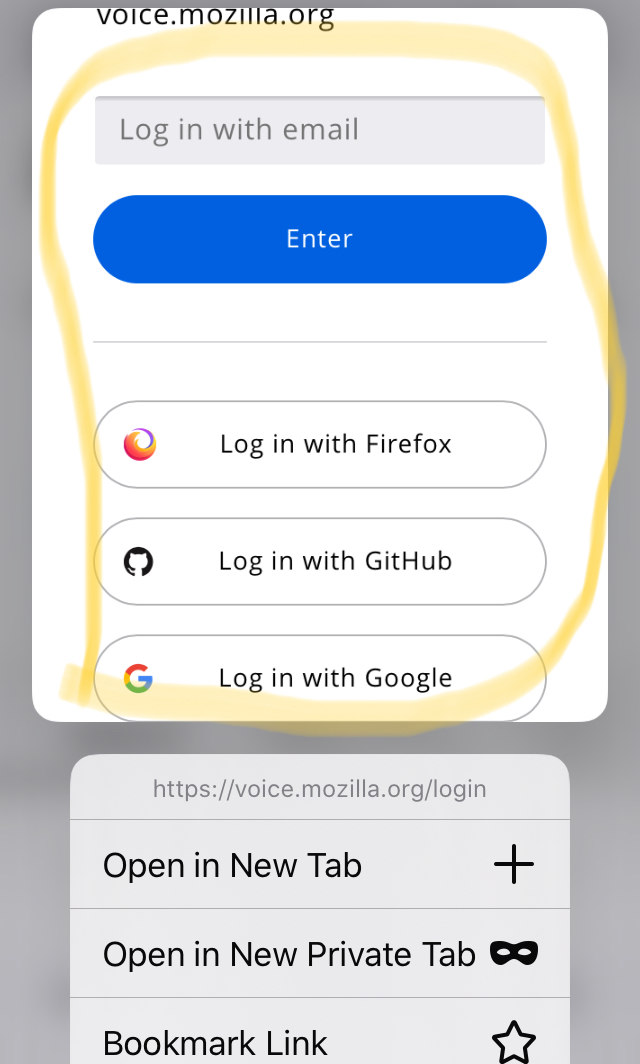
I am very dissapointed in new firefox, since: 1) Since opening new tab is slower because of new preview feature which also needs time to load. 2) "Open in New Tab" button goes even further 3) If there is a long link mentioned above/top of "Open in New Tab" button then you even cannot see "Open in New Tab" button.
Is anyone awere if this feature can be disabled or is it even planned?
Toutes les réponses (4)
nvm, started using chorme and its "new tab" behaviour is like FF used to had.
Hello pervapp,
I am very sorry to hear about your problems with Firefox and to choose to switch to Chrome.
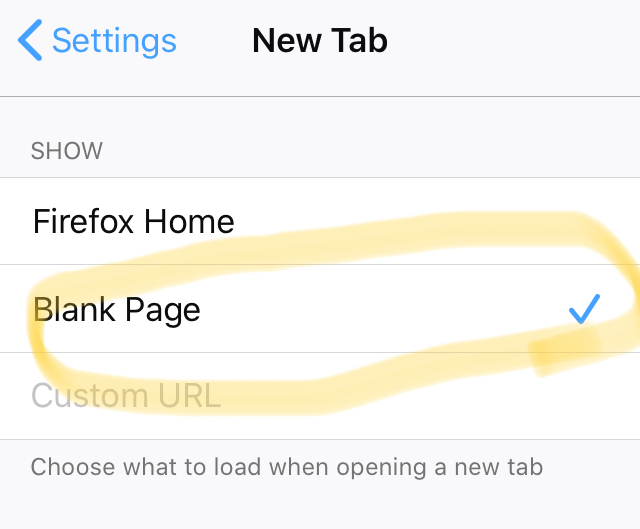
The preview feature can be disabled inside the hamburger menu > Settings > New Tap into a blank page or an specific url.
Hello. Thank you for response, but it does not help and I think we are talking about different things. I am talking about holding finger on a link and then menu opens - on top is preview page of the link - this is what I am trying to disable.
I actually misunderstood you here since this feature isn't available on my version of Firefox on iPad.
I hope someone else can give you advice soon.