


Unenble access website without secure http(https) due to Personal Security Manager is not installed

I just upgrade firefox to 57.0 (mac os). However, If I access any web site without secure http(https), for example: http://http://dict.youdao.com/ . Firefox will forbid it, display the following information:
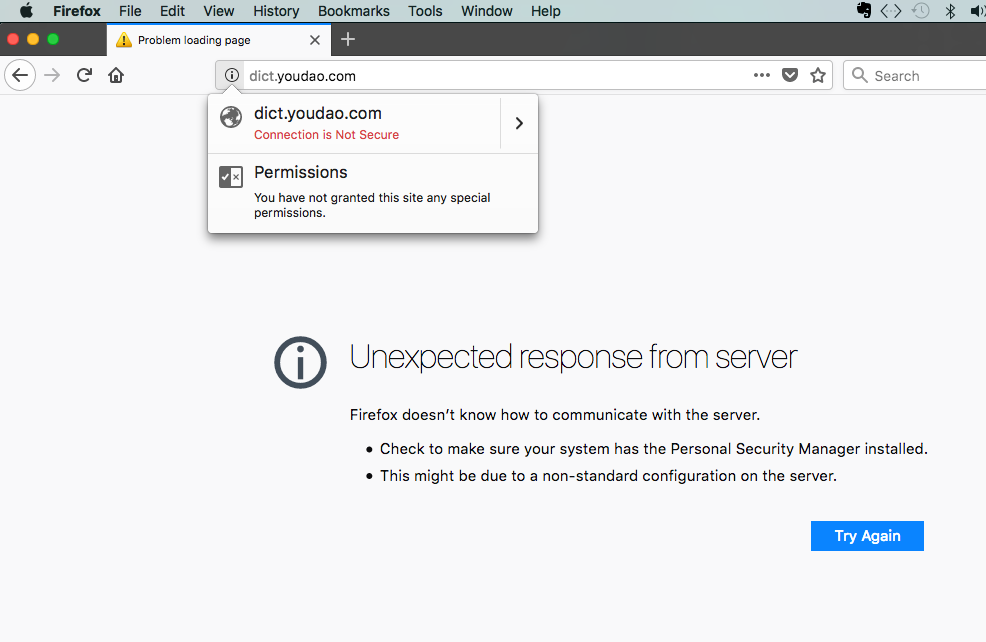
Unexpected response from server Firefox doesn’t know how to communicate with the server. Check to make sure your system has the Personal Security Manager installed. This might be due to a non-standard configuration on the server.
It is too inconvenient. How to I solve it?
Solution choisie
Thank you for all above help very much.
I find a solution finally. I notice a link in mozilla accidentally to refresh firefox, and do as so. It really works. It is regretted I can not find the link again.
However, I found a similar url about how to refresh firefox settings as follow:
Thanks again.
Steven
Toutes les réponses (6)

I had no problem with http://dict.youdao.com/ Note: you mistyped the link.
There is security software like Avast, Kaspersky, BitDefender and ESET that intercept secure connections and send their own certificate.
https://support.mozilla.org/en-US/kb/firefox-cant-load-websites-other-browsers-can
https://support.mozilla.org/en-US/kb/firefox-and-other-browsers-cant-load-websites
https://support.mozilla.org/en-US/kb/secure-connection-failed-error-message
https://support.mozilla.org/en-US/kb/connection-untrusted-error-message
Hey, thank you.
But it really does not work. the following is screen shot. I key in "dict.youdao.com" , and get error message occur always.
steven
Did you try all the suggestions ?
Use extension : https://addons.mozilla.org/en-US/firefox/addon/https-everywhere/
Since a Mac do not like this but can cure the issue : uninstall Firefox. Then Delete the Mozilla Firefox Folders in C:\Program Files and C:\Program Files(x86) Then restart system. Note: your Firefox Profile is saved. But you should make a back up before you do : https://support.mozilla.org/en-US/kb/back-and-restore-information-firefox-profiles
Reinstall with Current Release Firefox 57.0.2 with a Full Version Installer https://www.mozilla.org/firefox/all/
Please let us know if this solved your issue or if need further assistance.
Modifié le par Shadow110
This could be related to an 'unknownSocketType'.
What are your connection settings?
You can check the connection settings.
- Options/Preferences -> General -> Network: Connection -> Settings
If you do not need to use a proxy to connect to internet then try to select "No Proxy" if "Use the system proxy settings" or one of the others do not work properly.
See "Firefox connection settings":
Solution choisie
Thank you for all above help very much.
I find a solution finally. I notice a link in mozilla accidentally to refresh firefox, and do as so. It really works. It is regretted I can not find the link again.
However, I found a similar url about how to refresh firefox settings as follow:
Thanks again.
Steven
That was very good work. Well done. Please flag your last post as Solved Problem so others will know.