


What's the problem with loading Youtube site like hieroglyph rows?

Toutes les réponses (5)
Hi Ros0179, this may indicate that there is an intermediary between Firefox and the site -- possibly security software like Lavasoft Web Companion, possibly malware -- which does not properly decompress the page.
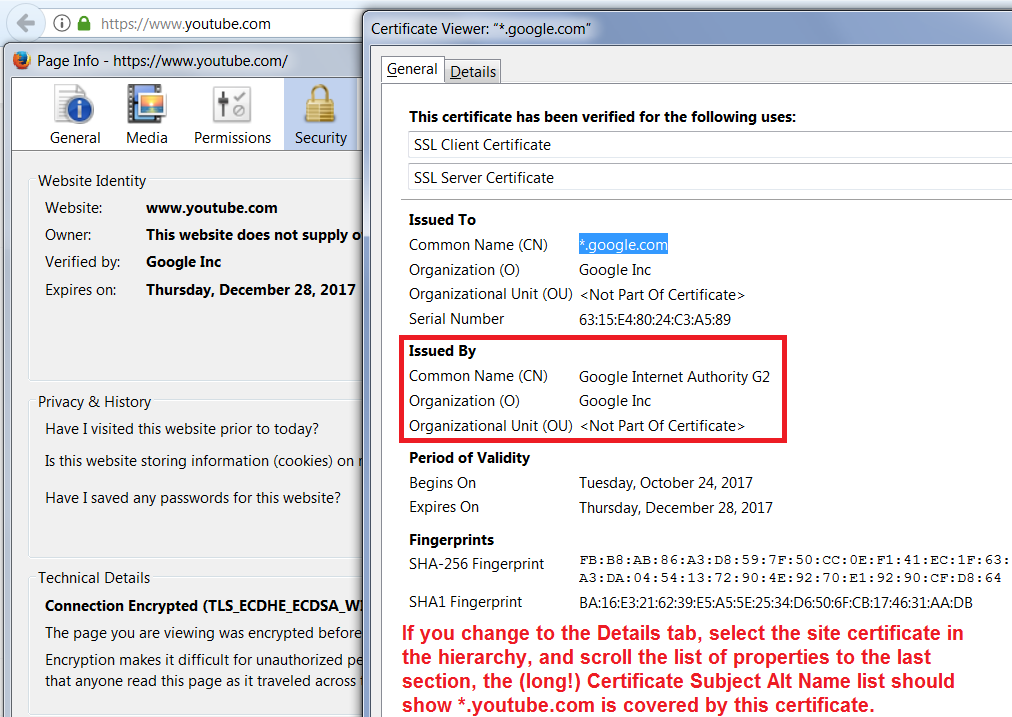
To investigate who/what it might be, could you view the SSL certificate for YouTube?
Either:
- right-click (on Mac Ctrl+click) a blank area of the page and choose View Page Info > Security > "View Certificate"
- (menu bar) Tools > Page Info > Security > "View Certificate"
- click the padlock or "i" icon in the address bar, then the ">" button, then More Information, and finally the "View Certificate" button
Compare what you see in the Certificate Viewer with the attached screenshot.
Anything unusual?
Thanks for answer , printscren of the certificate below, it stays "Kaspersky Anti-Virus Personal Root Certificate" but this wasn't the problem before, anyway how to change to google? It happened in the past also like this. The same problem with Google chrome browser, only IE opens youtube correctly. Now firefox doesn't accept add ons also.
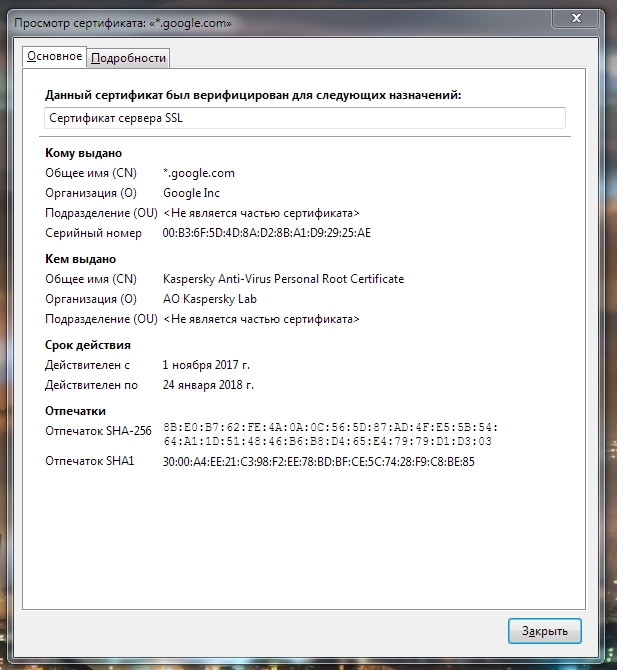

I switch off Kaspersky and youtube launchs normally . Stays the problem with add ons.
Can you update your Kaspersky software? Some users had that problem with the product last year, but it cleared up pretty quickly.
Some other users reported a "connection" problem with extensions, but I have not seen a solution yet. There was a report that if you go to the extension's "All Versions" page and choose the same version as the one on the front page, it would work from there. Could you check that?
Thanks for answers, Kasp I've didn't update long time, by now will keep it just off. Add ons began to load. All the best.