


Firefox developer edition 54.0b12 x64 can't enable e10s

After updating my firefox developer edition x64 to 54.0b12, I can't find e10s option in preferences. And e10s feature was automatically disabled. What happened to this feature?
Toutes les réponses (9)
hi, most likely one of your extensions is incompatible and therefore e10s is switched off. in order to check that, install https://addons.mozilla.org/firefox/addon/add-on-compatibility-reporter/ and have a look in the addons manager...
Hi !
You may force-enable multi-process functionality in Firefox. It's recommended that you backup your user profile before you do.
1. Type about:config in the browser's address bar and press Enter. 2. Right-click and select New => Boolean. 3. Name it browser.tabs.remote.force-enable 4. Set its value to true
Note that forcing compatibility may have a big impact on performance if add-ons are incompatible with e10s.
Thanks for reply. I reinstalled firefox developer edition 54.0a2, and created a new profile. I did not installed any add-on. As you can see(image 1), there is an e10s option. But after update to 54.0b12, the option is gone(image 2).
I know it can be force-enabled. I was wander, why the option disappeared?
Oh...,MacOS and windows platform are the same. All gone.
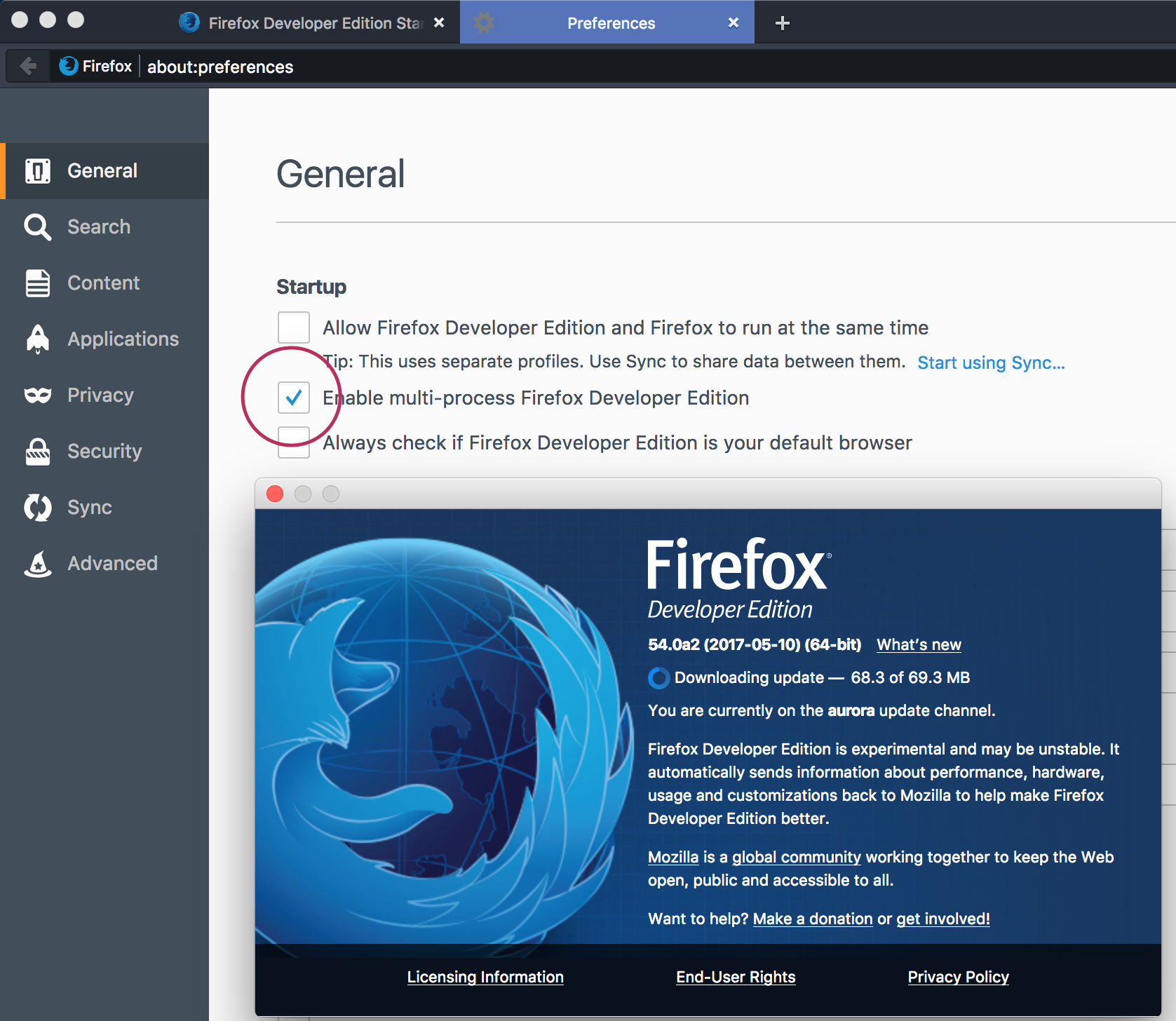
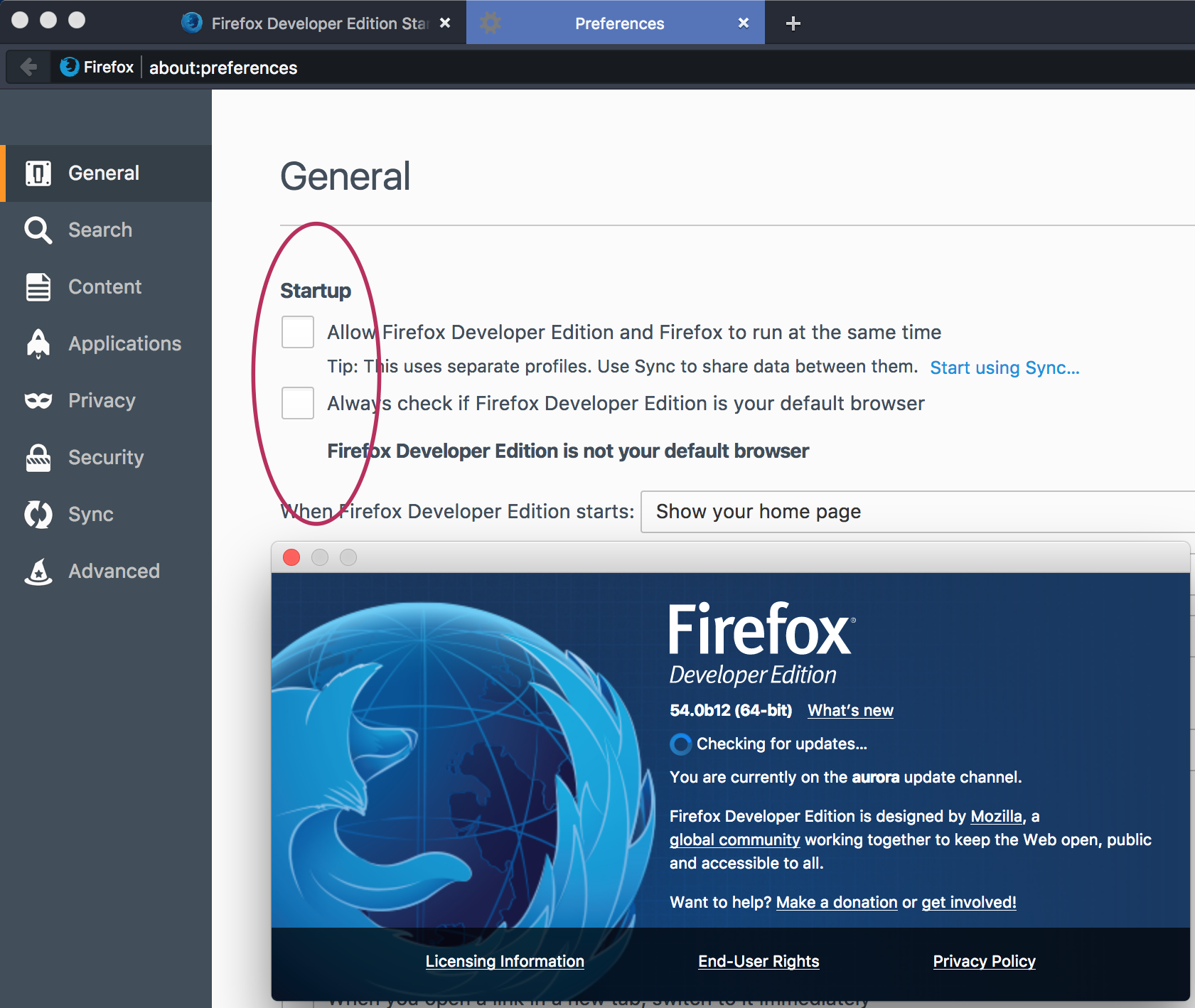
the setting isn't present in the UI in release/beta - multi-process browsing is turned on by default if you qualify (you can check for your state in about:support).
Like Philipp says :
You can check whether you have this Multiprocess (e10s) turned on as follows :
'3-bar' menu button => ' ? ' button => Troubleshooting Information Or : Type 'about:support ' (without the commas) in the address bar and press Enter/Return
In the first table on the page, check the row for 'Multiprocess Windows' and see whether the number on the left side of the fraction is greater than zero. If so, you are using e10s - otherwise it should read : 0/1 (Disabled).
eh...I checked that flag before, as I said, it automatically disabled.
Finally,I force-enabled e10s as Happy112 describe. Thank you, guys.
em...developer edition do not show the option too?
I'm not sure why your second screenshot calls it Developer Edition when the version number -- note the "b12" -- indicates the Beta Release channel. ??
@jscher the aurora release cycle has been removed from the train model. The version branded as DevEdition is now built off of the beta channel & 54.0b12 is the first version that former aurora users received as an automatic update.
You can check the extensions.json file in the profile folder to see more delete about the extensions including multi-process compatible
See also the extensions.e10s prefs on the about:config page.