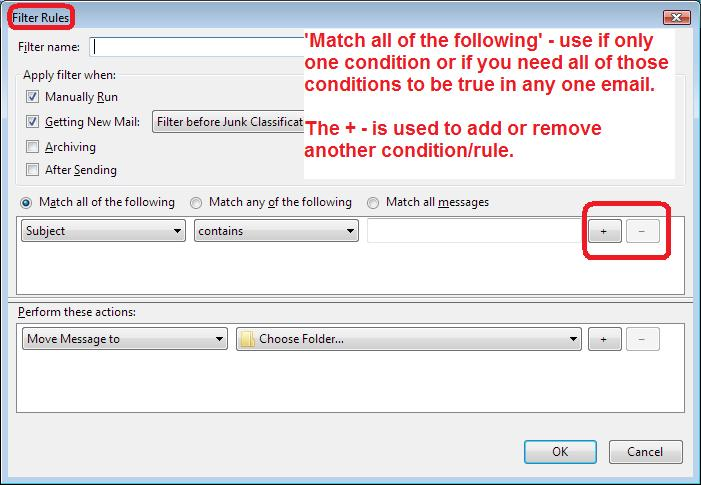
Where is the + button to add senders to the block list?

I have 4 e-mail accounts. I set up a block list for one account and blocked one spam e-mail. I can't find the "+" mark as described in the help section to add other incoming spam e-mails. Any suggestions?
Toutes les réponses (1)
You are talking about Message filters which are designed for eg: moving good emails into other various folders etc.
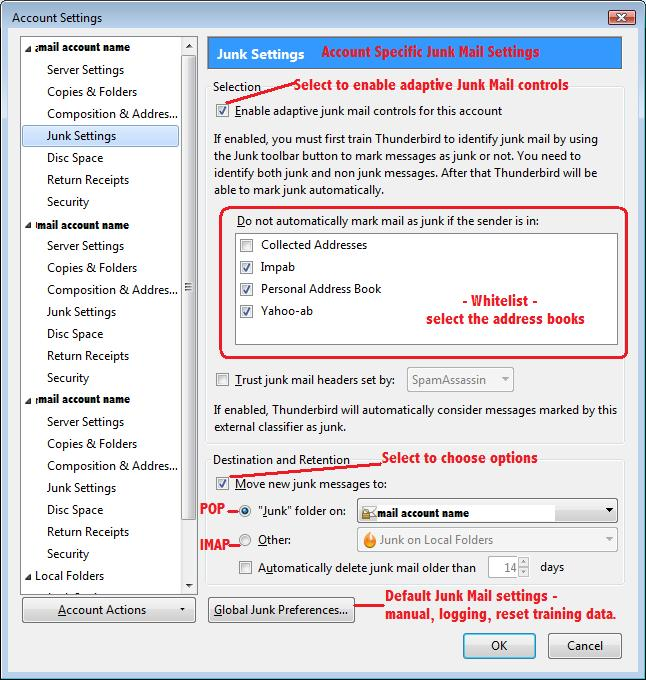
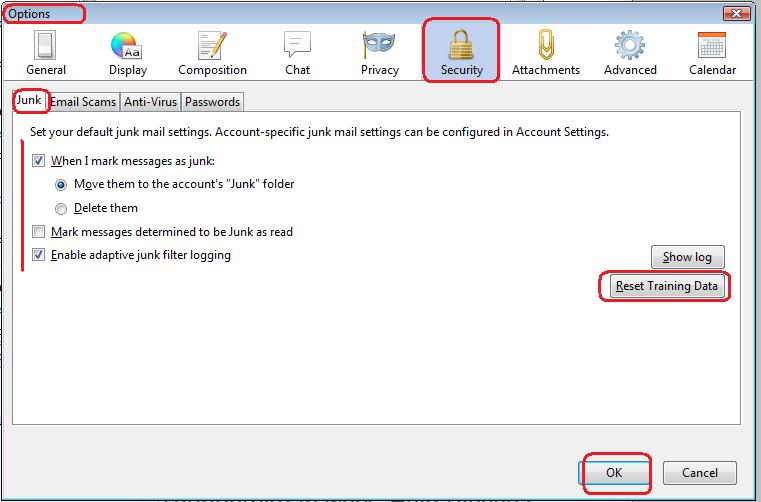
It is not a good idea to use Message filters for dealing with junk/spam. In fact it really quite pointless. They change the email address and subject etc so frequently that you are forever writting thousands of filters trying to keep up. For each mail account, you should be setting up, training and using the inbuilt Junk Controls which already has a special kind of filter.
Should you ever need to there is an option to clear all old training data and start afresh, but I've never needed to use it as yet.
As to your initial question - see third image below.