


where is the shopping menu

At work, I have a "shopping" menu on W7 PC. At home on W10 pc, I don't get the shopping menu
Toutes les réponses (6)
Please provide a screenshot.
See this support article.
How do I create a screenshot of my problem?
It is best to use a compressed image type like PNG or JPG to save the screenshot and make sure that you do not exceed a maximum file size of 1 MB.
Then use the Browse .... button below the Post a Reply text box to upload the screenshot.
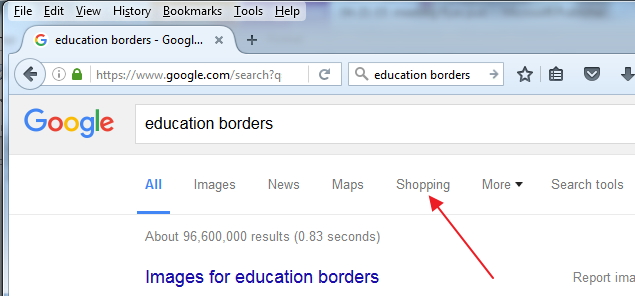
The attached image shows where the menu is supposed to be. Thanks!
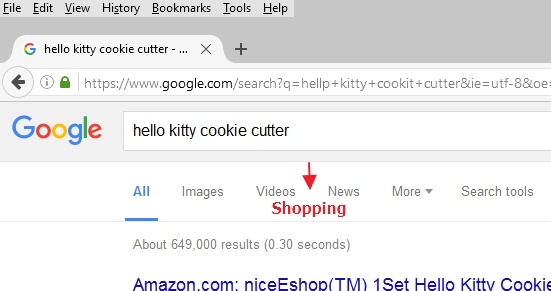
This is a screen shot of my work pc showing the "Shopping" menu.
Hi,
Looking at your screenshots I noticed that not only 'shopping' is missing, but 'maps' as well.
On my Windows10 pc they both are there; just to make sure I tried it using both Firefox first and then Edge: 'shopping' as well as 'maps' are displayed. Really weird !
I sure hope some expert will be able to shine a light on this !
aj15phelps said
This is a screen shot of my work pc showing the "Shopping" menu.
This may be due to the version search of Google pages that Google has chosen to serve you say in beta testing and such.
I get a similar page to first image and I see the Shopping if I click on More \/
Are you logged into a Google+ plus account when you use Google Search?
Google does save the user's search settings and will use them when they have a Google search engine open. If the user selects one of the "Google Apps" from the 3 x 3 "grid" button, that App will be remembered and will appear in the menu on the Google search page. All - Images - Maps - Shopping - More To a certain extent, what you see is what you have used while logged in to your Google+ account.
Use the "gear" in the upper-right corner of the Google window to get to search settings and that 3 x 3 "grid" button allows the "Google Apps" you want to use to be selected.
I would guess that "Shopping" was used on one PC and not on the other; so select "Shopping" on that PC and it should be remembered.
Any more questions, and you should see Google Search Help for help with their product. https://support.google.com/websearch/