


FireFox Flashing High Contrast on eBay

When using eBay and it only seems to happen on eBay, and only with FireFox, when the page initially loads the background flashes as if going into high contrast and then immediately loads the page with normal colors. It also only happens on the item page i.e. after you search for an item and click on an item you want to look at. I have attached an image. This is after a fresh install of Windows 10 and repeated fresh installs of FireFox. Again, this happens only in FireFox and I haven't touched any settings or have any add-ons installed. I have tried with IE, EDGE and Chrome and they all work fine.
Solution choisie
Cor-el, thanks for the suggestions, but neither worked. I turned hardware acceleration off, but the condition persisted... Then, I updated my graphics driver to the latest version straight from Intel but, alas, this was not the solution either...
The SOLUTION, if you can call it that, was to downgrade to FireFox 37.0.2 (the first old version I could find and despite Mozilla's insistence that "installing a previous version will not help in most cases")...Been using it for a couple hours now and we are back in business. Guess the last update I did of FireFox was not compatible with the eBay site in some way...
Lire cette réponse dans son contexte 👍 0Toutes les réponses (6)
I've waited 5 minutes and the image refuses to upload...smh. So just use your imagination I guess...
Image wouldn't upload using IE, switched to FF and it finally uploaded...
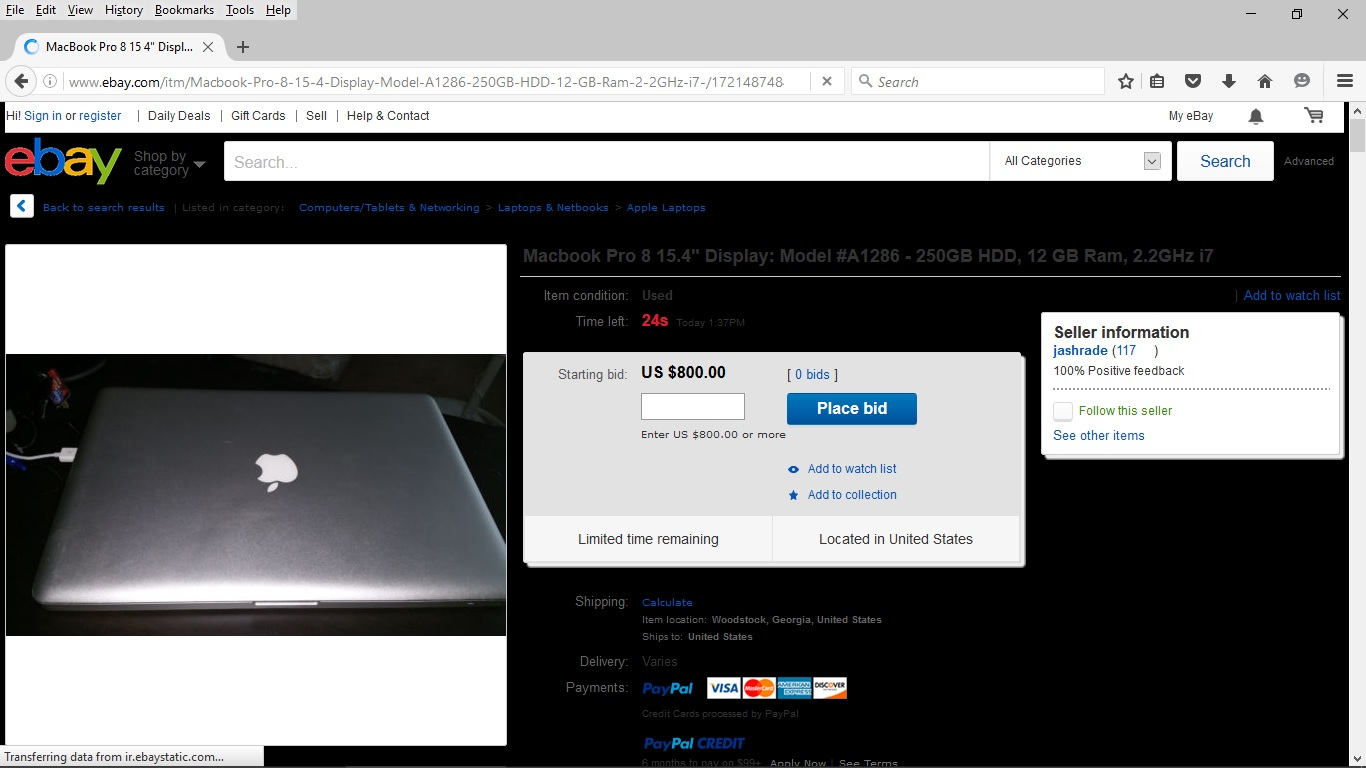
I guess no answer is my answer...Google Chrome it is !!
Modifié le par KDETT
You can try to disable hardware acceleration in Firefox.
- Tools > Options > Advanced > General > Browsing: "Use hardware acceleration when available"
You need to close and restart Firefox after toggling this setting.
You can check if there is an update for your graphics display driver and check for hardware acceleration related issues.
Solution choisie
Cor-el, thanks for the suggestions, but neither worked. I turned hardware acceleration off, but the condition persisted... Then, I updated my graphics driver to the latest version straight from Intel but, alas, this was not the solution either...
The SOLUTION, if you can call it that, was to downgrade to FireFox 37.0.2 (the first old version I could find and despite Mozilla's insistence that "installing a previous version will not help in most cases")...Been using it for a couple hours now and we are back in business. Guess the last update I did of FireFox was not compatible with the eBay site in some way...
Modifié le par KDETT
.....
Modifié le par KDETT