


Shit font

Hello, unexpectedly, since few days, Thunderbird renders the font for text/plain UTF8 messages in a messy way (see attachment). The other messages (HTML) as the rest of the interface is displayed fine. I am on Linux, Gnome 3, Thunderbird 31.3.0 (gentoo package), no add-ons. What should I look for this issue? Is a font missing?
Toutes les réponses (3)
Attached the screenshot.
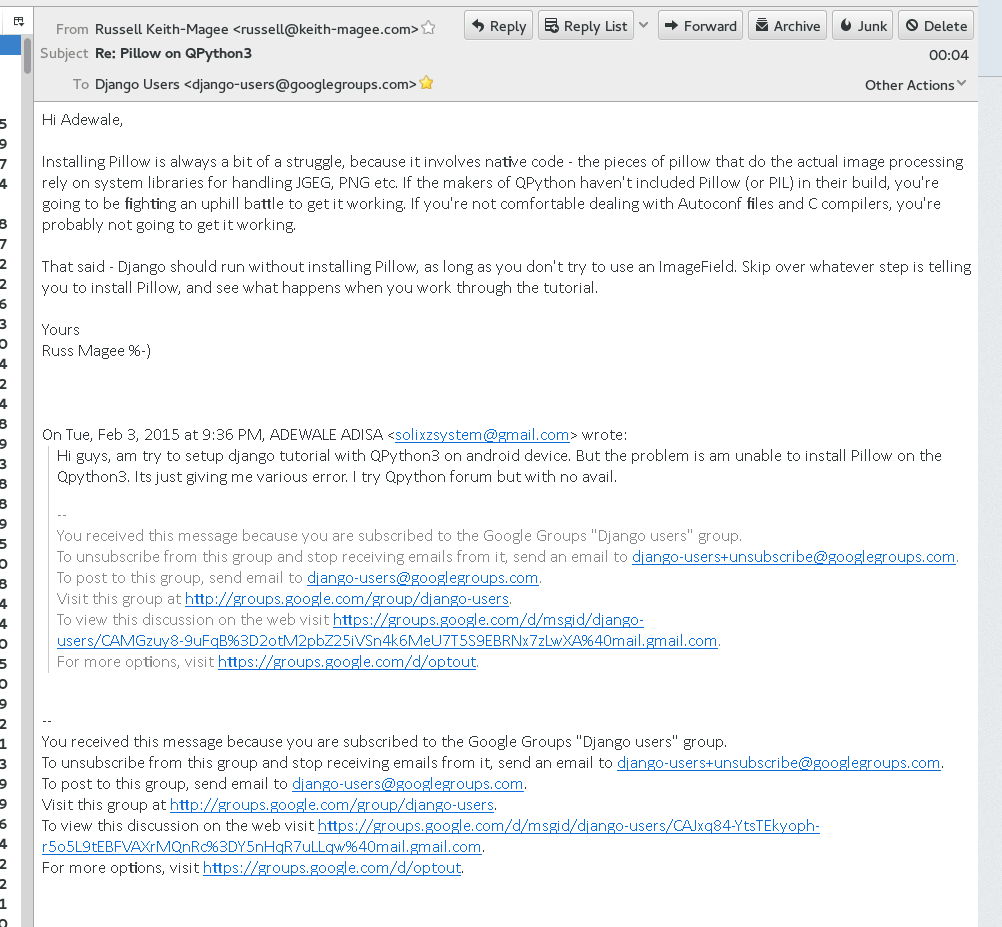
edit > options > display > formatting and click the advanced buttons. Check all the fonts are present and the font files are not corrupt.
Hi Matt, thanks for the reply. I've tested all fonts listed (also grepping font in config-editor) and reset them to their default, with no luck. Though I noticed that these were only affecting the emails in HTML or when only `Content-type: text/plain; charset=US-ASCII' appears.
However I am noticing that the messages when the font becomes messy contain the header `Content-Transfer-Encoding: quoted-printable', e.g. A) Content-Type: text/plain; charset="us-ascii" Content-Transfer-Encoding: quoted-printable B) Content-Transfer-Encoding: quoted-printable Content-Type: text/plain; charset="Windows-1252"
Currently I solved through Options -> Display -> Advanced -> Do not allow message to use other fonts (which is not a bad idea at all).
Thanks!