


The list of search engines nolonger shows up when I click the arrow in the search window.

The search engines are still listed when I access "Change Search Engine Settings" but do not show up when I click the arrow in the search box. Other than "Add Firefox Help".
Solution choisie
Toutes les réponses (4)
Hi Ken, I've had the same puzzling question after the last update. I suppose you're referring to the new One Click Search. The arrow to access the drop-down search engines menu is indeed kinda gone.
If the search field is empty and you click on the magnify glass icon, there will be a little arrow like we were used to, but it will only show the "Add Firefox Help" message instead of the search engines choices:
https://support.cdn.mozilla.net/media/uploads/images/2014-12-05-10-58-50-04e21e.png

Now, type something in FIRST, then click magnify glass icon and the search engines choices will be back:
https://support.cdn.mozilla.net/media/uploads/images/2014-12-05-10-52-26-6cc8ba.png

Power users If you're like me and often need to switch on the fly your default search engine, you can simply switch back to the "old" system:
- Type about:config in your URL bar
- Search for browser.search.showOneOffButtons
- Double-click it to turn it to FALSE
- Restart Firefox
Voilà!
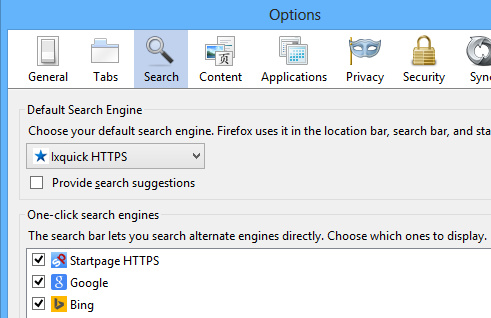
IMPORTANT - BUG NOTE -After updating Firefox to v34.0, DO NOT remove search providers from the old system; you won't be able to re-install them (I currently have this problem and still waiting for a solution):
https://support.cdn.mozilla.net/media/uploads/images/2014-12-05-11-17-21-486478.png

Enjoy!
Sirus



Modifié le par Sirus
Hi, Sirus,
Thanks for the reply: I'll use this method as it is better than nothing, but I'd still like to get the drop-down list back. Incidentally, this problem happened about ten minutes BEFORE I updated to v34.0!
Do you know if Firefox are aware of this problem?
Ken
Hi again Sirus,
Tried your fix for powerusers and it works, Thank you again for sorting out my problem for me, You are a star!
Ken
Solution choisie
My pleasure!
Sirus