


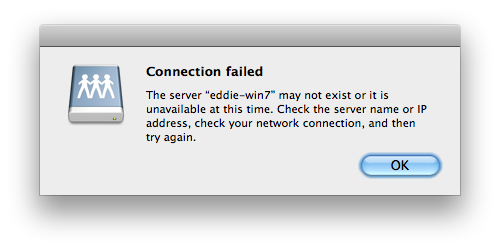
Dowloading a file tries to mount a network drive; when the network computer is offline, after a long time a message says "connection failed".

When dowloading from gmail or some other website, Firefox tries to mount a network drive -- on another computer. If the other computer is offline, there is a 30 sec delay, and an error message says "connection failed". This adds 30 sec to each download!
پاسخها (6)
Try to delete the file downloads.sqlite in the Profile Folder
Help > Troubleshooting Information > Profile Directory: Open Containing Folder
Thanks for the suggestion. I deleted the file and restarted Firefox, but that did not fix the problem.
I ended up deleting my profile and creating a new one. That seems to work!
I solved this by clearing all history (Cookies, Cache, Browsing & download history, etc... everything.)
Attaching image documenting the problem.
Alot of problems like this sounds like a hi-jacking gone wrong. That's why clearing all history (Cookies, Cache, Browsing & download history, etc...) is a good idea all the time, many hi-jacking and tracking tactics used by advertisers rely on the fact few people set their browser to clear all private data on close. And a lot of redirects, corrupted address, and malicious stuff can cause weird network resource behavior
ویرایش شده توسط FoZFoRiC