


Problem with Java Console 6.0.23 vs Java Console 6.0.01 extension. Repeteatly...

I have Java Console 6.0.23 already installed. When Mozilla starts, it is proposed to installed Java Console 6.0.01, the to re start. And after re-start, Mozilla informs me that it will have to desinstall at next start this Java Console 6.0.01 extension. Repeteatly...
پاسخها (3)
Take a screenshot of Java version. Press Windows key + R. In the run command, type javacpl.cpl and press Enter key. Click the General Tab. Under About, click the About button. Press Windows Key + Print Screen. On laptops, this is Windows Key+Prt Sc. Copy to MS paint and save it as a image. Upload the image on this forum.
Here are the screen shots. Thanks Marc
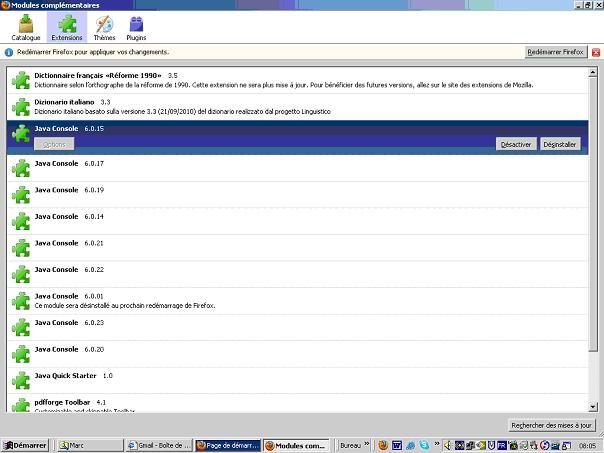

You have Java 6 Update 23. Your add-ons show that you you have multiple versions of Java Console. Remove all versions of Java Console EXCLUDING Java Console 6.0.23. Restart Firefox. That should work.