


Dark text on many websites is displaying as very light

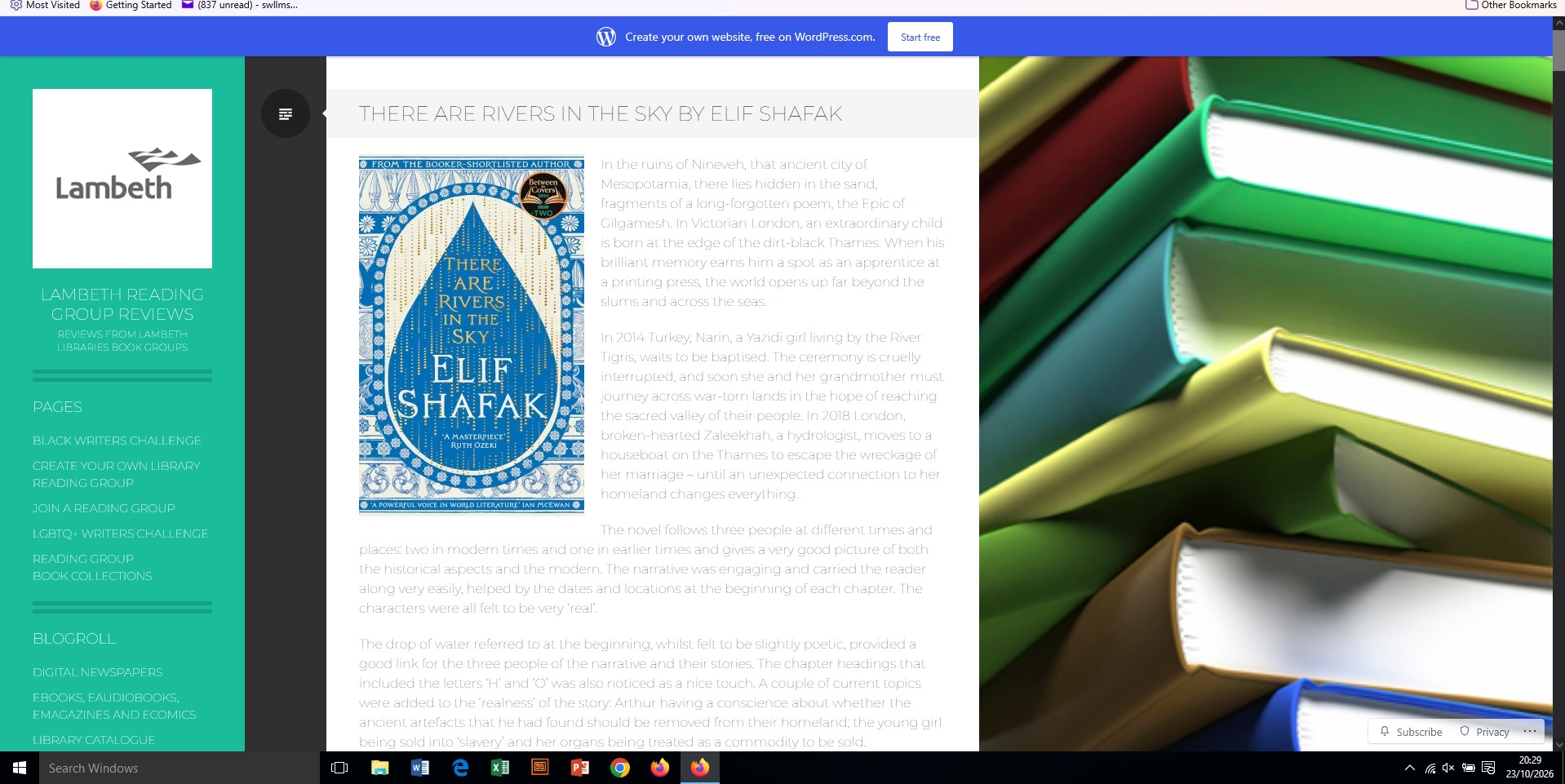
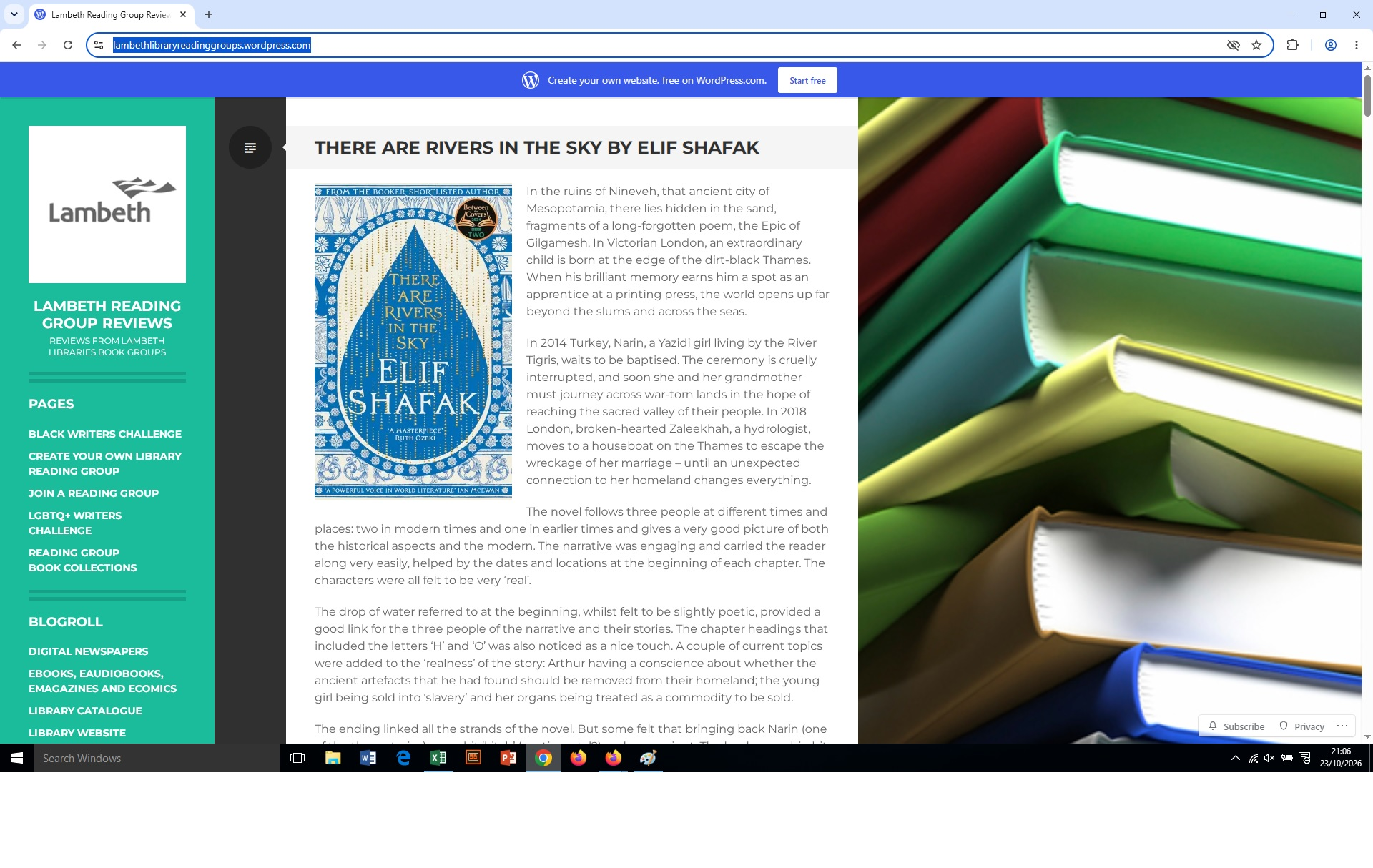
For a couple of years I have been seeing websites with text so light that I've had to copy it into Word to read it. I spoke to the owner of one site, and they said they'd set it to dark indigo. If I look at the same websites in Chrome they are perfectly readable. I've tried changing contrast settings and appearance settings and nothing I've done makes any difference. I've attached images of this website https://lambethlibraryreadinggroups.wordpress.com/ in Firefox and in Chrome. You'll see the main text is affected - and also the white text on the left hand side.
Can you suggest anything that might cure the problem? It's getting so bad I may have to give up using Firefox.
بخشها
This is not a solution, but a test to potentially alleviate some of the rendering limits: if you go to Settings › Accessibility › Fonts › Advanced › and uncheck [x] "Allow pages to choose…" to see if the rendering changes to a more readable text that way?
پاسخها (7)
Hi,
For me, the website in Firefox looks the same as in Chrome (with text dark and readable).
As a first step, could you please try running Firefox in Troubleshoot Mode and see if the issue persists there?
That was incredibly fast Denys! I've run in TroubleShoot mode and the display is the same as before
Hmm, if the Troubleshoot Mode doesn't fix this, could you please also try creating a new Firefox profile and see if the issue persists there? (Once you check, feel free to delete it)
Can you actually try to open the site using new Private Window?
It's somewhat badly coded, it uses Montserrat font "Thin", and then tries to make it "bolder" — which may not go well in case there is a Montserrat font match locally on your system, that can't do this transformation. Private mode doesn't use system–provided fonts, so that's a test to rule out any local interference.
Hi, I've tried a new profile and opening in a Private window, but my display remains the same.
I've also just recalibrated my display, but that didn't make any difference either.
بخشها
This is not a solution, but a test to potentially alleviate some of the rendering limits: if you go to Settings › Accessibility › Fonts › Advanced › and uncheck [x] "Allow pages to choose…" to see if the rendering changes to a more readable text that way?
That worked. The pages in Firefox and Chrome are now indistinguishable. I get that, on some sites, I might not see the font style the authors expected, but I can live with that. No idea why specifying a font style should impact the colour though - very weird.
Thank you