


Ask Gemini Option Persistent on Firefox for Android
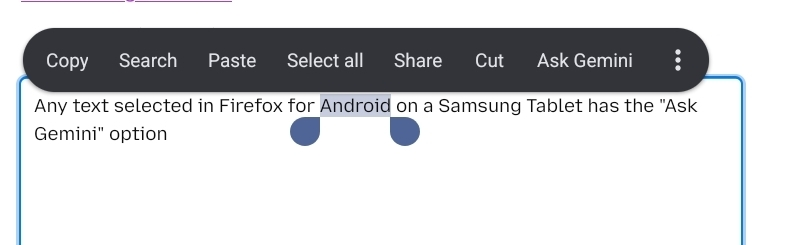
Any text selected in Firefox for Android on a Samsung Tablet has the "Ask Gemini" option with no way to turn it off.
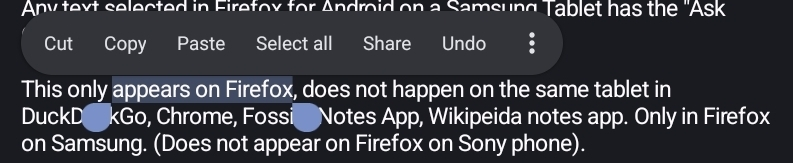
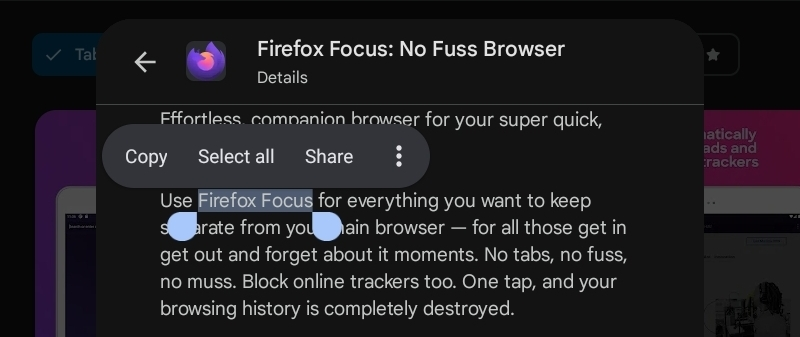
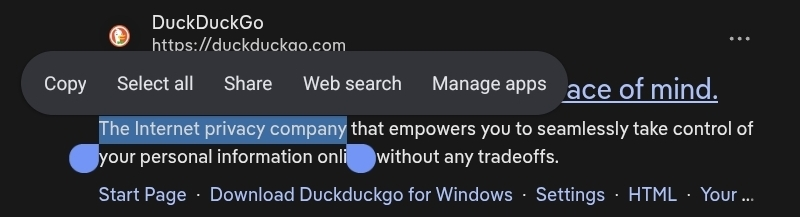
This only appears on Firefox, does not happen on the same tablet in DuckDuckGo, Google Play Store, Fossify Notes App, Wikipeida app. Only in Firefox on Samsung. (Does not appear on Firefox on Sony phone).
Gemini is not installed on the Samsung Tablet, and ALL of the possible AI settings, assistants and apps are disabled, turned off or opted out of in both the Samaung Settings, the Google Account, the Mozzilla Account and the Firefox browser settings. There is no active assistant running on the device and Gemini is not even an installed app.
As this is ONLY ever appearing in Firefox for Android on the tablet and absolutely no other apps without Gemini even being installed and actively being blocked from running makes me think this is a bug specific to Firefox.
Screenshots included as this shows it the different apps listed and that this menu is different per app as some have their own context items, which again supports this being a potential bug specific to Firefox.
How can this be sucessfully reported, removed, turned off or customised to stop the accidental activation of an AI Assistant from Firefox when selecting text? (Either as text already on a page or text that has been typed into a form or doc via the web.)

All Replies (2)
No, this is general Android menu, not our feature.
To turn it off, go to your System Apps and turn off Google, then restart Firefox.
Thank you, I can confirm that as I have now force stopped and disabled the Google app on the Samsung Tablet, restarted Firefox and it is no longer appearing.
That is an unfortunate hidden setting on Alphabet's part to remove all of Gemini, it is required to completly remove the Google app that has no settings or reference to Gemini in the settings in the first place.
However as this selection context menu has different options in different apps is this something that is or can be customised by the app developer at all? Or is it just calling what is available at the device level?
As what makes this confusing is even Google Play doesn't have "Ask Gemini" as a default before I turned off Google, but Firefox did. Which is why it appeared to me to be a localised Firefox issue and not a Google app one as I would have thought Google Play would be actively encouraging the Gemini usage out of all the apps I tested for this.