


How do I create subfolders in my inbox

I want to create sub folders. Sent Spam Deleted
پاسخها (2)

Are you using Imap or pop3 protocol to connect with your email providers server? For imap, those folders are fairly standard and would normally be listed automatically in the app.
1. Unified account
If there a chance your looking at the Unified account rather than your mail account?
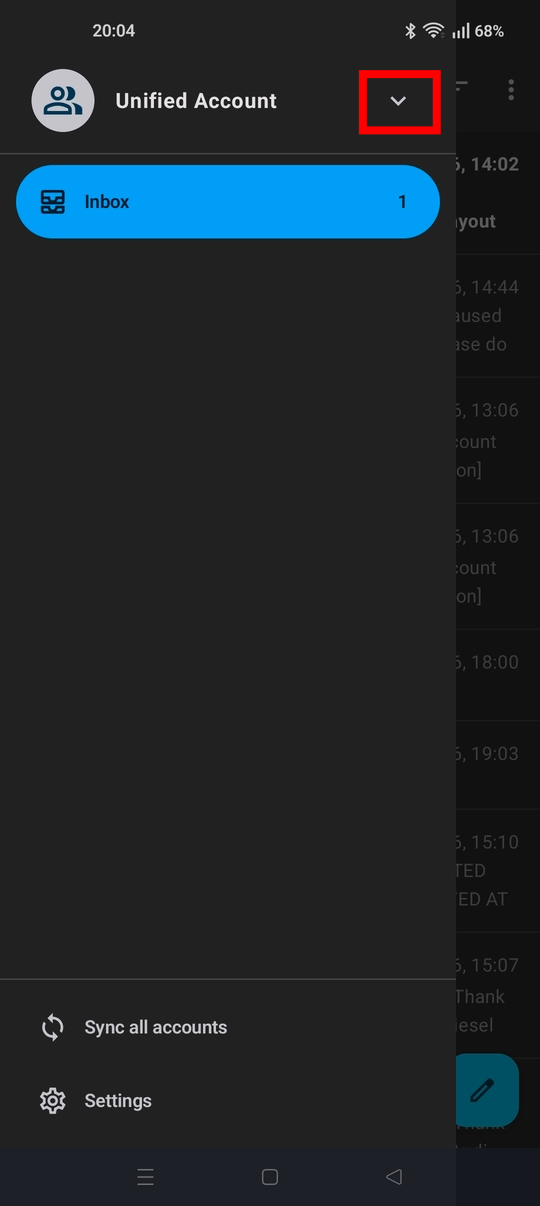
Press the top right ≡ menu button. If it says "Unified Account" at the top ...
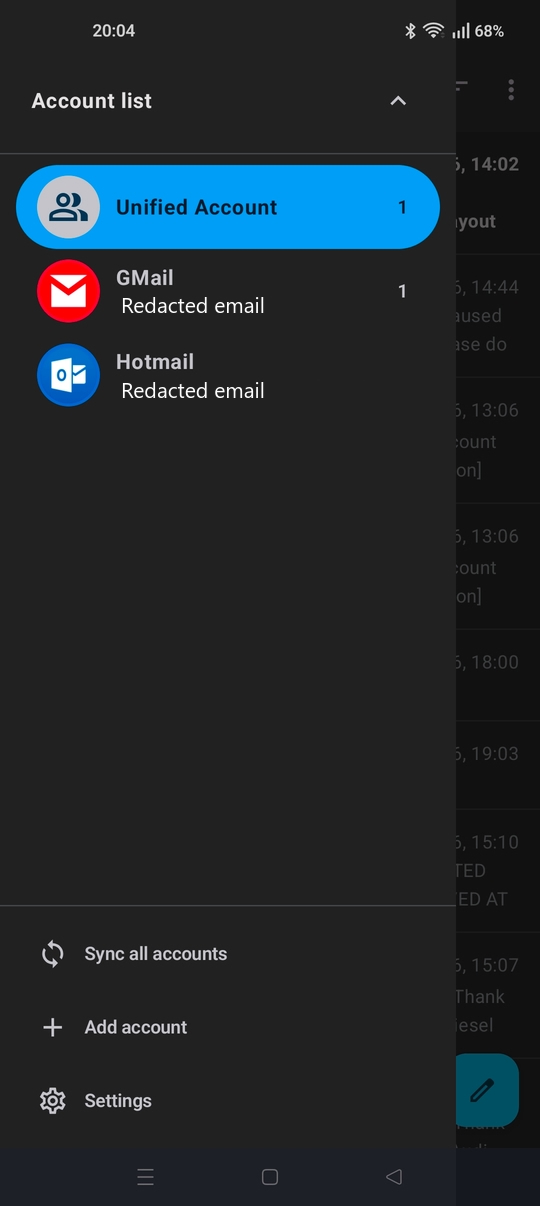
- Press the down arrow to the right of the text.
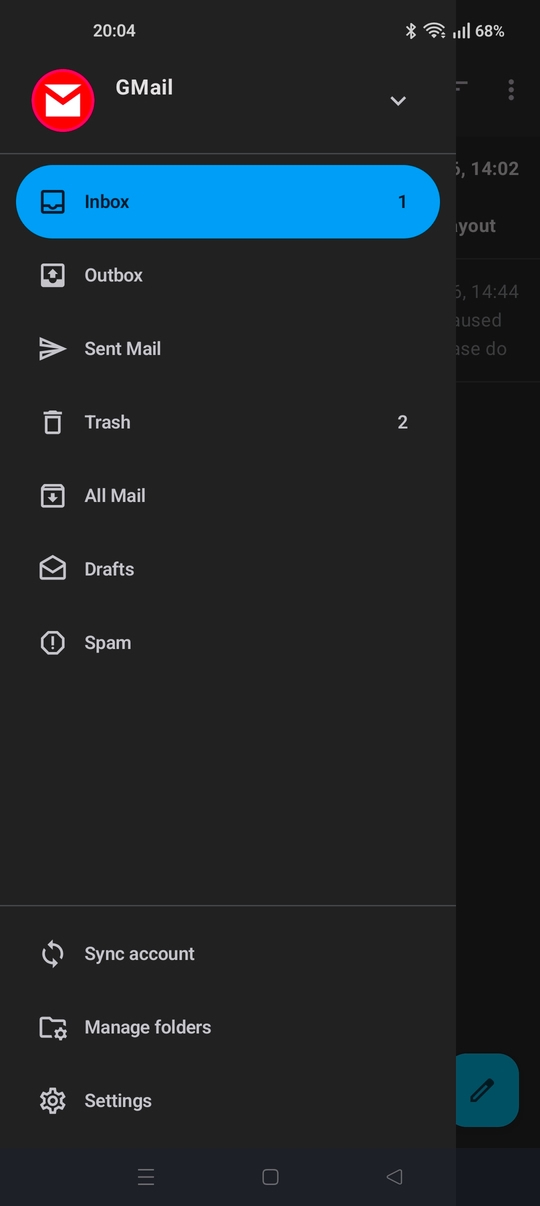
- Tap your account's name.
- You should then see your account folders listed.
See screen shots.
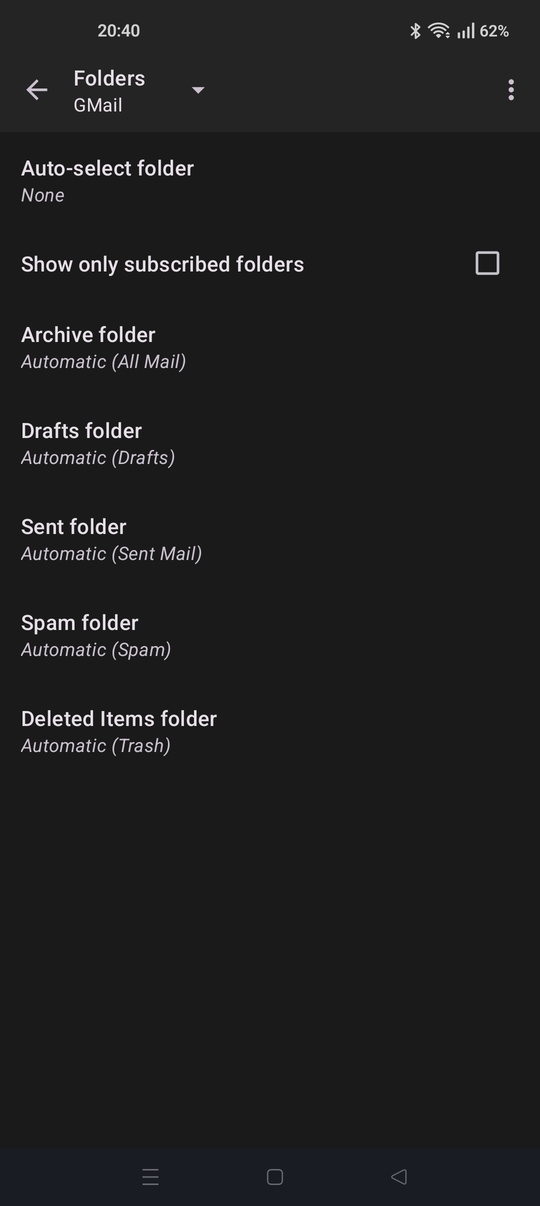
2. Check your folders are mapped correctly.
Navigate to settings > account name > folders. Check the folders names are assigned to an imap folder. You should see as example: Deleted items folder = Automatic (trash)
3. Refresh the imap folder list
- Open the sidebar menu with your account and folder names listed (inbox etc)
- Tap manage folders (bottom of list)
- Tap three dot menu > refresh folder list
Do the folders then appear in the list?
4. Folder creation (general comment)
The app doesn't support direct folder / label creation, renaming or deletion. This need to be completed using your email providers webmail. Afterwards, select refresh folder list in the app to sync any folder changes.
Note: The pop3 protocol doesn't support folders.
Hi Bunty2
Did you resolve the issue?