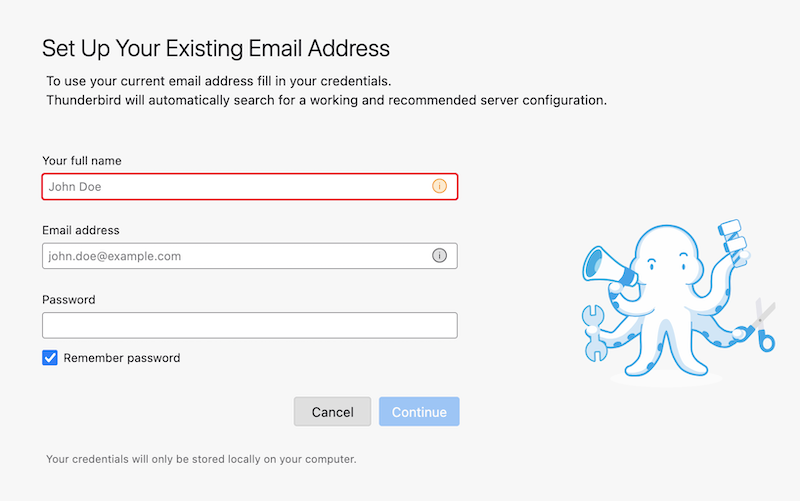
There's a frightening ambiguity in the "add new account" page please help

Hello. I am trying to add a new provider, which means adding a new account. When I click "Add new account" it takes me to a page that asks me to enter my existing account. Does this mean the currently running account or the new account?
All Replies (23)

45rpm said
It took me to a page that says "Set up your Existing Email Address", which isn't really what it means, it means set up my new email address, which I'm told I have running but I haven't tried yet. If I put my new mail address in here, is it going to overwrite my current presence or add a second account to it? When I open Thunderbird will I be asked somehow which account I want to connect to? Or does everything just come in?
Wxie answered one of these questions earlier:
I think the existing account in the "Set up your existing email address" means that you should already have a working email address to add a new account in Thunderbird. Thunderbird will not create an new email address for you, it just uses your existing email to setup a so-called account in its user interface so that you can use it.
Mapenzi answered one of these questions earlier:
Setting up a new email account doesn't wipe out already existing other email accounts.
One difficulty may arise from the use of the term "account". You must first have an account with an e-mail service provider, e.g., Google, Microsoft, Yahoo, Apple, your internet service provider. Then you set up that account in Thunderbird. When you do that successfully, Thunderbird fetches mail from the service provider and sends mail through the service provider.
So "Set up your existing email address" really is accurate.
No, you will not be asked which account you want to connect to. Thunderbird will connect to all the accounts that you have set up.
Thanks. I'm kinda panic afraid of losing all my data, so I might be a little verklempt here and there,
Here's the picture that is crystallizing in my mind. I "add" another provider, in this case mailbox.org. So now nothing has changed except now I get emails via two addresses. I just let the first provider fade away, and now nothing has changed except I now get my emails through mailbox instead of $$$pectrum.
Am I getting this right?
Modified by 45rpm
45rpm said
UPDATE: I just hauled off and put my new email address in the "Existing Email Address" box, and after a couple of steps, Firefox opened with a left-hand column folder for my old account and a folder for my new account, which is satisfactory. I suppose I can copy all my old material into corresponding folders under the new account, and I'll be whole. And this gives me a transition period, which is nice.
I am glad that eventually it worked for you! I guess that you are using the Thunderbird 140.xx.xesr version. Indeed in this version, when you click File > New > Email Account... this opens a box with the a bit ambiguous wording "Set Up Your Existing Email Address" box (see first image)
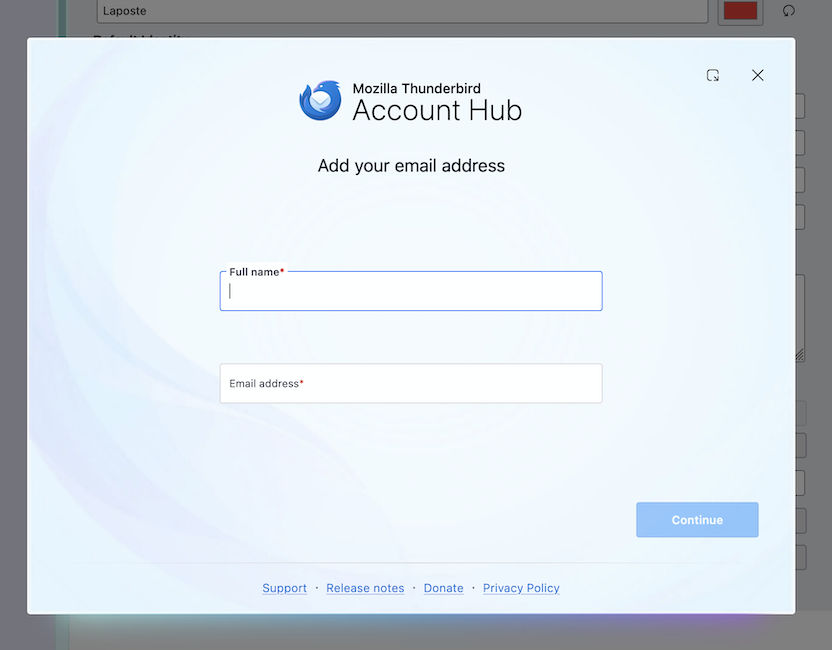
In the Thunderbird release versions this box has recently been replaced with the "Account Hub" window simply prompting to "Add your email address" (second image)