"tab closed" toast message duration too long
Is there a way to shorten the toast message for closing a tab? I believe it's longer than 5 seconds (I slow counted to 7), which seems excessive.
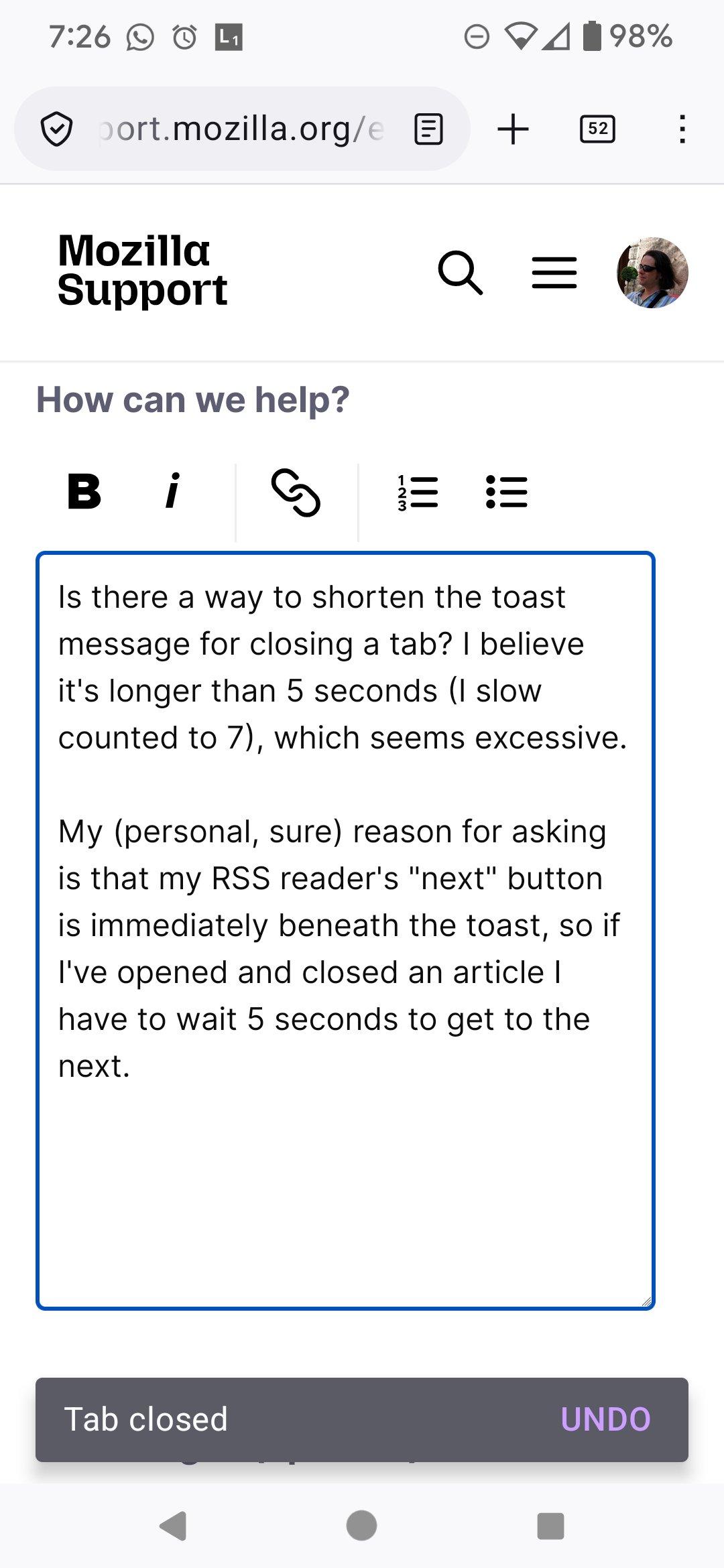
My (personal, sure) reason for asking is that my RSS reader's "next" button is immediately beneath the toast, so if I've opened and closed an article I have to wait 5 seconds to get to the next.
My manual workaround has been to just leave tabs open and close them en masse, but that's a bit risky, given other tabs I'd like to keep open.
The message in referencing is at the bottom of the screenshot I've attached.
It would be ideal if I could turn them off entirely: I know that I closed a tab, after all?
Thanks at least for listening!
Is there a way to shorten the toast message for closing a tab? I believe it's longer than 5 seconds (I slow counted to 7), which seems excessive.
My (personal, sure) reason for asking is that my RSS reader's "next" button is immediately beneath the toast, so if I've opened and closed an article I have to wait 5 seconds to get to the next.
My manual workaround has been to just leave tabs open and close them en masse, but that's a bit risky, given other tabs I'd like to keep open.
The message in referencing is at the bottom of the screenshot I've attached.
It would be ideal if I could turn them off entirely: I know that I closed a tab, after all?
Thanks at least for listening!