


Thunderbird profile installed on new computer from old computer, but local folders data missing

I have installed Thunderbird on a new computer and copied my profile from the old computer as per instructions on the Mozilla site. However on the install on the new computer the LOCAL FOLDERS, sub folders which I use as archive storage do not contain the messages as per the my old computer. The sub folders are named correctly.
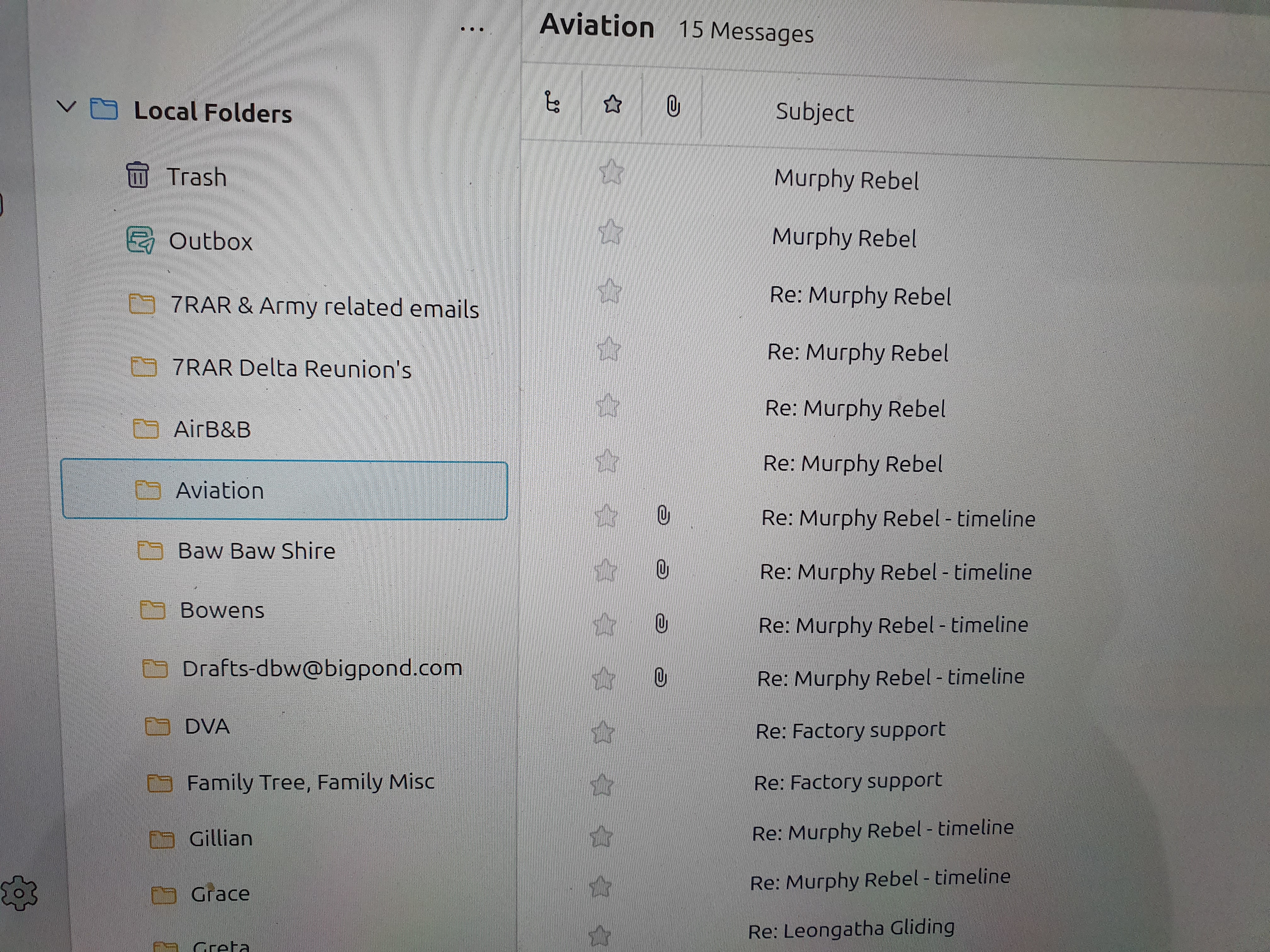
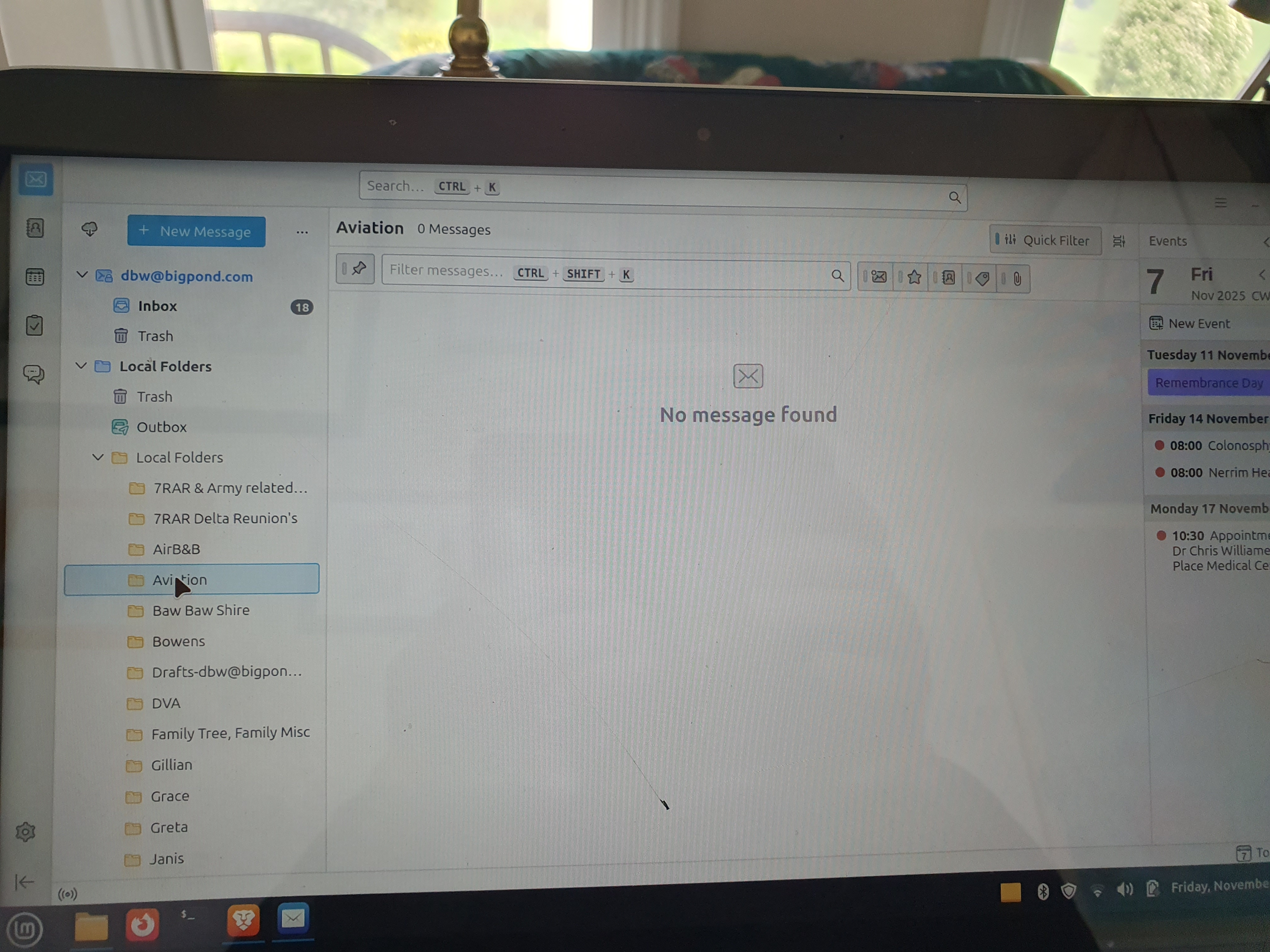
I have attached photos of the sub folders from the old computer showing data in the sub folder and also the new computer showing no data.
Please advise how to retrieve the data for the new computer.
Chosen solution
re : Should I delete the folder named "Thunderbird Local Folder Files"
Yes. It will stop a load of confusion and duplication.
re: 'Local Folders.sbd' folder
You can delete that folder as well.
As it seems moving required files into correct directory resolved the issue, please could you mark that comment as chosen Solution: support.mozilla.org/en-US/questions/1545374#answer-1777905
Good to hear all is now displaying correctly.
Read this answer in context 👍 1All Replies (12)
I would exit thunderbird on both computers Then, using Linux file facilities, copy the Mail\Local Folders content from one profile to the other.
Thanks for the response. Tried that, no resolution
I have been poking around and opened the Profile Directory through help/troubleshoot. I opened mail and have four folders: Local Folders, mail.bigpond.com (my email provider), mail and Thunderbird local folder files.
When I open “Thunderbird local folder files” I find my local folder sub files.
Taking an example of one of the subfolders I have two files, one named just Aviation with no extension but seems to have email data, looking at properties it is named Text (applications)mbox and the other file is Aviation.msf also contain text, properties Text (Text/x-csrc)
From the above it appears that that missing data is there, the question is how do I get it to show on Thunderbird Local Folders?
I hope the above makes sense.
Puzzling. Yes, that's the thunderbird format: AVIATION is the mbox and AVIATION.mbx is the index for the mbox. If the file is in in local folders, that is, Mail\Local Folders\AVIATION it should be viewable. You can check that the mbox isn't corrupted by going to https://www.mbox-viewer.com/ and open the AVIATION file. All the messages should be there. That doesn't solve the problem, but it confirms that the file is not corrupt.
re :I opened mail and have four folders: 'Local Folders','mail.bigpond.com' (my email provider), 'mail' and 'Thunderbird local folder files'.
In 'profile name'/Mail' folder: You should only have 2 folders: 'Local Folders' and the pop account called 'mail.bigpond.com' What I need to know is this: What do you see in Local Folders ? That is the 'Local Folders' folder which should have all your mbox files eg: Aviation and Baw Baw Shire Please post an image showing what is seen in that 'Local Folders' folder.
But it looks like you copied the 'Mail' folder from old computer (it contains pop account and Local Folders) and then pasted it into the 'Mail' folder of new computer, so you now have 'Mail'/'Mail' and that second 'Mail' folder probably contains yet another duplicate of Local Folders and your pop account. Please ignore that second 'Mail' folder for now.
re :When I open “Thunderbird local folder files” I find my local folder sub files. That is a most peculiar name for a folder and it should not exist and all those local folder sub files should be in the first 'Local Folders' folders. But for now - please post an image so I can check the contents.
Make sure all images show the full path directory so we can be sure of the folder location And details - name, modified date, type and size columns.
In addition please post an image that shows the following:
- In Account Settings
- Left pane select 'Local Folders'
- on the right it will say 'Local directory:...'
What does it say in 'Local directory:' ? Make sure the window is wide enough to show all the directory path. Or if required click in the text area and use the right arrow keys to move cursor to the far right until it will not go further. It's important to see where that directory is point to. Post an image showing what it says.
Thanks both for the input.
As requested I have downloaded photos of Local Directory and of the Local Folders content.
In the Mail / Local Folders should I delete Mail and Thunderbird Local folder files?
Or should I try and delete Thunderbird from the new computer and reinstall it? I did try and purge Thunderbird yesterday but after reinstalling it opened showing the old data. I thought purging should remove everything.
Fortunately Im still using the old computer so nothing lost at this point, but would be good to get it going right.

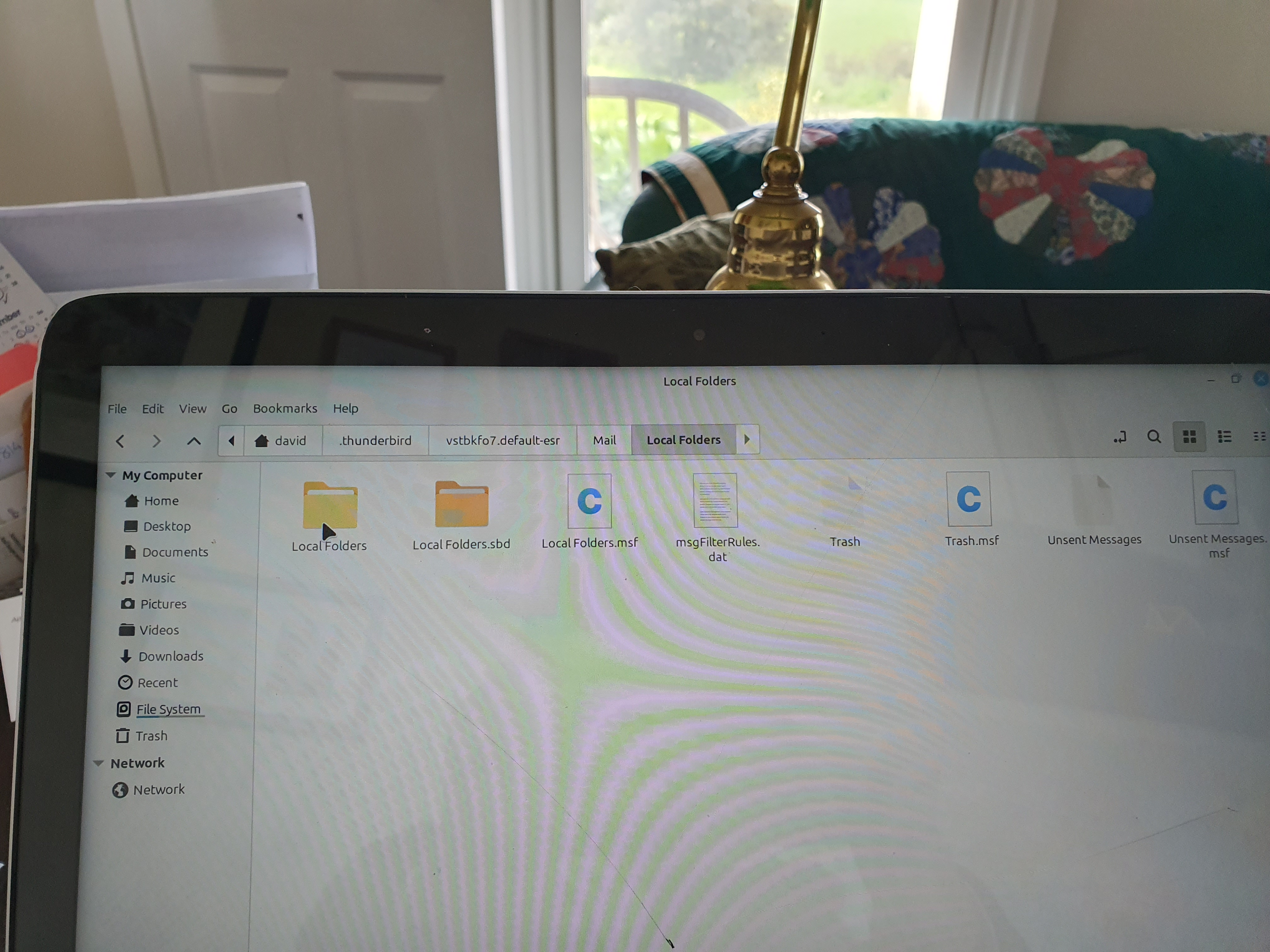
In your second screen shot on the right Local Folders contain • another "Local Folders" folder • a folder "Local Folders.sbd" file folder • a Local "Folders.msf" file
This is not normal: the Local Folders in Mail in the profile should neither contain another Local Folders directory nor a folder Local Folder.sbd nor a Local Folders.msf file. This is a hierarchy which Thunderbird never would create by itself; this is home-made. Please show two screen shots with the contents of Local Folders and Local Folders.sbd which are located in ..... Mail/Local Folders/
Modified by Mapenzi
Agree with Mapenzi. Your Account Settings > Local Folders 'Local directory' is correct.
But, in other image, which shows contents of 'Local Folders' folder. You have been repeatedly pasting a load of folders in the wrong place.
The 'Mail/Local Folders' folder has been opened and it contains a 'Local Folders' folder and that is wrong. It looks like you have pasted your copied 'Local Folders' folder into the real 'Local Folders' instead of replacing it. It's possible you have a load of mbox etc files in that 'Local Folders' - so what is in 'Local Folders' folder as indicated in the image below? If it has all your mbox files eg: eg: Aviation and Baw Baw Shire
Make sure Thunderbird is not running - it must be closed. Move all those files out of that copy pasted 'Local Folders' folder and put them in the 'Local Folders'. Basically moving them up the directory from 'Mail/Local Folders/Local Folders' into 'Mail/Local Folders'. See image below as guide.
Please report back on what you discover.

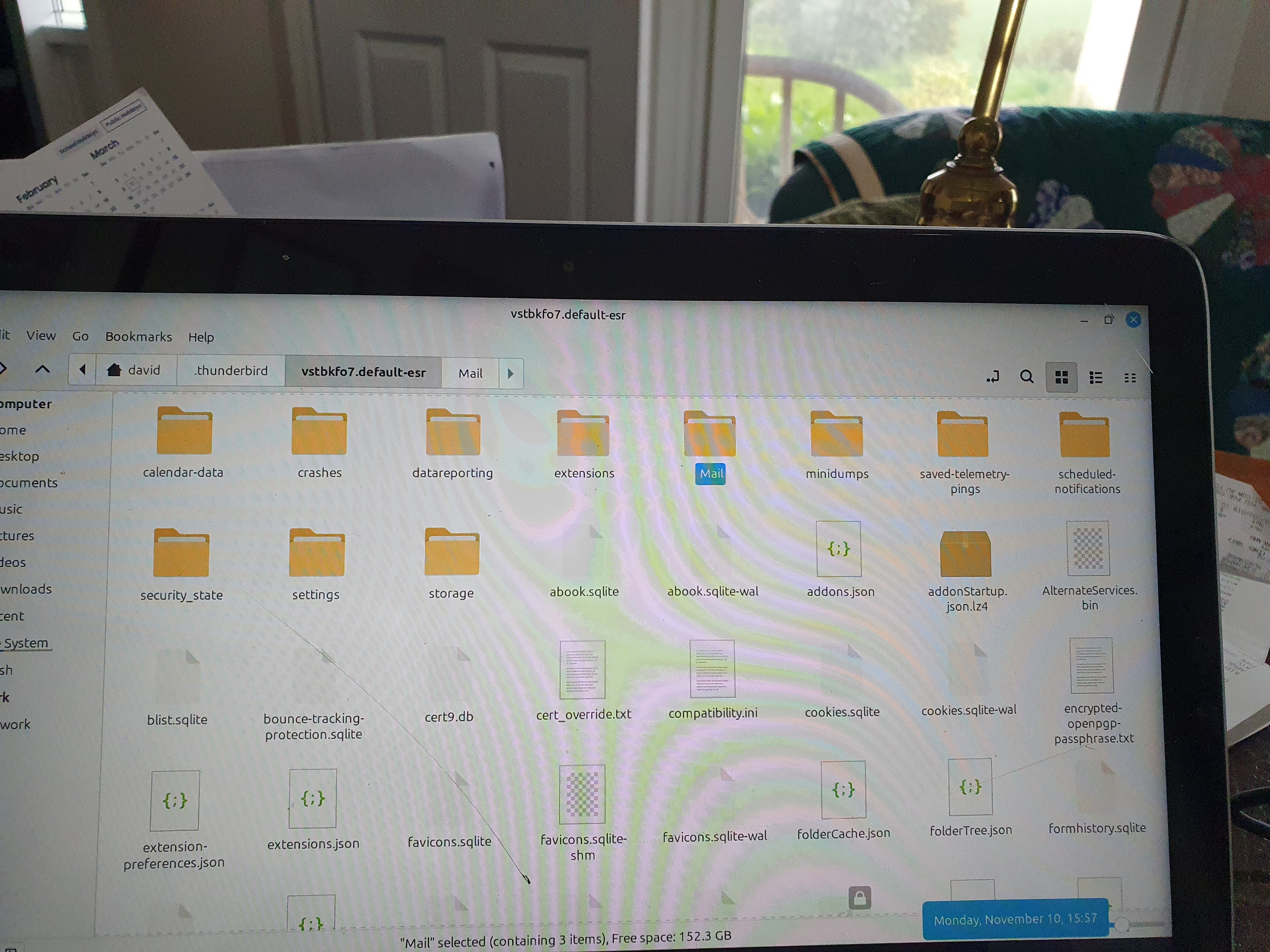
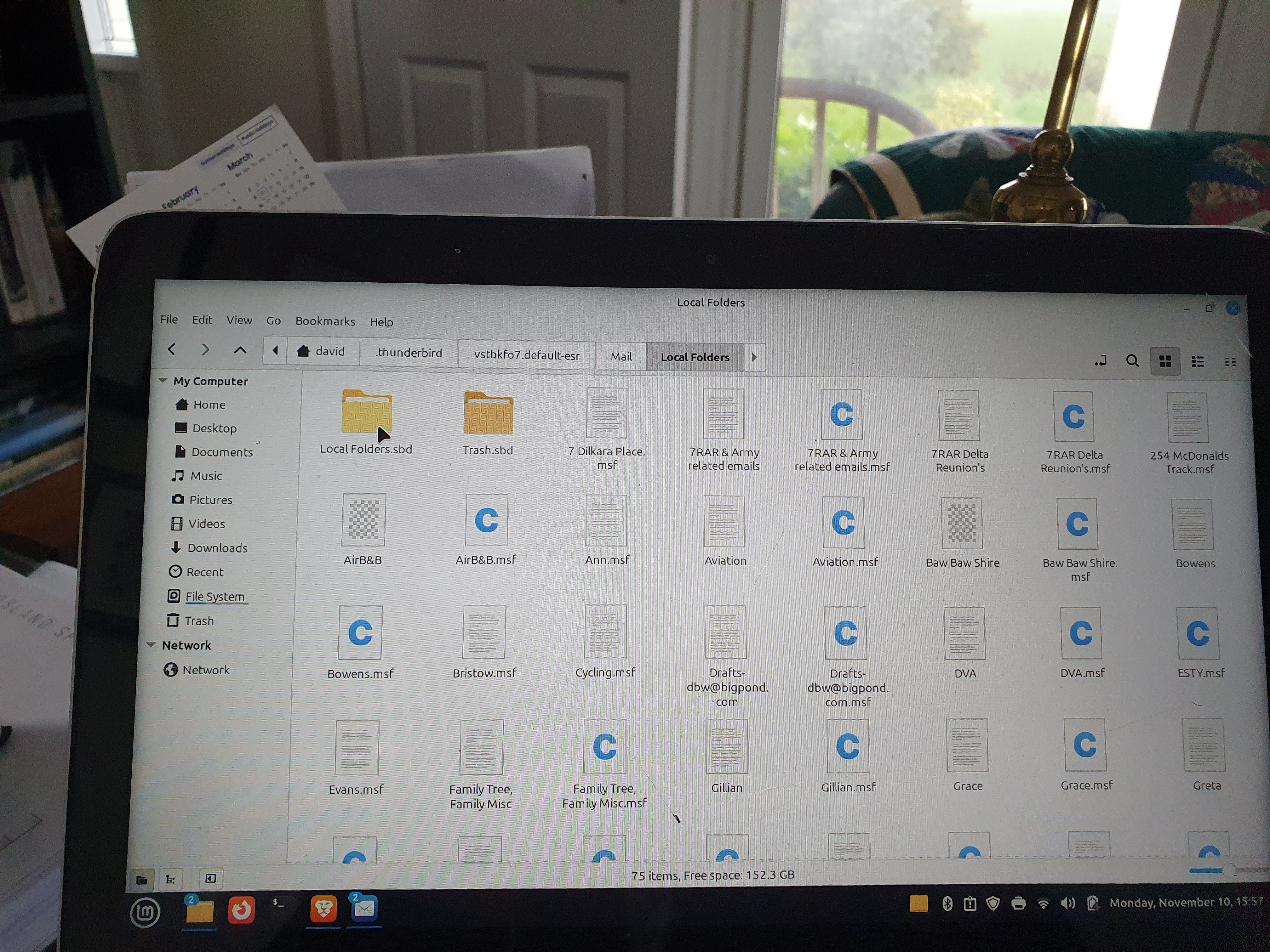
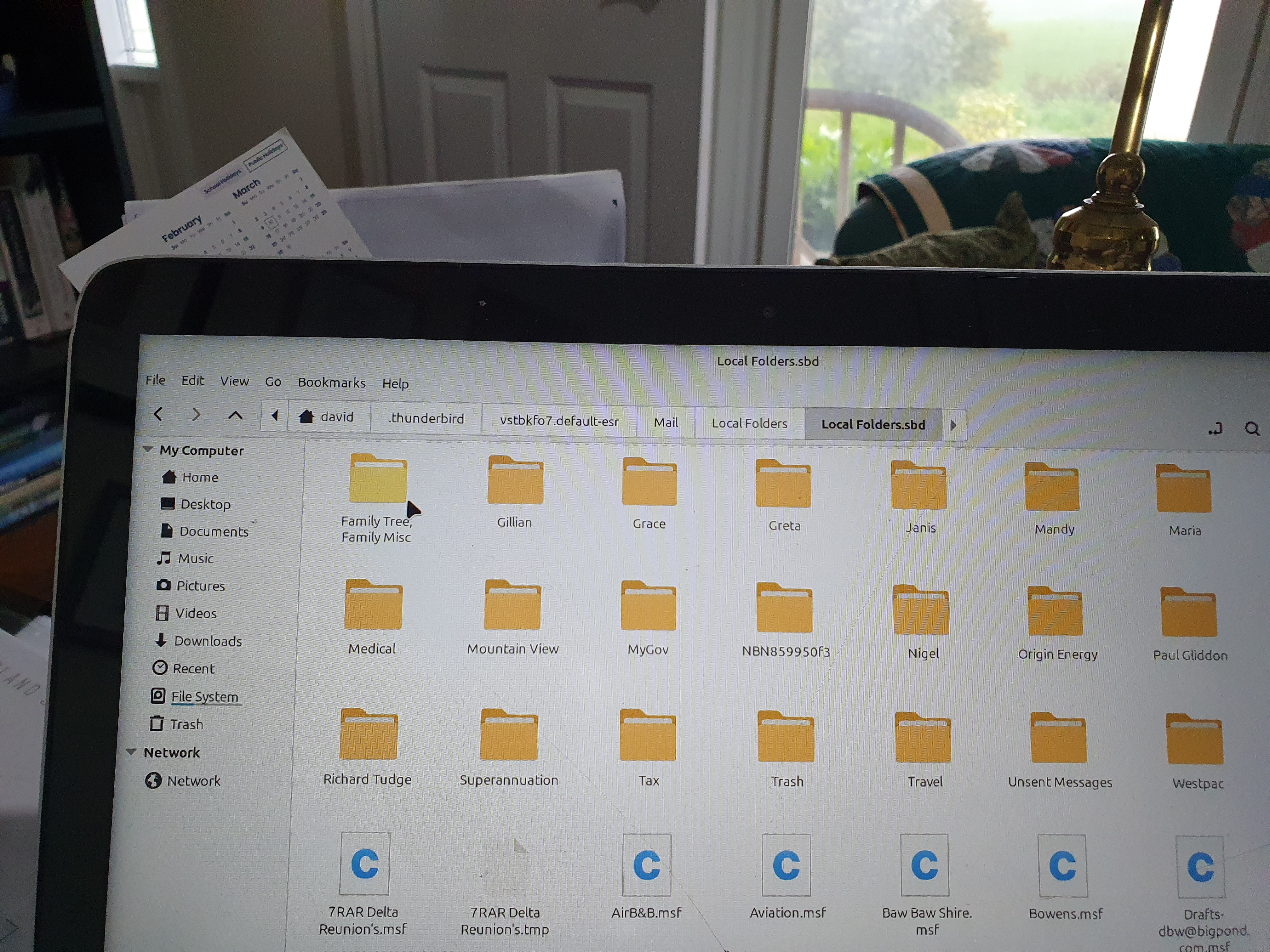
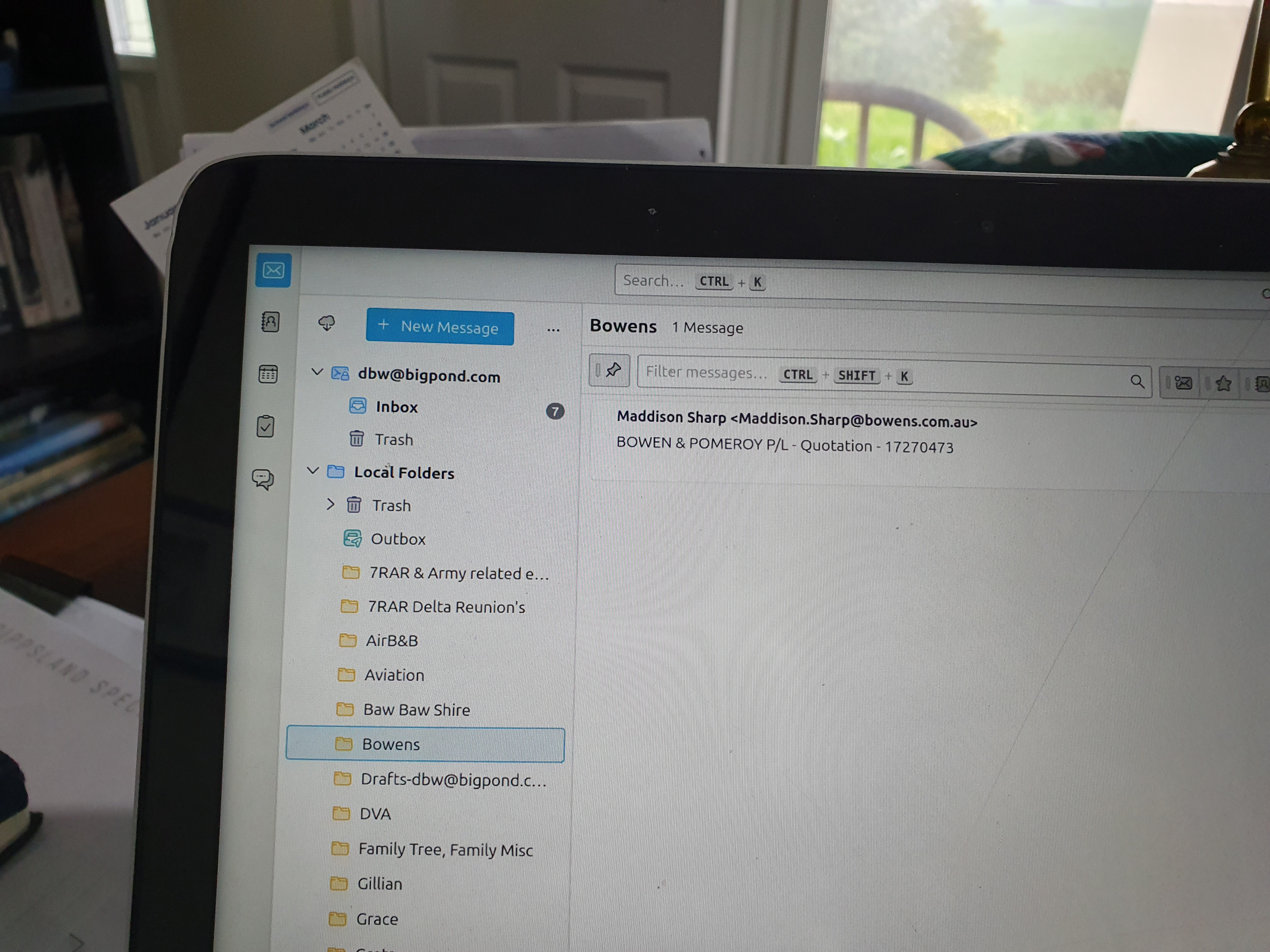
Thank you again to both of you. I have now got all the local folders back with their messages. I have attached photos of the profile. Should I delete the folder named "Thunderbird Local Folder Files" and its contents to save any further confusion or just leave it there. Thanks Again.
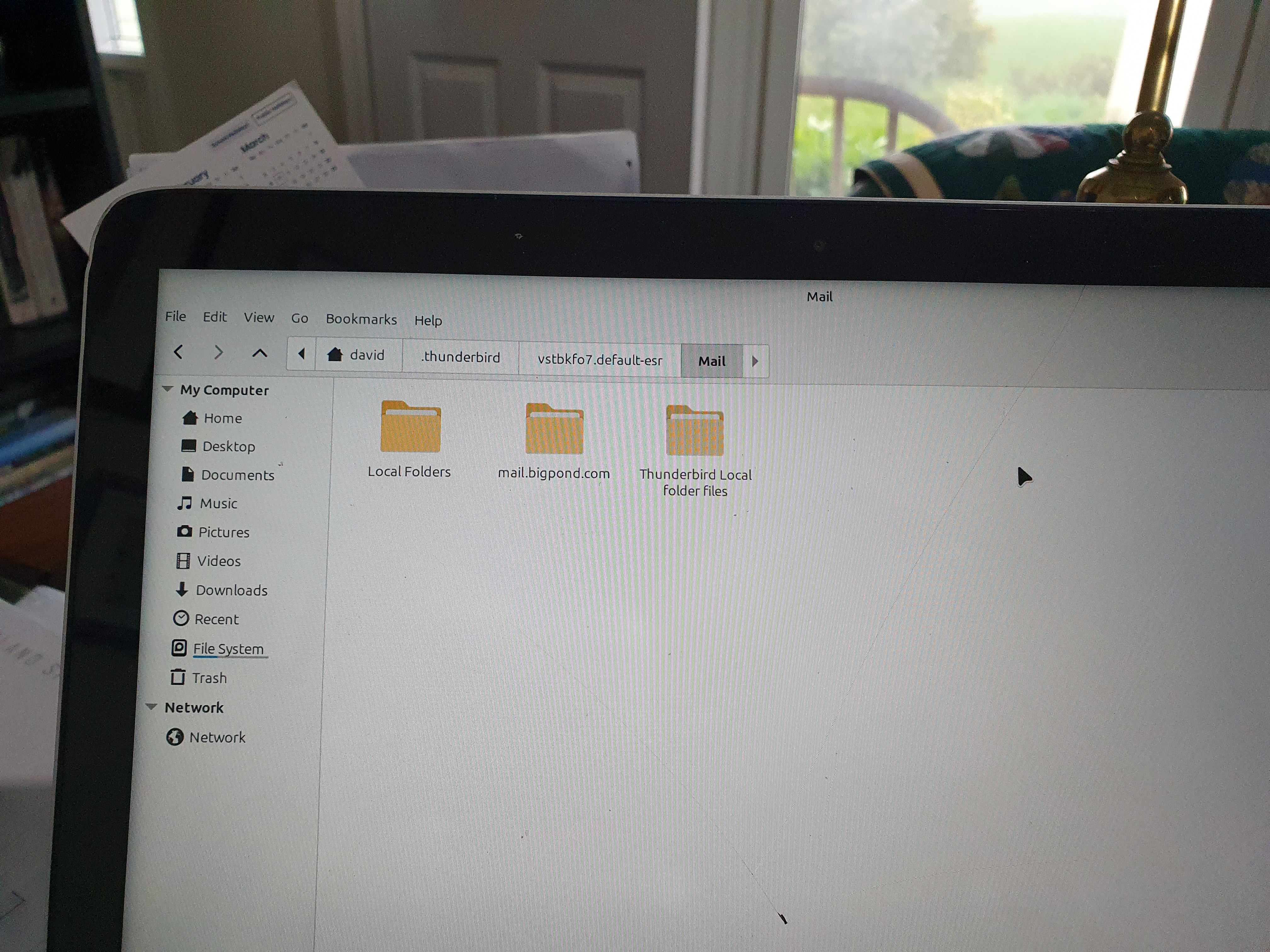
Chosen Solution
re : Should I delete the folder named "Thunderbird Local Folder Files"
Yes. It will stop a load of confusion and duplication.
re: 'Local Folders.sbd' folder
You can delete that folder as well.
As it seems moving required files into correct directory resolved the issue, please could you mark that comment as chosen Solution: support.mozilla.org/en-US/questions/1545374#answer-1777905
Good to hear all is now displaying correctly.