


Colors in drop down menu of website aren't displayed correctly/at all

I am looking for a way to adjust the settings, or really anything else, in a way that would result in the site being displayed like it should be because it is a rather integral part of the game and I really don't know where else to look anymore. Now, I suspect that it's because I switched to Ubuntu because I've never had this issue with Firefox while I still used Windows, but I really hope there's a way to resolve this. That being said, it seems to be specific to Firefox for Ubuntu because the colors show up in the menu when I use Opera on the same OS.
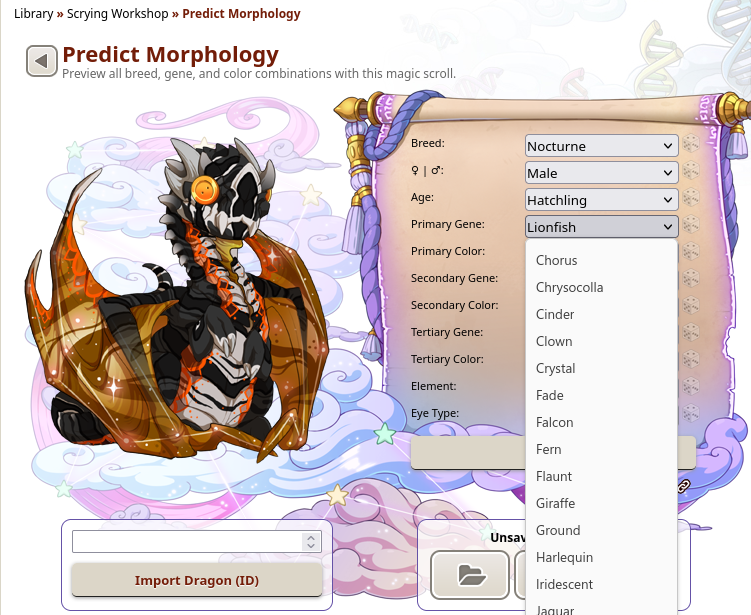
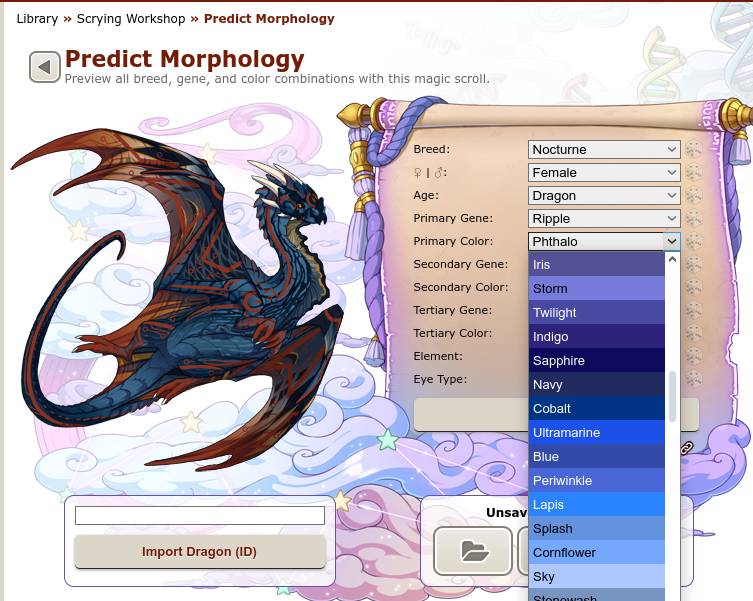
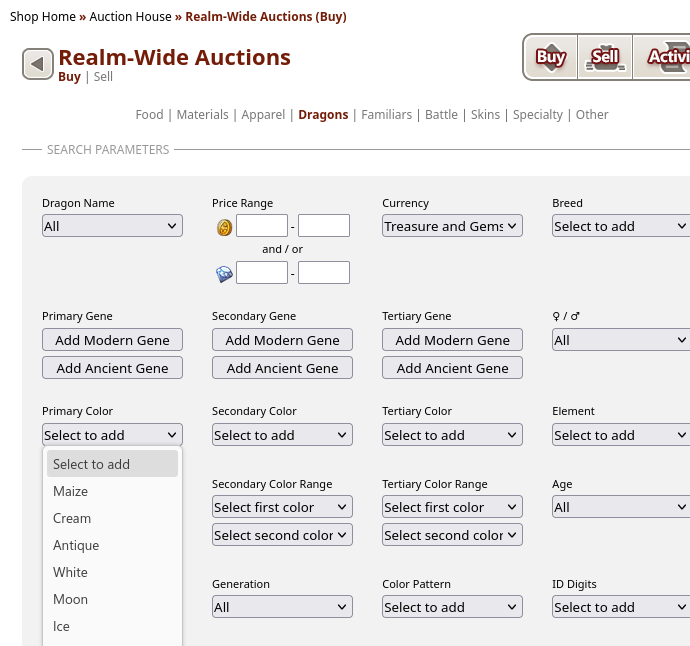
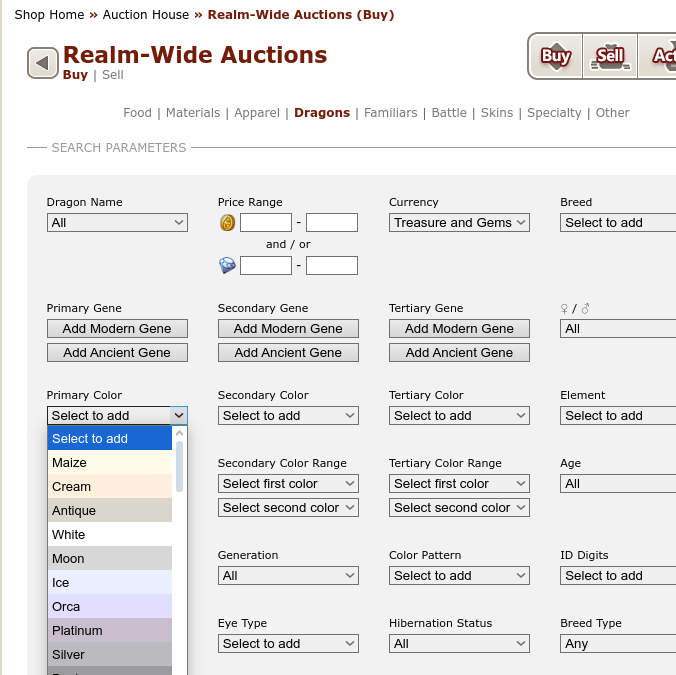
The four images I've added should show what I'm talking about (I really don't have a way to phrase this any better, sorry) and I really want Firefox to display the drop down menu like it is supposed to look: the colors themselves underneath the text. (it looks like Firefox on mobile now if that is any help in figuring out where to start, but I don't see why it would fail to show the site correctly on desktop)
The part of the site in the first two pictures is accessible without an account: Scrying Workshop
Edit: It occurs to me that I probably should list what I've tried already. - disabled enhanced tracking protection - checked my settings (colors are not overwritten) - tried it with a new profile - disabled all extensions - reinstalled Firefox
Modified by Menosgada
Chosen solution
Right, it doesn't work very well on Linux (bug 1339966). Try to enter about:config in the address bar and switch dom.forms.select.customstyling to true.
Read this answer in context 👍 1All Replies (1)
Chosen Solution
Right, it doesn't work very well on Linux (bug 1339966). Try to enter about:config in the address bar and switch dom.forms.select.customstyling to true.