


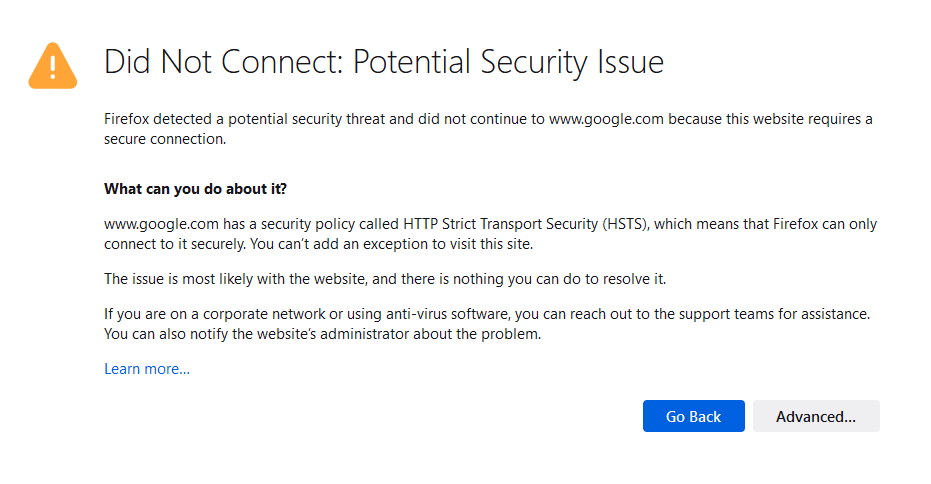
"Did Not Connect: Potential Security Issue" on every sites

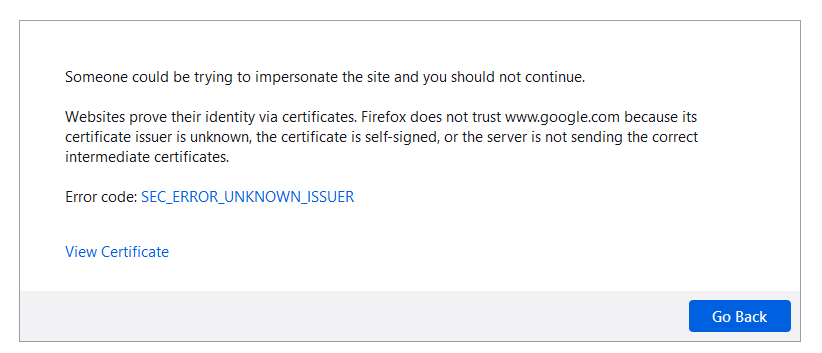
Since yesterday I am getting this "Did Not Connect: Potential Security Issue" error on every sites that I have tried to visit. Even on well known secured sites like https://drive.google.com is inaccessible while my Chrome and Edge is working fine. Any solution?
پاسخها (4)

- MOZILLA_PKIX_ERROR_MITM_DETECTED
- uses an invalid security certificate SSL_ERROR_BAD_CERT_DOMAIN
- configured their website improperly
How to troubleshoot the error code "SEC_ERROR_UNKNOWN_ISSUER" on secure websites https://support.mozilla.org/en-US/kb/troubleshoot-SEC_ERROR_UNKNOWN_ISSUER
There is security software like Avast, Kaspersky, BitDefender and ESET that
intercept secure connection certificates and send their own.
https://support.mozilla.org/en-US/kb/firefox-cant-load-websites-other-browsers-can
https://support.mozilla.org/en-US/kb/firefox-and-other-browsers-cant-load-websites
https://support.mozilla.org/en-US/kb/secure-connection-failed-firefox-did-not-connect
https://support.mozilla.org/en-US/kb/websites-dont-load-troubleshoot-and-fix-errors
بخشها
Hi FredMcD, Thanks for your response. Unfortunately none of these solution is working out for me. I don not use any third party antivirus or internet security software except for windows defender. However, finally turns out that turning on "Automatic proxy configuration URL" under Setting>Network setting solves the issue. I am not sure whether this will cause any security threat or other malfunction or not.

You can check the connection settings.
- Settings -> General -> Network: Connection -> Settings
If you do not need to use a proxy to connect to internet then try to select "No Proxy" if "Use the system proxy settings" or one of the others do not work properly.
See "Firefox connection settings":
That was very good work. Well Done.