


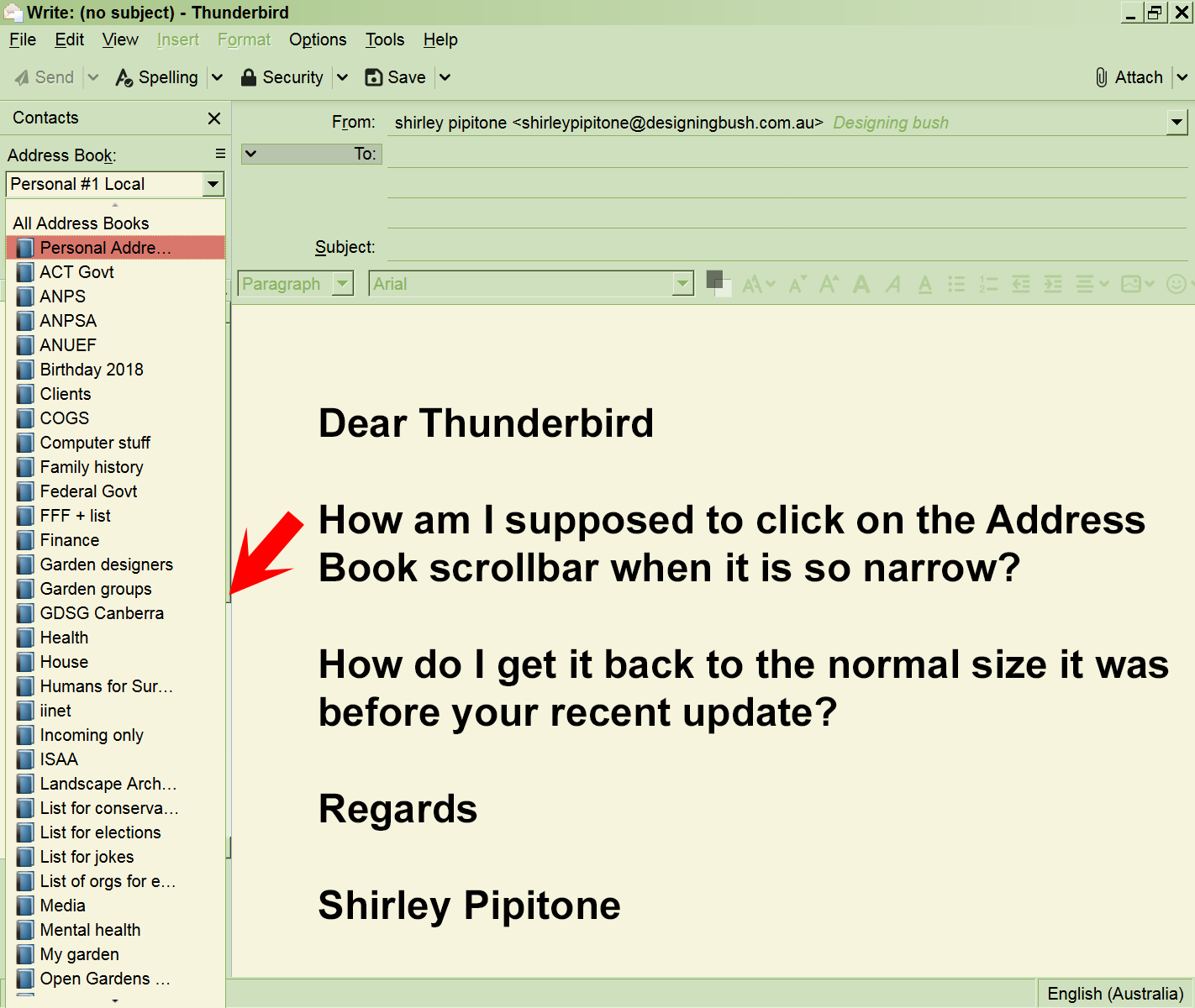
Your recent update has made the Address Books scrollbar extremely narrow. How can I get it back to a normal size?

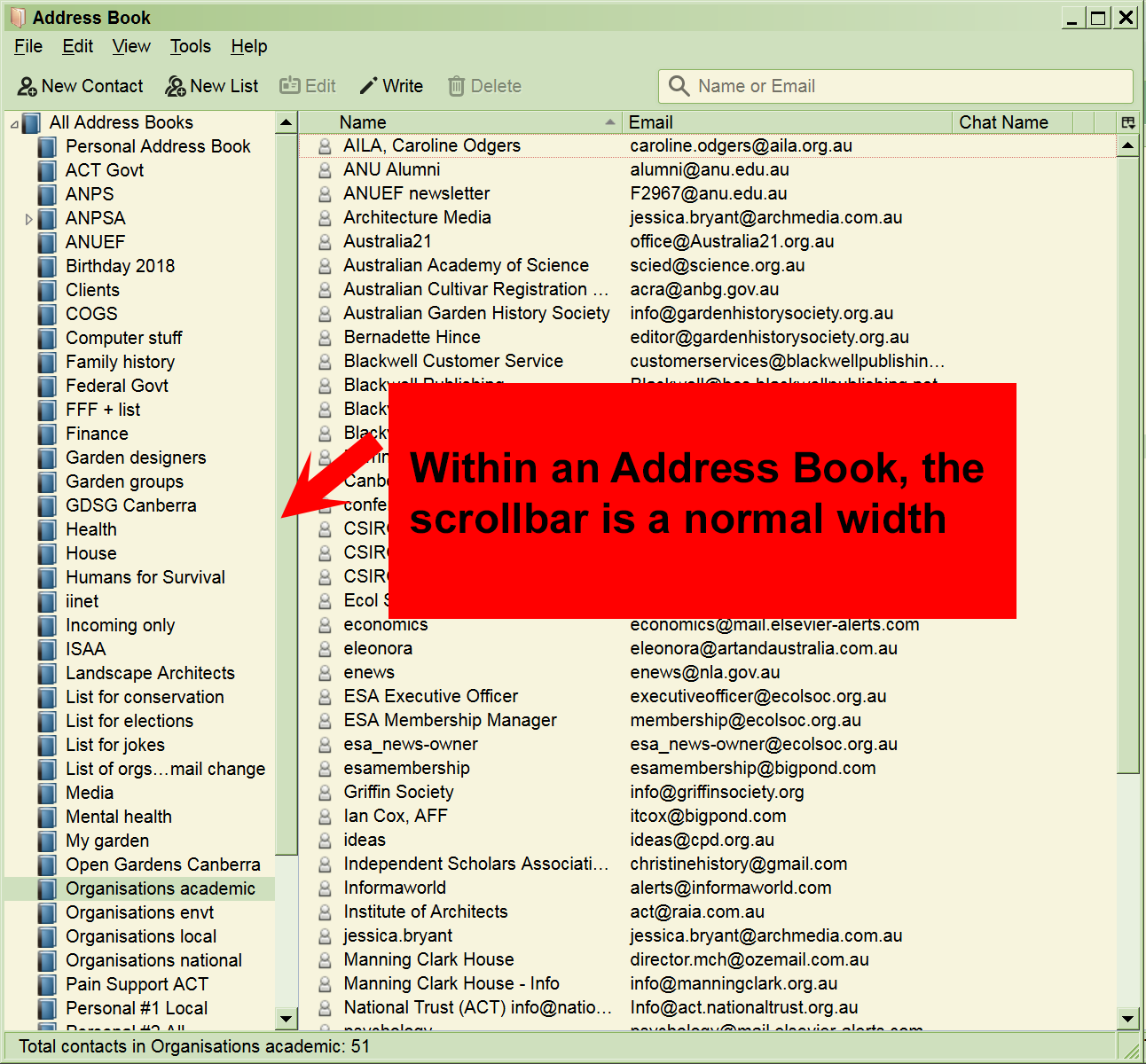
Please look at the pictures: 1. the image "Thunderbird Address Book scrollbar is extremely narrow.png" shows the new Address Books scrollbar 2. the image "Example of normal width scrollbar.png" shows the scrollbar within a particular Address Book
I can't find anything in Thunderbird that will allow me to change this. The normal width scrollbar is probably set in Windows settings.
Thanking you in advance.
Shirley
Please look at the pictures:
1. the image "Thunderbird Address Book scrollbar is extremely narrow.png" shows the new Address Books scrollbar
2. the image "Example of normal width scrollbar.png" shows the scrollbar within a particular Address Book
I can't find anything in Thunderbird that will allow me to change this. The normal width scrollbar is probably set in Windows settings.
Thanking you in advance.
Shirley
Chosen solution
Try to start Thunderbird in safe mode. https://support.mozilla.org/kb/safe-mode-thunderbird
Is there any difference?
Read this answer in context 👍 0All Replies (1)

Chosen Solution
Try to start Thunderbird in safe mode. https://support.mozilla.org/kb/safe-mode-thunderbird
Is there any difference?