

This thread was archived.
اگر به کمک نیاز دارید لطفاً یک سؤال بپرسید.

Solved
Archived
how do I show sender of message
I have just re-installed Thunderbird because it kept "not responding" and the sender of messages is not shown any more. How can I show the sender?
I have just re-installed Thunderbird because it kept "not responding" and the sender of messages is not shown any more. How can I show the sender?

Chosen Solution
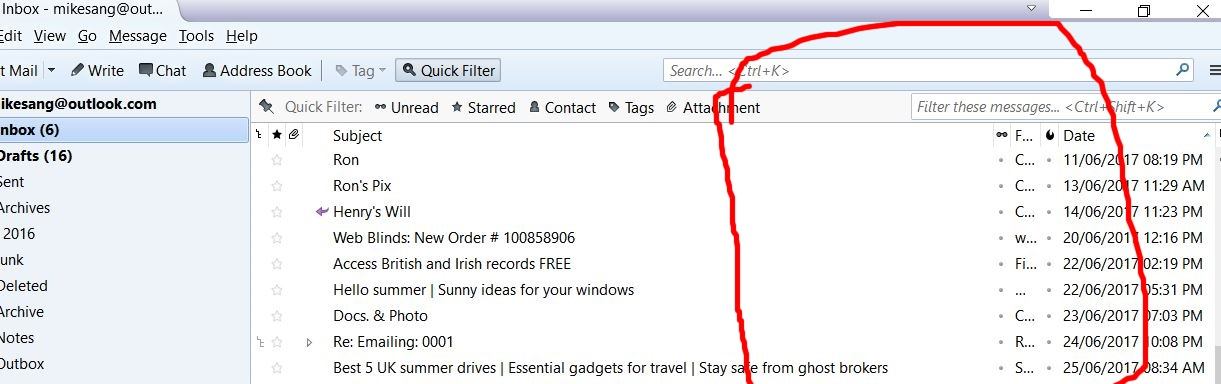
At the far right end of the Header bar is an icon. Click that icon to select the columns to display.
All Replies (4)
Show it where?
The sender of each message used to be shown in the area that I have "circled"
Chosen Solution
At the far right end of the Header bar is an icon. Click that icon to select the columns to display.
Thanks for your help.