


Open
Thunderbird usually only launches fully on the second attempt

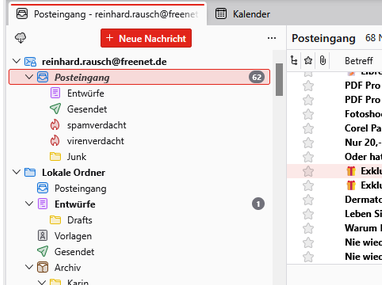
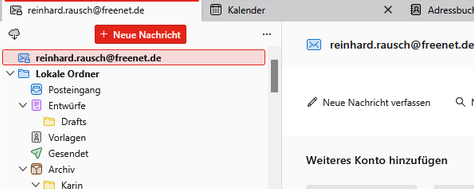
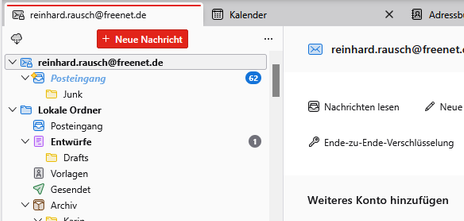
To get Thunderbird to display correctly on the screen, you usually need to restart it once or even several times. Even then, Thunderbird is often not fully displayed, as the word ‘Inbox’ appears in italics beneath the email address, with the ‘Junk’ folder below it. Reinstalling Thunderbird has not resolved the issue.
To get Thunderbird to display correctly on the screen, you usually need to restart it once or even several times.
Even then, Thunderbird is often not fully displayed, as the word ‘Inbox’ appears in italics beneath the email address, with the ‘Junk’ folder below it.
Reinstalling Thunderbird has not resolved the issue.
All Replies (1)

This looks like bug 2087454. It will be fixed in TB 160.0 to be released next week. As a workaround for TB 159.0, try to set the pref mail.server.default.use_compress_deflate to false (see https://support.mozilla.org/en-US/kb/config-editor).