


Unusual opening of e-mail

I use Thunderbird on a PC. It has began to open evry e-mail I select as a pop-up window. This is unusual for me, and I do not want it. I just want to open the e-mail inside those windows that already exist on the screen. It has been like that before. In settings I have selected to open e-mails in an "existing window" Is this korekt? Finally one more question: can I write in Danish here? It would be easyer for me to explain my problem in danish.
All Replies (8)
Which are your choices in the View > Layout menu? (see image) If you enable ✓ the Message Pane (F8) a left-click on a message in your thread pane (message list) should display the message content in the message pane instead of a new window or a new tab.
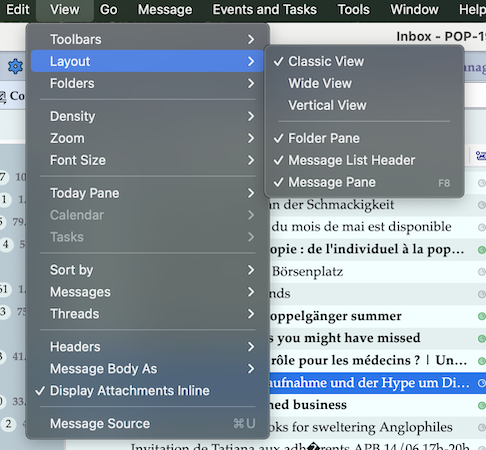
Muudetud Mapenzi poolt
I dont have anything that looks like that in my Thunderbird. I use a well updated edition of danish thunderbird.
It may look a bit different in your Thunderbird version since you use Windows and I'm using macOS. If I,switch to "Dansk" it looks like in my new attachment.. (image) But you might still answer my questions. Do you see the View menu in your Thunderbird? If you don't see a menu bar please read this article about displaying Thunderbird's menus and toolbar....
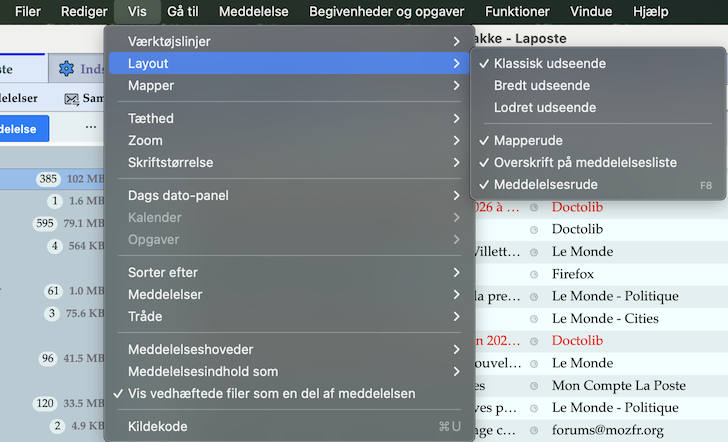
Muudetud Mapenzi poolt
I am using Windows 11. My system does not look like that.
Sorry, I throw in the towel!

arduni, we could help more if you provided more information. In what way does your installation look different?
I have realised that my computer act like a duble click when i make a single click with the mouse. Thats why it opens in a new unwanted window. the duble click problem also exist in my internet browser(microsoft edge).
arduni said
I have realised that my computer act like a duble click when i make a single click with the mouse. Thats why it opens in a new unwanted window. the duble click problem also exist in my internet browser(microsoft edge).
Hvis det er problemet, og problemet ikke skyldes Thunderbirds layout, bør du kigge på denne diskussion: https://support.mozilla.org/en-US/questions/1578328
Og søg hjælp hos Microsoft eller producenten af din mus.
Kan du fremover bruge et oversættelsesværktøj til at oversætte dit dansk til engelsk her i forummet? Jeg bruger selv Kagi.
__________
If that is the problem, and the problem is not Thunderbird's layout, then you should look at this discussion: https://support.mozilla.org/en-US/questions/1578328
And seek help from Microsoft or your mouse maker.
For future discussions here, can you use a translator to translate your Danish into English? I use Kagi.