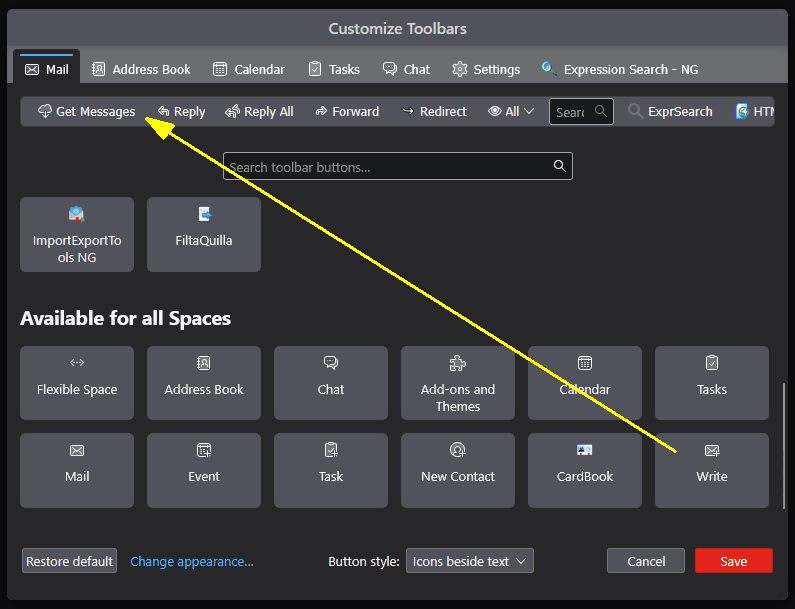
how do I get back the 'write' button on Thunderbird mail

bold text how do I get back the 'write' button on Thunderbird mail bold textunderbird mail
'''bold text''' how do I get back the 'write' button on
Thunderbird mail
'''bold text'''underbird mail
All Replies (1)

Right-click on an empty spot on the toolbar and choose "Customize..." On the Mail tab, the available icons will show below, including "Write". The icon can be drag-and-dropped onto the sample toolbar. See the attached image.