


up-to-date TB version
I haven't updated Thunderbird since version 52.9.1 because of the interfaces which are painful for me and I don't see much. it still works well but does not support encrypted emails. I would like to install a recent version of TB but how can I make it look like the older, much more configurable versions? Please tell me if this is even possible.
This is translated from French
All Replies (17)
The same, more or less, look is still there. That is, folder pane on life, message list in middle, and calendar on right. And more options are available. The safe upgrade process is here: https://support.mozilla.org/en-US/kb/upgrading-older-version-thunderbird It is possible to leap ahead without doing that, but you may find some difficulties in resolving differences. For example, the addressbook changed during that period as did requirements for addons.
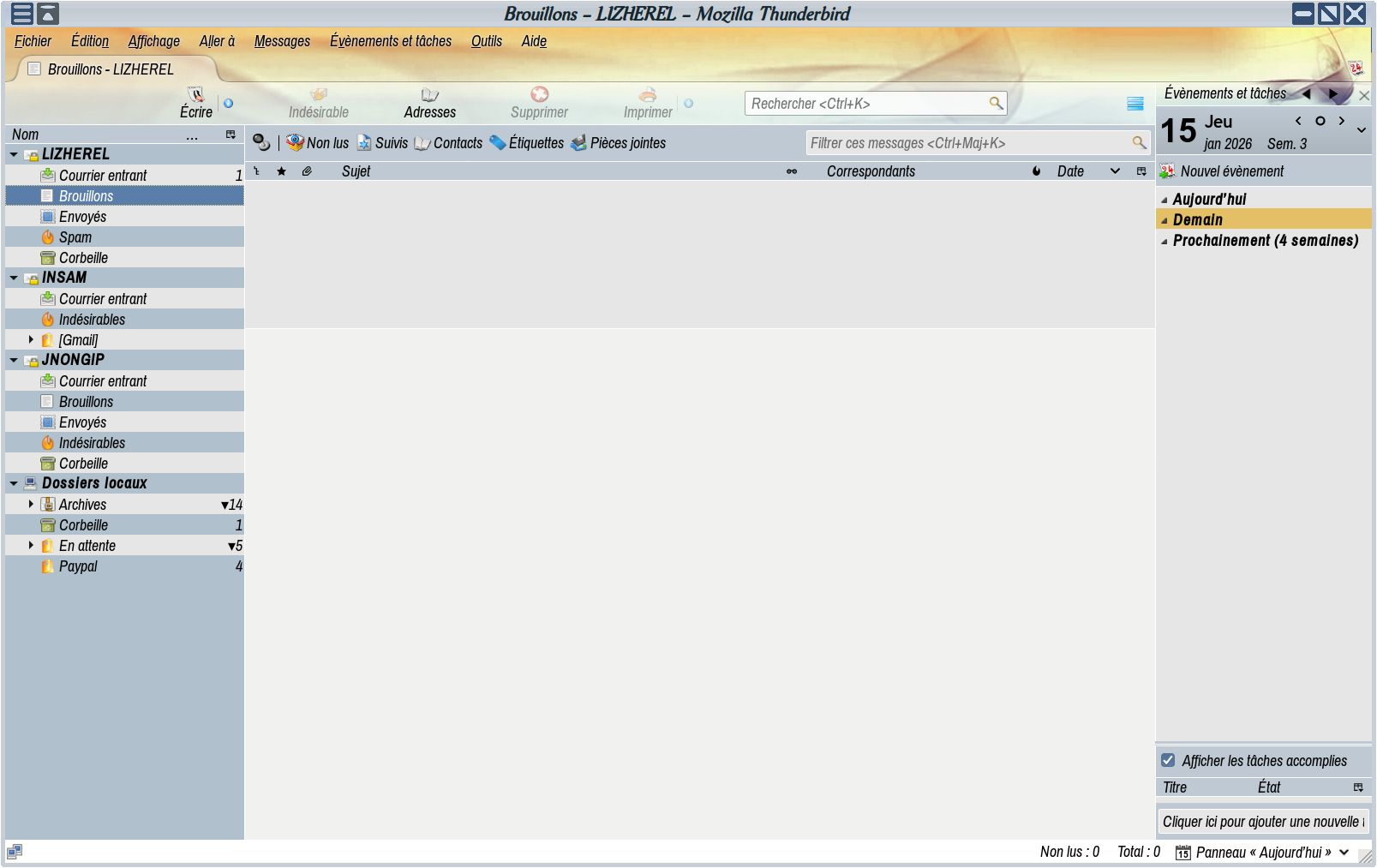
Thank you for your reply, but I have a vision problem and I can't distinguish the icons from each other, nor the window opening and closing controls. I much prefer my old version with larger, colored icons. Here, the fonts are even larger than in my old version and therefore take up a lot of space, while the icons are tiny and gray.

Encrypting messages is indeed possible with Thunderbird.
Are you using an add-on theme that provides those colors? Maybe that theme is old and hasn't been updated for more recent Thunderbird versions. Use the Tools menu > Add-ons and Themes to look for a theme that works for you.
Window opening and closing controls are set by the operating system, not Thunderbird.
Yes, it's a theme I created, adapted to my visual limitations.
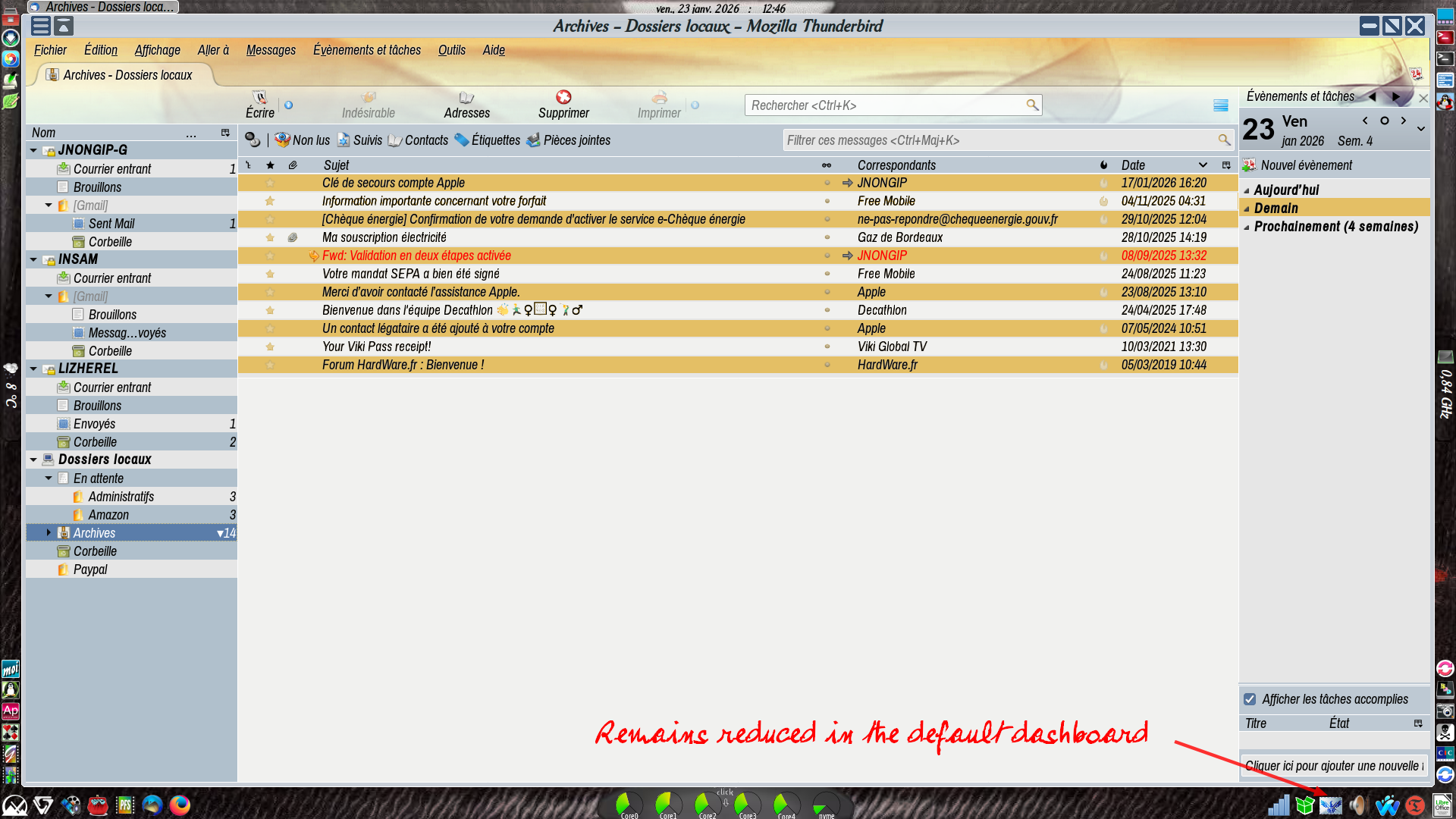
Regarding the window controls, I'm sorry, but as you can see in my screenshot, they're clearly visible. However, in the latest version of Thunderbird, I only have tiny crosses and lines instead, so my theme isn't compatible with that version. I'll therefore have to abandon this version again.
Thanks for your help.
Ah, so the problem is that your theme is not compatible with Thunderbird. Developers of themes and add-ons must occasionally revise their products to make them compatible. Can you revise yours?
Unfortunately, I have no idea how to do this without affecting my current theme.
ojnongip said
Unfortunately, I have no idea how to do this without affecting my current theme.
I imagine that you could create a new profile, copy the contents of your current profile into it, then work with the new profile without any risk to your old profile. But you would also want your current version of Thunderbird to continue working with your old profile while you worked with your new profile in a newer version of Thunderbird. I do not know how to keep two versions of Thunderbird installed.
Would you like to try? I could not guide you through the steps, but other people may be able to, if not in this thread, then in a new discussion that you could start that's about these specific issues.
Yes, it's an idea, I'll try it, but I'm not going to spend hours on it. I always back up my Thunderbird archive with its profile in a partition dedicated to apps in the form of archives or AppImages, never in the system (Linux). So I'm not afraid of losing my useful TB, it's just that I'm old, my eyesight isn't great anymore, and these operations tire me out.
ojnongip said
I haven't updated Thunderbird since version 52.9.1 because of the interfaces which are painful for me and I don't see much.
Would you describe your vision difficulties in more detail?
Is the problem that you can't see each item on the screen because you can't get high enough contrast? In that case, have you tried high contrast mode of the Windows OS?
Or is it more that color allows you to differentiate things on the screen because you can't see them well?
Thanks for your interest, but there's no need, I gave up on the Thunderbird update project because I couldn't manage to change its appearance. I had to create a new email address, which was rejected in my old version of Thunderbird, supposedly due to encryption, but this provider also rejects the updated version of Thunderbird. So I found another email provider that is compatible, even though encryption is also used. Since I no longer need to update my old version, which still works perfectly and satisfies me both visually and with its add-ons that are incompatible with later versions, I am keeping it carefully. I really don't like the interface of the current version—it’s not user-friendly for someone like me who has limited vision: all the .css modifications I made to the old version to make it easier to see are not supported, and I haven't found any that are useful for me in the forums to fix this.
Muudetud ojnongip poolt
In case this is useful in the future:
Some of us use many CSS modifications that work with recent releases of Thunderbird. If you ask about something specific, someone may be able to help.
I know no reason why Thunderbird would be incompatible with an e-mail service provider and I have not heard of it. People use Thunderbird with gmail, Outlook, Apple, Yahoo, gmx, Fastmail, Proton, many ISPs, et cet. If you tell us about specific problems that you have with account set-up, someone may be able to help.
Encryption is not a reason why setting up an account would not work. Again, if you tell us exactly what is happening, someone may be able to help.
> Thanks for your interest, but there's no need
I didn't mention, but we have a .css expert who could assist with that aspect.
But more importantly, surely you are not the only person with this visual issue, which is why I asked just a couple questions, to better understand your visual issue at a technical level, even if you don't decide to update. ;)
I doubt it's possible, but if it were, making it look as much like my old Thunderbird as possible would be quite a challenge (icon size and colors, every other line colored, system window controls (MXLinux XFCE) visible as shown in the screenshot, and Thunderbird minimized to the notification area by default). If your specialists could achieve this, it would be quite an accomplishment, but I doubt they would want to go to the trouble just for a few elderly people with visual impairments who have difficulty remembering the necessary steps in a new interface.
Ah, the incompatible email provider is simply laposte.net
Muudetud ojnongip poolt
ojnongip,
Are the accounts set up as imap? (Account Settings > Server Settings > Server Type)