


How to limit multiple process in Firefox 105.0.3 (64bit)

I notice that I sometimes have as much as 14 Firefox processes running at the same time, even though I only have one tab open.
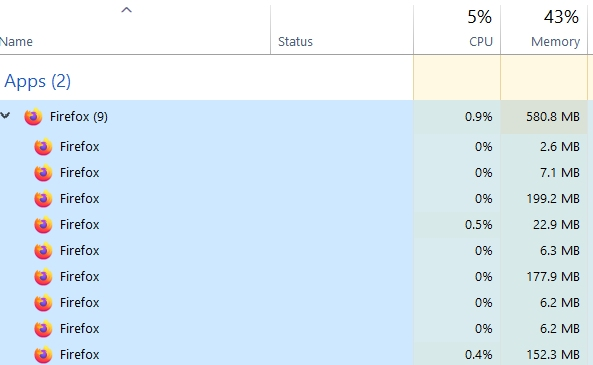
E.g. just starting up produces 9 processes, consuming some 43% of memory! I see no way to limit the number of process in Settings->Performance (ALL "solutions" to this problem involve changing the "Content process limit", but that seems to have gone in the latest Firefox version?) What do I do?

All Replies (3)
Hi, what kind of processes would you like to turn off? Network process, GPU process, add-ons process?
I have absolutely no idea which processes I want to turn off! My question is whether it is possible to limit the number of processes so that it doesn't consume 50 % of memory. Why does Firefox need 9 processes when it starts up? I have 4 add-ons.

The browser's Task Manager (under Tools or More Tools in the menus) shows what resources tabs and add-ons are using. You can get it also with about:performance in the urlbar. There are also about:processes and about:memory.