


Windows 10 reached EOS (end of support) on October 14, 2025. If you are on Windows 10, see this article.

Buscar en Ayuda

Avoid support scams. We will never ask you to call or text a phone number or share personal information. Please report suspicious activity using the “Report Abuse” option.

Learn More

Highlighting CSS in Dev Tools

  • 1 respuesta
  • 0 tienen este problema
  • 89 visitas
  • Última respuesta de cor-el

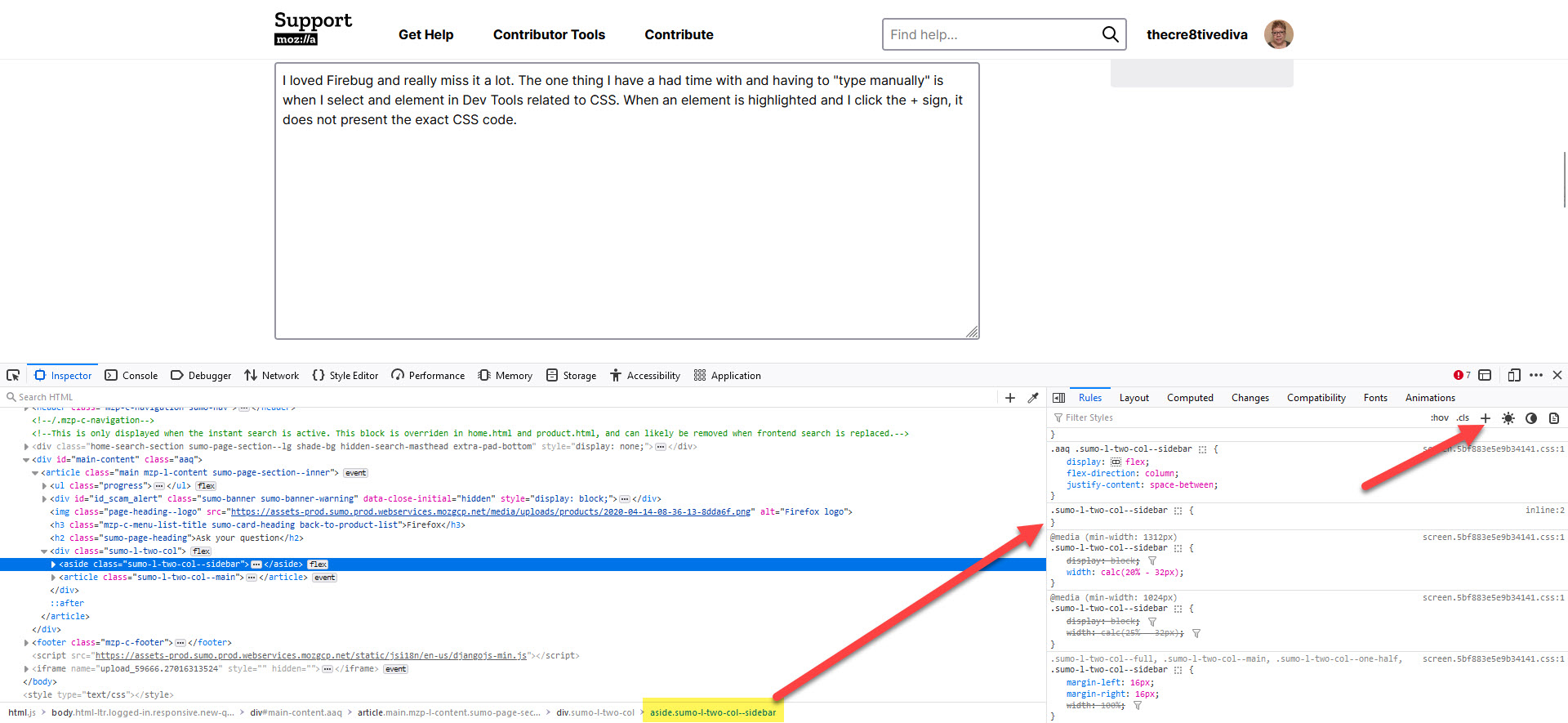
I loved Firebug and really miss it a lot. The one thing I have a had time with and having to "type manually" is when I select and element in Dev Tools related to CSS. When an element is highlighted and I click the + sign, it does not present the exact CSS code. See screenshot.

In Firebug, I could click that and the + sign and that same exact code would appear on the right. But it does not. It's some modified version and I always have to update the code.

If there something? Also, in Firebug, I could right click that element at the bottom and copy it. I cannot do that. It doesn't allow me to copy it.

This is really slowing me down and I don't like to use a lot of add-ons in the browsers. Thanks in advance.
I loved Firebug and really miss it a lot. The one thing I have a had time with and having to "type manually" is when I select and element in Dev Tools related to CSS. When an element is highlighted and I click the + sign, it does not present the exact CSS code. See screenshot. In Firebug, I could click that and the + sign and that same exact code would appear on the right. But it does not. It's some modified version and I always have to update the code. If there something? Also, in Firebug, I could right click that element at the bottom and copy it. I cannot do that. It doesn't allow me to copy it. This is really slowing me down and I don't like to use a lot of add-ons in the browsers. Thanks in advance.
Capturas de pantalla adjuntas

Todas las respuestas (1)

Maybe take this to the Mozilla Discourse forum site.

Modificadas por cor-el el