


My Password is Showed Plainly in Login Button

Hi,
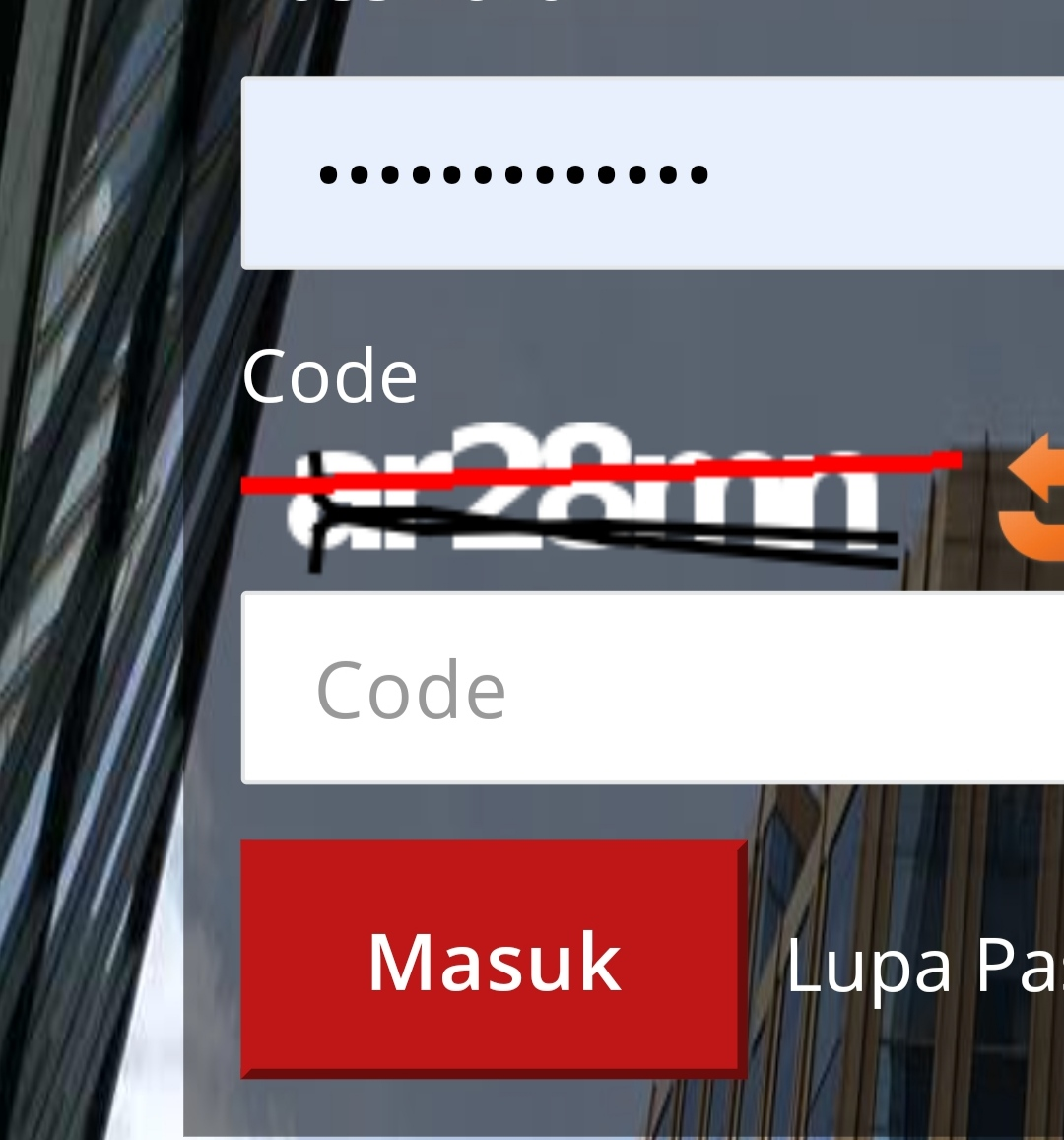
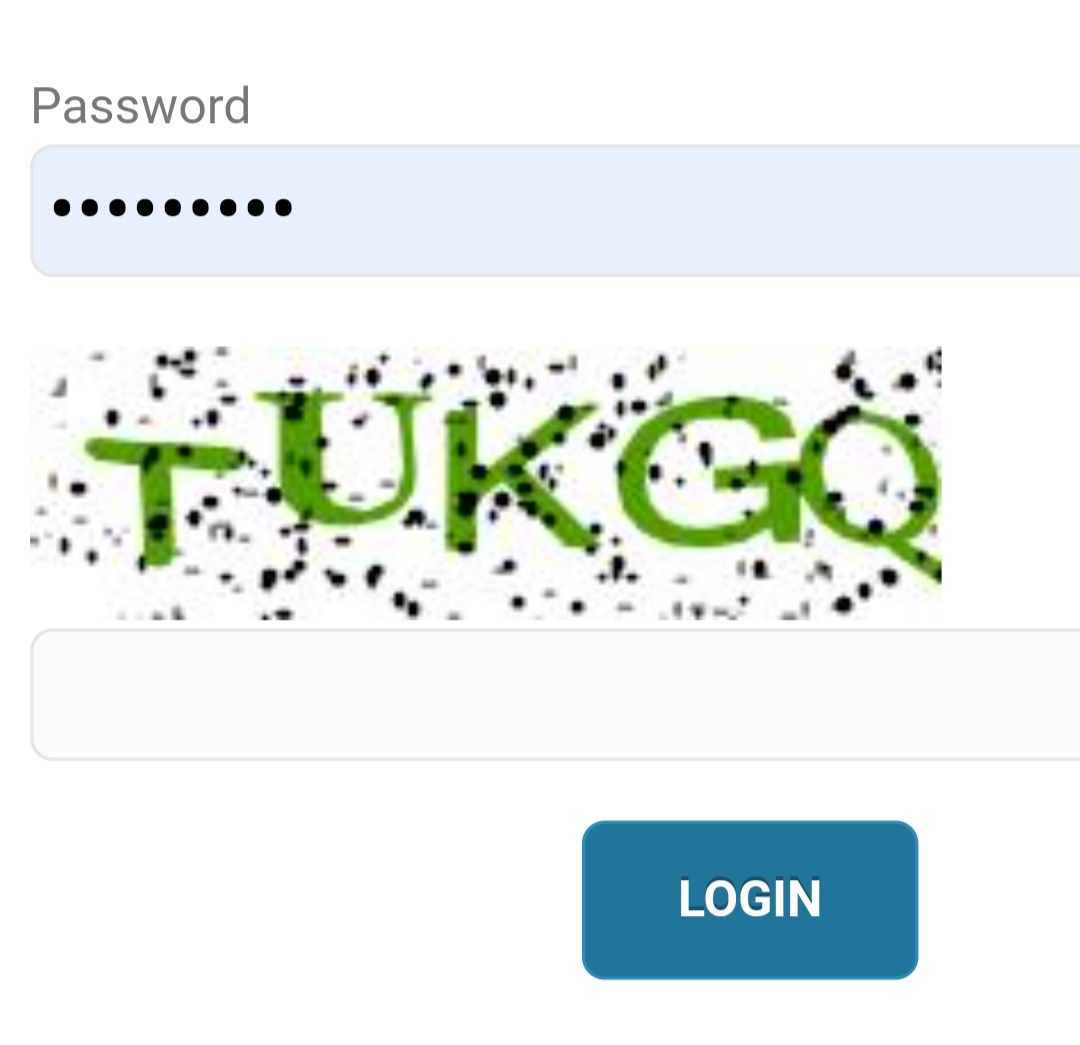
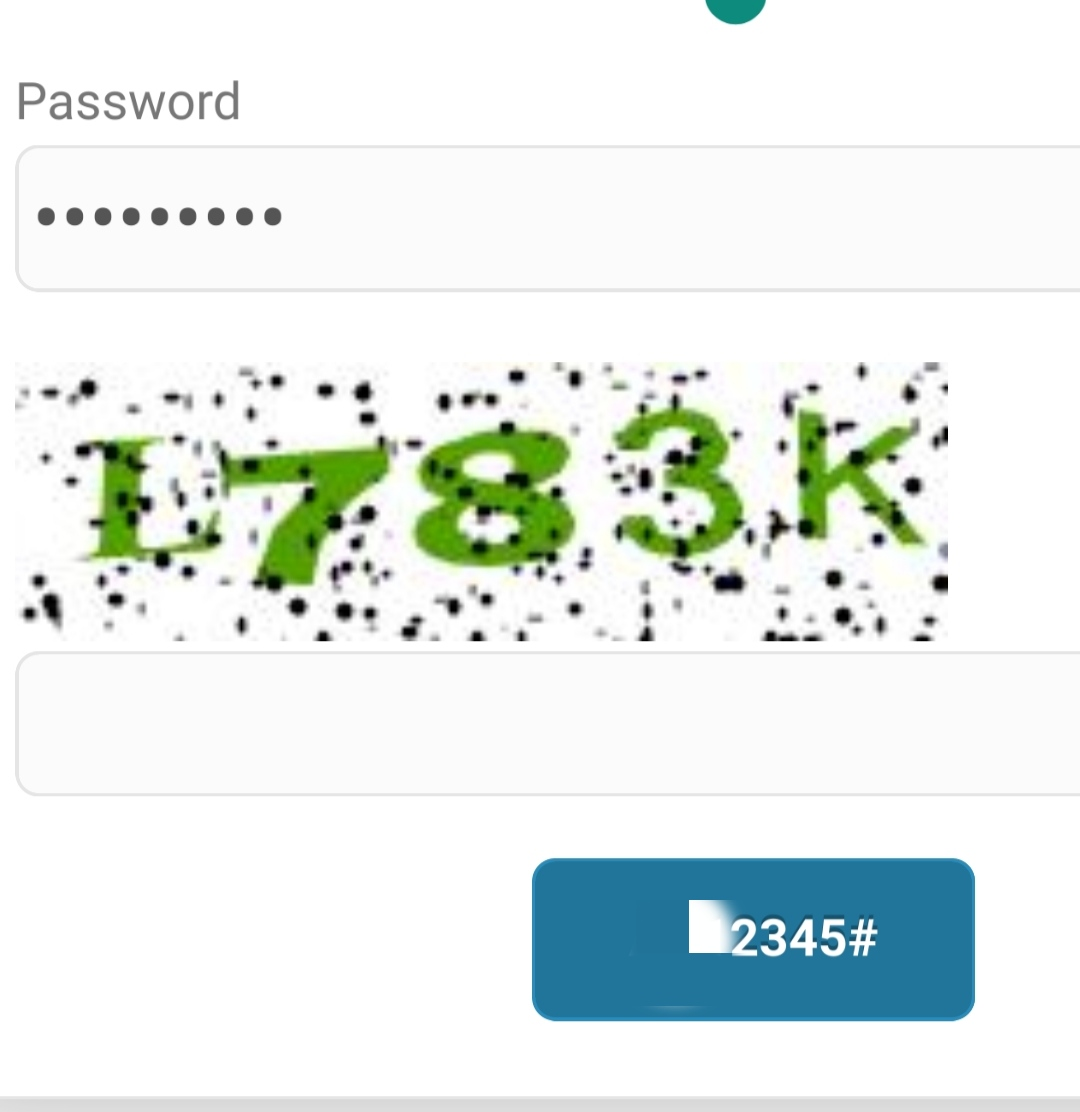
When I am signing in into an account, using my saved user and pasword, the password is displayed on the OK or Login button.
As attached.
The button I circled with red, usually contains "OK" or "login" text, but It showed my password instead in plain text, not with asterixs.

Todas las respuestas (3)
Hi
This does not sound like an issue with Firefox for Android but is something that the support team for the service you are using should be able to help you with.
I try the same webpage with chrome for android, it displayed correcty.
I tried another webpage with firefox for android, again, my password is showed intead of login button.
Attached with "Masuk (login)" and Login button are from chrome
But the other with censored password is from Firefox
Do you have any add-ons installed in Firefox for Android?
What level of enhanced tracking protection do you have set?