


Missing Content Security Policy enable/disable setting on about:config

Hello,
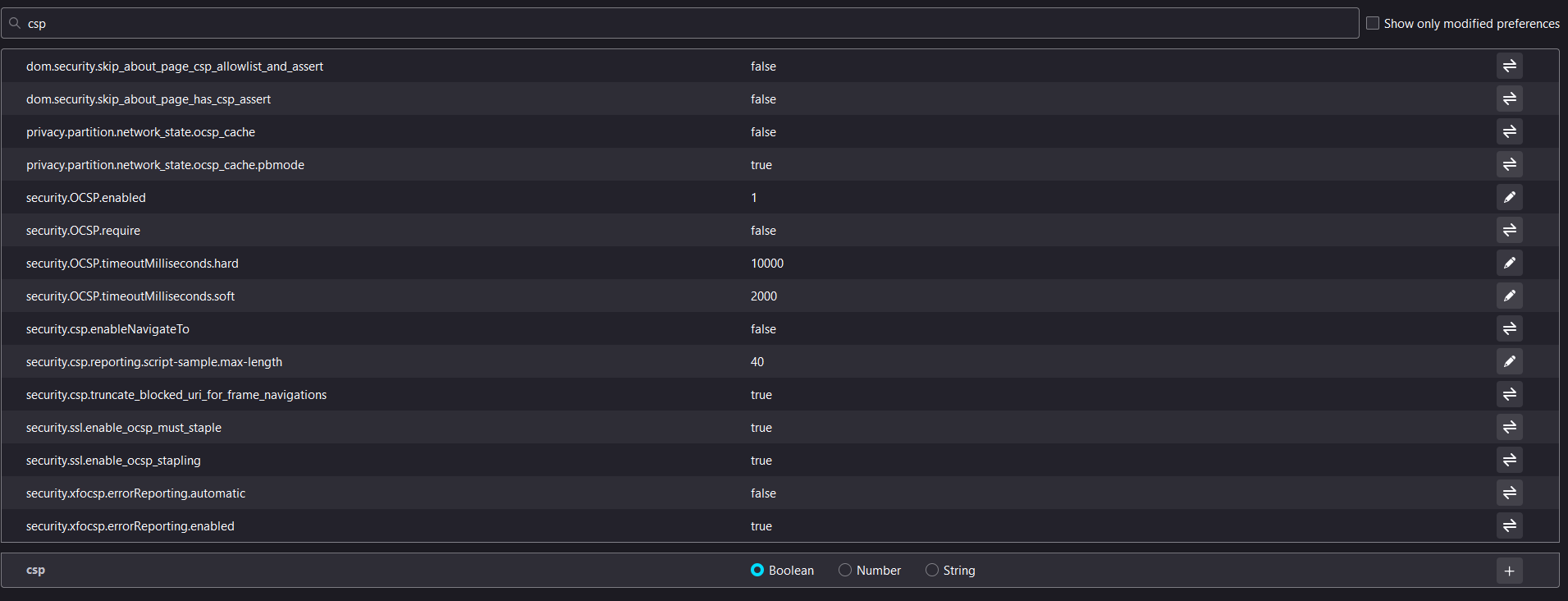
I noticed that a setting on the about:config page was removed: the "security.csp.enable" setting. I was using this setting to disable CSP to be able to load local JS scripts on some non-locally hosted sites, for debugging and development, work related purposes.
Was this setting really removed? Is there a way to disable CSP on Firefox on the latest version?
Thanks! Gabriel.
Hello,
I noticed that a setting on the about:config page was removed: the "security.csp.enable" setting. I was using this setting to disable CSP to be able to load local JS scripts on some non-locally hosted sites, for debugging and development, work related purposes.
Was this setting really removed? Is there a way to disable CSP on Firefox on the latest version?
Thanks!
Gabriel.
Solución elegida
Yes, this pref has been removed in Firefox 99.
- 1754301 - Consider removing security.csp.enable pref [99]
(please do not comment in bug reports
https://bugzilla.mozilla.org/page.cgi?id=etiquette.html)
Todas las respuestas (1)
Solución elegida
Yes, this pref has been removed in Firefox 99.
- 1754301 - Consider removing security.csp.enable pref [99]
(please do not comment in bug reports
https://bugzilla.mozilla.org/page.cgi?id=etiquette.html)
Modificadas por cor-el el