

Este tema ha sido archivado.
Haz una nueva pregunta si necesitas ayuda.

Solved
Archivado
How can I change the background color of the settings page?

Is there any way to change the background color of the built-in firefox pages (e. g. about:preferences, about:addons, about:config)?
I would like these pages to match to my custom color profile, which I made via Firefox Color.
Is there any way to change the background color of the built-in firefox pages (e. g. about:preferences, about:addons, about:config)?
I would like these pages to match to my custom color profile, which I made via Firefox Color.
Todas las respuestas (1)
Solución elegida
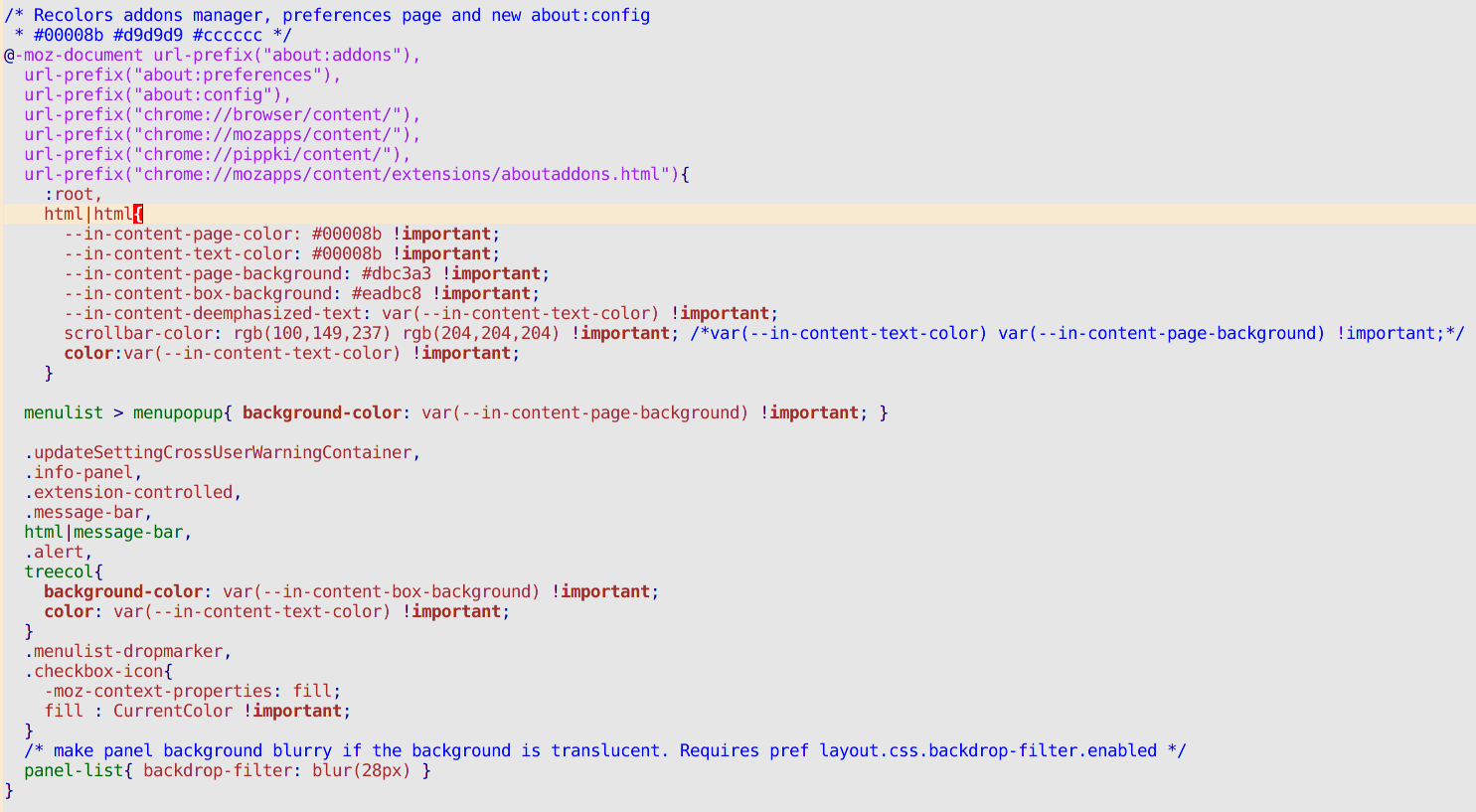
You can do that with css code in a file userContent.css which goes into a folder named chrome which you need to create in your profile folder. I attach a screenshot of code I adapted from some I found online. The text between /* and */ is comment, not code. You can use colour names or rgb(a) values. The code I am using now needs more work because there is an inner background which is showing white in at least one dialog on about:preferences#privacy.
Modificadas por Terry el