Windows 10 reached EOS (end of support) on October 14, 2025. If you are on Windows 10, see this article.

Buscar en Ayuda

Avoid support scams. We will never ask you to call or text a phone number or share personal information. Please report suspicious activity using the “Report Abuse” option.

Learn More
Este tema ha sido archivado. Haz una nueva pregunta si necesitas ayuda.
Archivado

Screen width scaling changes when there is a wider graphic on a page

Paul replied
firefox1425

When reading certain Web pages such as this one https://www.telegraph.co.uk/business/2021/06/17/economy-needs-prosperous-london-whether-north-likes-not/

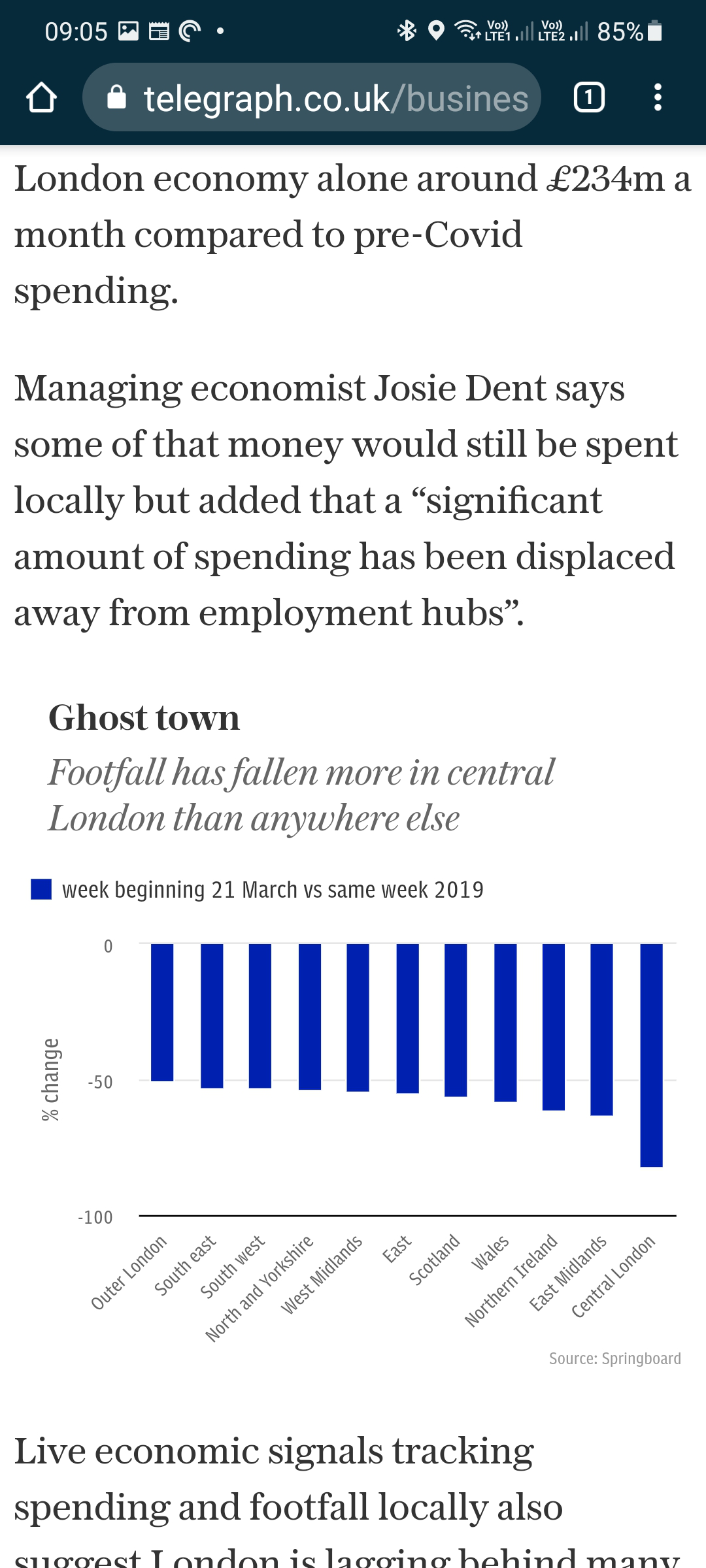
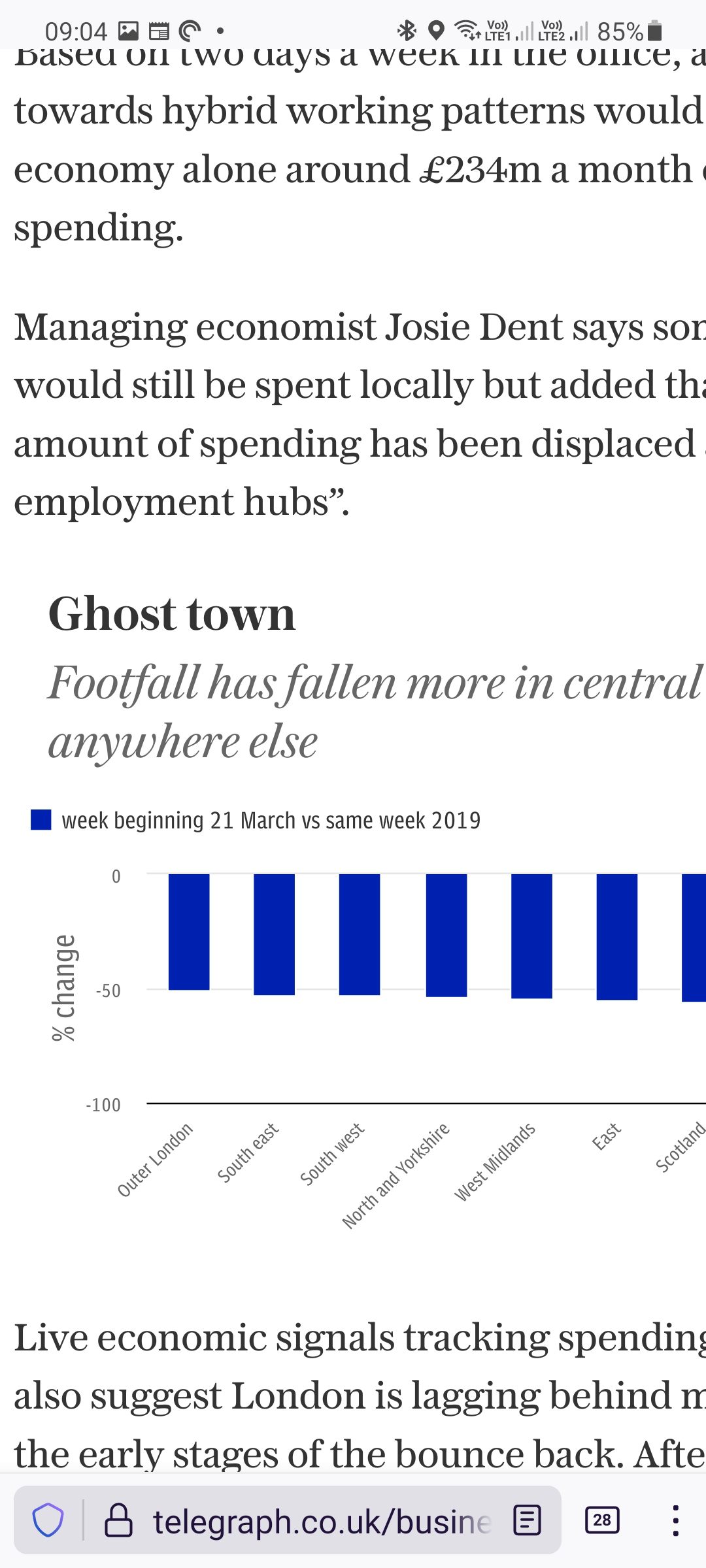
the screen width changes to match the graphic when it gets loaded, meaning that from that point onwards you have to scroll the page left and right to be able to read it. You could also zoom out, but that usually makes the text so small it's unreadable.

This doesn't happen on Chrome browsing the same page, the graphic is scaled to fit the screen width rather than the screen width scaling to fit the graphic.

If you are worried about the graphic becoming unviewable if it is scaled to the screen width, perhaps it can be kept at original scale but so can the rest of the text on the page, so you can continue to read sensible sized text without scrolling left/right, and only need to scroll/zoom if you want to see the full width graphic.

The first two screen shots attached are from FF, the second two are the same page but in Chrome.

When reading certain Web pages such as this one https://www.telegraph.co.uk/business/2021/06/17/economy-needs-prosperous-london-whether-north-likes-not/ the screen width changes to match the graphic when it gets loaded, meaning that from that point onwards you have to scroll the page left and right to be able to read it. You could also zoom out, but that usually makes the text so small it's unreadable. This doesn't happen on Chrome browsing the same page, the graphic is scaled to fit the screen width rather than the screen width scaling to fit the graphic. If you are worried about the graphic becoming unviewable if it is scaled to the screen width, perhaps it can be kept at original scale but so can the rest of the text on the page, so you can continue to read sensible sized text without scrolling left/right, and only need to scroll/zoom if you want to see the full width graphic. The first two screen shots attached are from FF, the second two are the same page but in Chrome.
Capturas de pantalla adjuntas

Todas las respuestas (1)

Hi

I am sorry, but I do not have a subscription to that site to be able to look into this fully for you. You may wish to file this as a new issue for our developers directly at:

https://github.com/mozilla-mobile/fenix/issues/new?assignees=&labels=%F0%9F%90%9E+bug&template=---bug-report.md&title=%5BBug%5D