


Windows 10 reached EOS (end of support) on October 14, 2025. If you are on Windows 10, see this article.

Buscar en Ayuda

Avoid support scams. We will never ask you to call or text a phone number or share personal information. Please report suspicious activity using the “Report Abuse” option.

Learn More

Add-On symbols disappeared from Toolbar, don´t work but are still "Activated" in the Add-On Menu

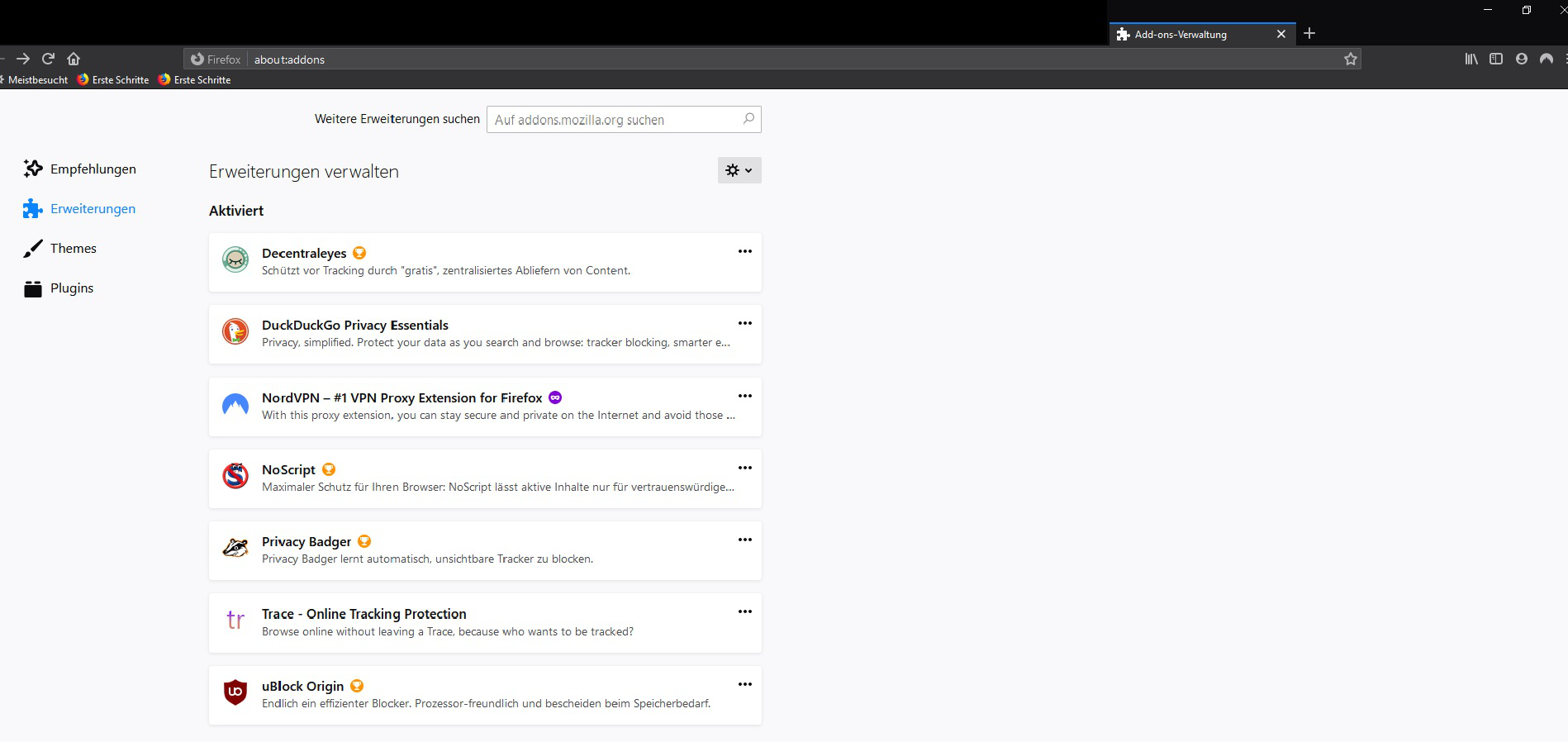
After re-installing my PC I also installed a fresh Firefox and added all my standard Plug-Ins. Everything worked perfectly fine with perfect stability. Then all of a sudden, probably after clearing History all these plug-ins disappeared from the toolbar and also don´t work (seeing commercials on youtube etc.). Only 1 Plug-In is still displayed and still works (NordVPN). I´ve been looking for solutions but didn´t find anything on this problem. There´s one fact that makes it a little special: all of the Add-Ons are in the Menu/Add-On Tab and activated, no problems appear. (Screenshot)
After re-installing my PC I also installed a fresh Firefox and added all my standard Plug-Ins. Everything worked perfectly fine with perfect stability. Then all of a sudden, probably after clearing History all these plug-ins disappeared from the toolbar and also don´t work (seeing commercials on youtube etc.). Only 1 Plug-In is still displayed and still works (NordVPN). I´ve been looking for solutions but didn´t find anything on this problem. There´s one fact that makes it a little special: all of the Add-Ons are in the Menu/Add-On Tab and activated, no problems appear. (Screenshot)
Capturas de pantalla adjuntas

Modificadas por Turboklaus el

Todas las respuestas (1)

Hi Turboklaus, Are you in a Private Browsing window or permanent Private Browsing Mode? Only the NordVPN extension is set to be active in Private Browsing.