Este tema ha sido archivado.
Haz una nueva pregunta si necesitas ayuda.

Archivado
screen shots
How do you take screen shots on this new version?
How do you take screen shots on this new version?
Todas las respuestas (1)

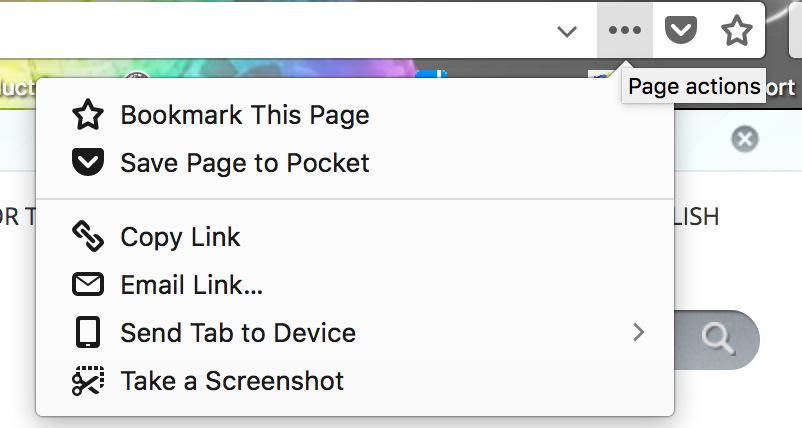
In the URL bar, to the right, you'll see a "..." icon, close to the Pocket icon and the star icon for bookmarking a page.
If you click the 3-dot icon, you'll find "Take a screenshot".
See attached image for a clearer understanding.