


Facebook module is not displayed correctly

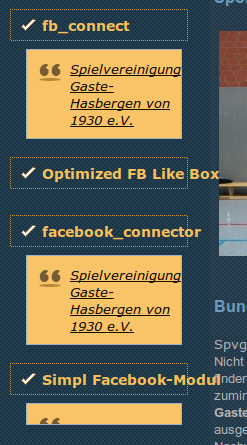
Hello. For me, the Facebook module is not displayed correctly. I've been using Firefox 43.0 (Ubuntu). Firefox with Windows or Linux Mint is correct. Other browsers (Chrome, Opera) is correct. The link is http://jom.os1.biz Sorry for my English, Google Translate is
Solución elegida
hi OSNA71, have you set firefox to never remember a history in the privacy section of the options or using it in a private browsing window? if so, then what you're seeing is probably the new tracking protection feature in private browsing in action. however, since this totally optional, you can easily turn it off in the privacy section of the options panel: Turn off Tracking Protection
Leer esta respuesta en su contexto 👍 0Todas las respuestas (3)
this is a screenshot
Solución elegida
hi OSNA71, have you set firefox to never remember a history in the privacy section of the options or using it in a private browsing window? if so, then what you're seeing is probably the new tracking protection feature in private browsing in action. however, since this totally optional, you can easily turn it off in the privacy section of the options panel: Turn off Tracking Protection
Perfect. Thank you for the answer. Absolutely right.