


Broken GUI - Clearlooks not found/loaded for 6.0.1 and 6.0.2

For FF 6.0.1 and 6.0.2 on Fedora 14, Gnome 2.32, FF is not able to work properly with "Clearlooks" or GTK.
FF 6.0 works just fine, GUI is fully "integrated" and looks nice / clean. GUI of newer versions is crappy, input fields has higher border, focused menu item text is white on light gray background, menu separator line has some shadow - it is not just simple line, ... etc.
(FF 6.0 has nice borders of input - thick line with round corners, focused menu item has dark gray background so white text is visible, menu separators are just lines)
Already asked question - response was to try load FF without any extension. I did it and it didn't help. This is problem more in app itself rather than in some plugin or theme.
Same as installation of 6.0, I unpacked "firefox" to /opt/firefox.
Všechny odpovědi (6)
Uploaded screenshots of FF. Just check address bar or search input...
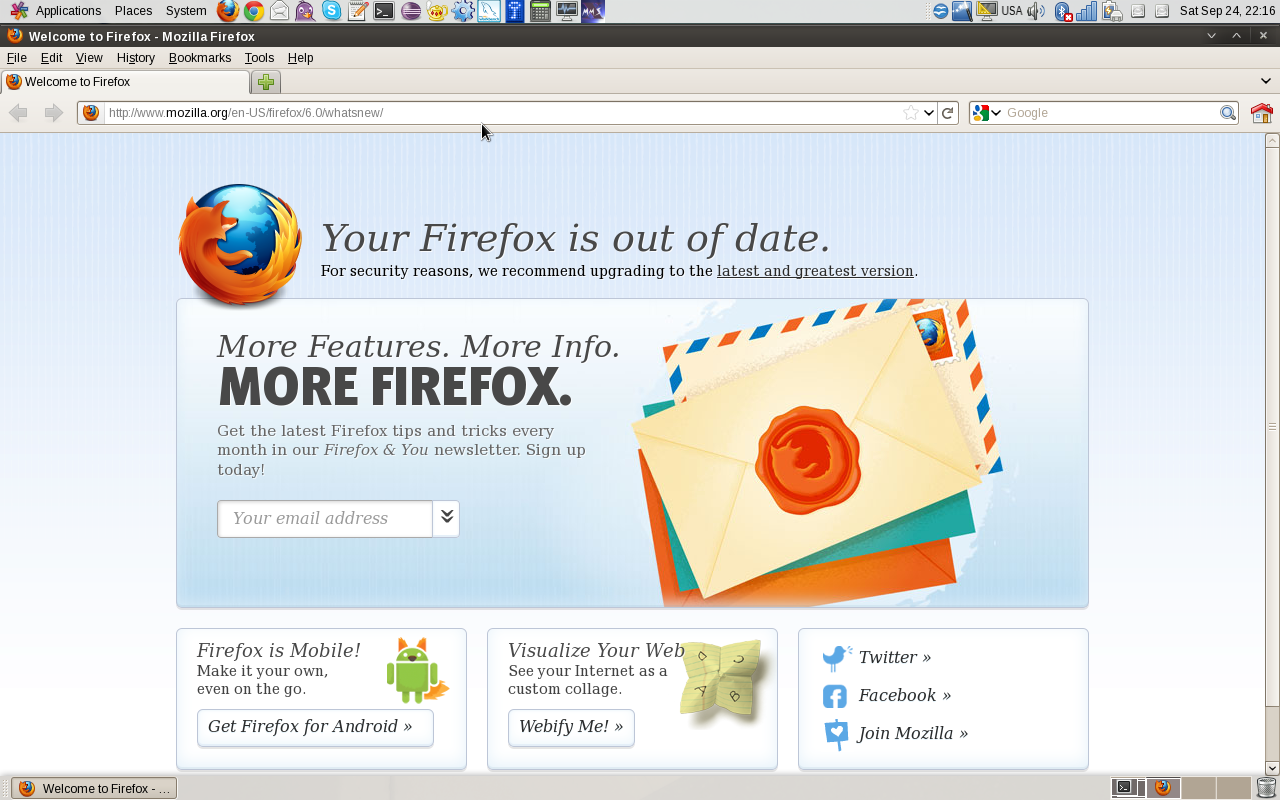

Same for 7.0
Does it work if you try other Controls in the GNOME theme manager?
- Look and Feel > Appearance > Themes > Customize
Thanks for tip... Tried it and it didn't help. For every control theme, it had same error message - of course with theme name.
Seems that starting with 6.0.1, FF changed behavior of using system theme (?). It is not able to load anything I have installed.
Does it help if you disable hardware acceleration?
Start Firefox in Use Troubleshoot Mode in Firefox to check if one of the extensions or hardware acceleration is causing the problem (switch to the DEFAULT theme: Firefox (Tools) > Add-ons > Appearance/Themes).
- Don't make any changes on the Safe mode start window.
- https://support.mozilla.com/kb/Safe+Mode
... again, no luck.
Maybe I just forgot to link something somewhere? I unpacked "firefox" to /opt ... that was all I did.