


Language

How do I change the account language? The browser was in French, and now the account settings are also in French.
Všechny odpovědi (4)
UPD: The browser language was set to French during synchronization. Now, when managing the account on the website, it's also in French and there's no option to change the language.
Zvolené řešení
Hello! Try changing your browser language and then logging in again:
1. Open Firefox settings: ☰ Menu > Settings > General > Language
2. Change the browser language to the desired language (e.g. English).
3. Restart Firefox.
4. Log out of your account and then log in again.
When you log in, Firefox will send new local data and the account interface will be taken from the browser.
I hope you managed to solve the problem!
Vexi

Hi, I have the same or similar issue where my browser language seems to be in Italian. Even after following the above steps the issue is not resolved. I am also not able to remove Italian as a language at all in the settings.
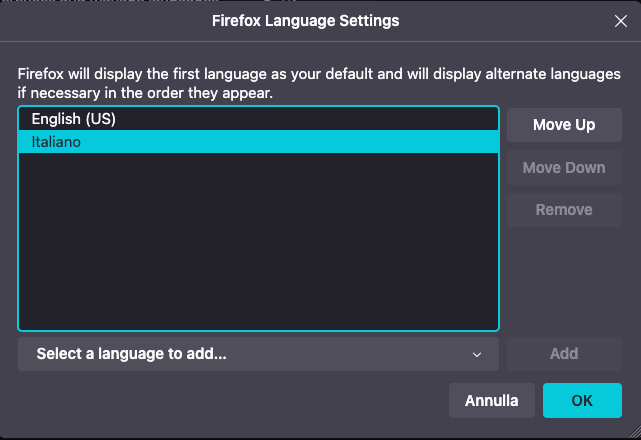
Just try choosing a different language.