


Error when opening saved .eml file

Greetings,
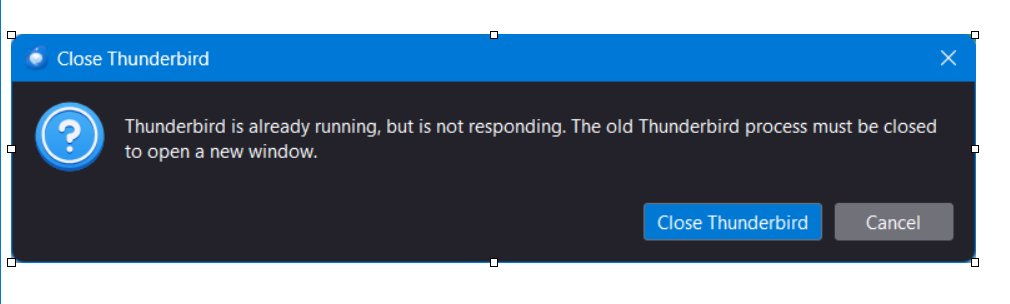
I recently updated to Thunderbird 140. After the update, I am unable to open .eml files by double clicking on them. I receive message window (attached image). If I do File->Open->SavedMessage I can successfully open the file. Please advise how I can get Thunderbird to open .eml files regardless of the instance of Thunderbird that originally created the file.
Všechny odpovědi (5)

Try this.
Open the profile folder:
- TB menu > Help > Troubleshooting Information
- under the Application Basics section next to Profile Folder, click 'Open Folder'
- close TB
- press ctrl-shift-esc (Win) to open the Task Manager
- if there are any TB processes running, R. click > end them
- delete the parent.lock file in the profile folder
- restart TB
- see if the saved file opens
Ed,
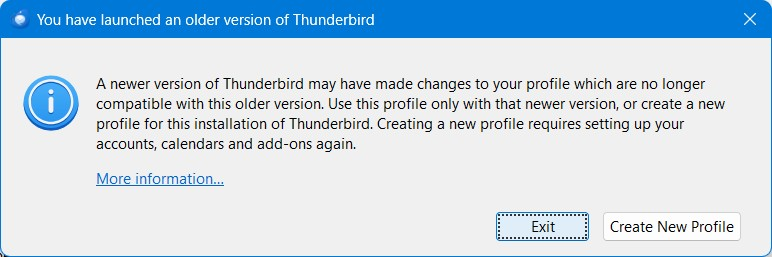
Thank you for the step-by-step guidance. Unfortunately, this did not solve my issue. A couple of notes: When using Task Manager, there were no residual Thunderbird processes running. I purged the parent.lock file without issue. When attempting to open an old saved message, and an active instance of Thunderbird is on my system, I receive the same error as noted above. When attempting to open an old saved message and there are no active Thunderbird instances running, I receive a different message (attached).
Upravil uživatel Matt dne

Hi, I am having the same issue too. 143.0.1, cannot open any saved EML files. Getting both of the pictured messages when trying. Any solutions yet?
kanas said
Ed, Thank you for the step-by-step guidance. Unfortunately, this did not solve my issue. A couple of notes: When using Task Manager, there were no residual Thunderbird processes running. I purged the parent.lock file without issue. When attempting to open an old saved message, and an active instance of Thunderbird is on my system, I receive the same error as noted above. When attempting to open an old saved message and there are no active Thunderbird instances running, I receive a different message (attached).
Close TB and open the Profile manager. Select the profile you want to use by default > check 'Use the selected profile...' > click 'Start Thunderbird'.
Also make sure TB menu > Settings > General > System Integration > 'Always check to see...' is enabled and click the 'Check Now' button.
Ed said
kanas said
Ed, Thank you for the step-by-step guidance. Unfortunately, this did not solve my issue. A couple of notes: When using Task Manager, there were no residual Thunderbird processes running. I purged the parent.lock file without issue. When attempting to open an old saved message, and an active instance of Thunderbird is on my system, I receive the same error as noted above. When attempting to open an old saved message and there are no active Thunderbird instances running, I receive a different message (attached).Close TB and open the Profile manager. Select the profile you want to use by default > check 'Use the selected profile...' > click 'Start Thunderbird'.
Also make sure TB menu > Settings > General > System Integration > 'Always check to see...' is enabled and click the 'Check Now' button.
This method worked for me, hopefully it fixes for OP too. Thanks!