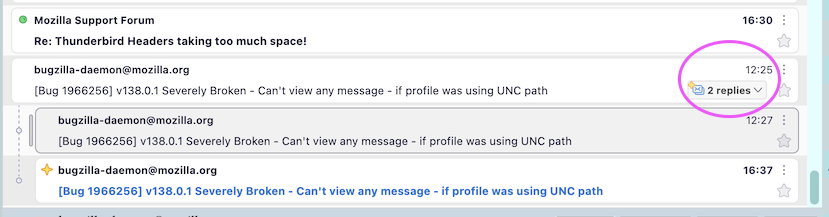
I've lost the message list display options icon!

I used to have an icon to change how the message list was displayed, and in particular it allowed me to sort emails into either threaded or unthreaded. It was next to the icon used to select columns to display, in the top right corner of the pane. It's disappeared and I can't find out how to get it back - can anyone point me in the right direction?
Zvolené řešení
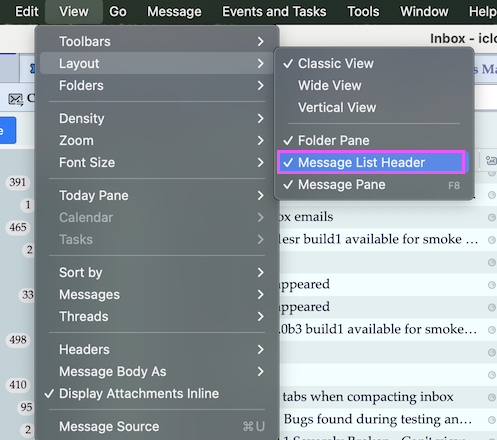
Oh yes, now I see. But this icon has nothing to do with with threaded and unthreaded views. It is the symbol for "Message list display options", e.g. it allows to toggle between "Table" view and "Cards" view. If t is missing in your Thunderbird main window, go to View > Layout and check ✔︎ Message List Header
Přečíst dotaz v kontextu 👍 1Všechny odpovědi (5)
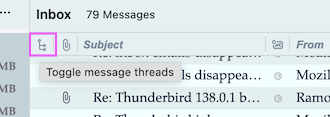
I'm not sure whether I understand which icon (symbol) you are looking for. In my TB version the "Toggle message threads" icon is located in the left corner of the subject line (picture). If it is not displayed in your TB, click on the icon on the right of the subject line and select ✔︎ Thread in the list of columns to be displayed in the thread pane.
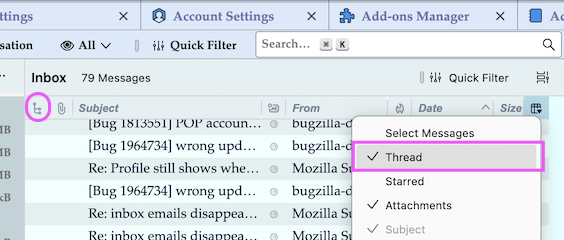
The icon I mean is in your second image, to the right of 'quick filter'. It sort of looks like a film reel - I don't know how else to describe it! That's where mine used to be but it's gone.
Jonathan
Zvolené řešení
Oh yes, now I see. But this icon has nothing to do with with threaded and unthreaded views. It is the symbol for "Message list display options", e.g. it allows to toggle between "Table" view and "Cards" view. If t is missing in your Thunderbird main window, go to View > Layout and check ✔︎ Message List Header
Upravil uživatel Mapenzi dne
Perfect, thank you - I've found it. What it has to do with threaded and unthreaded is that in the drop down menu is 'Sort by' and at the bottom of that menu is 'Threaded' and 'Unthreaded'. The default seems to be 'Threaded', which I really don't like so I change it. And many thanks, Mapenzi - I can change it once more! Jonathan
You can use View > Sort by > Threaded/Unthreaded for both views, "Table" view as well as "Cards" view.