How to change font (mono) on Firefox Android v137+?
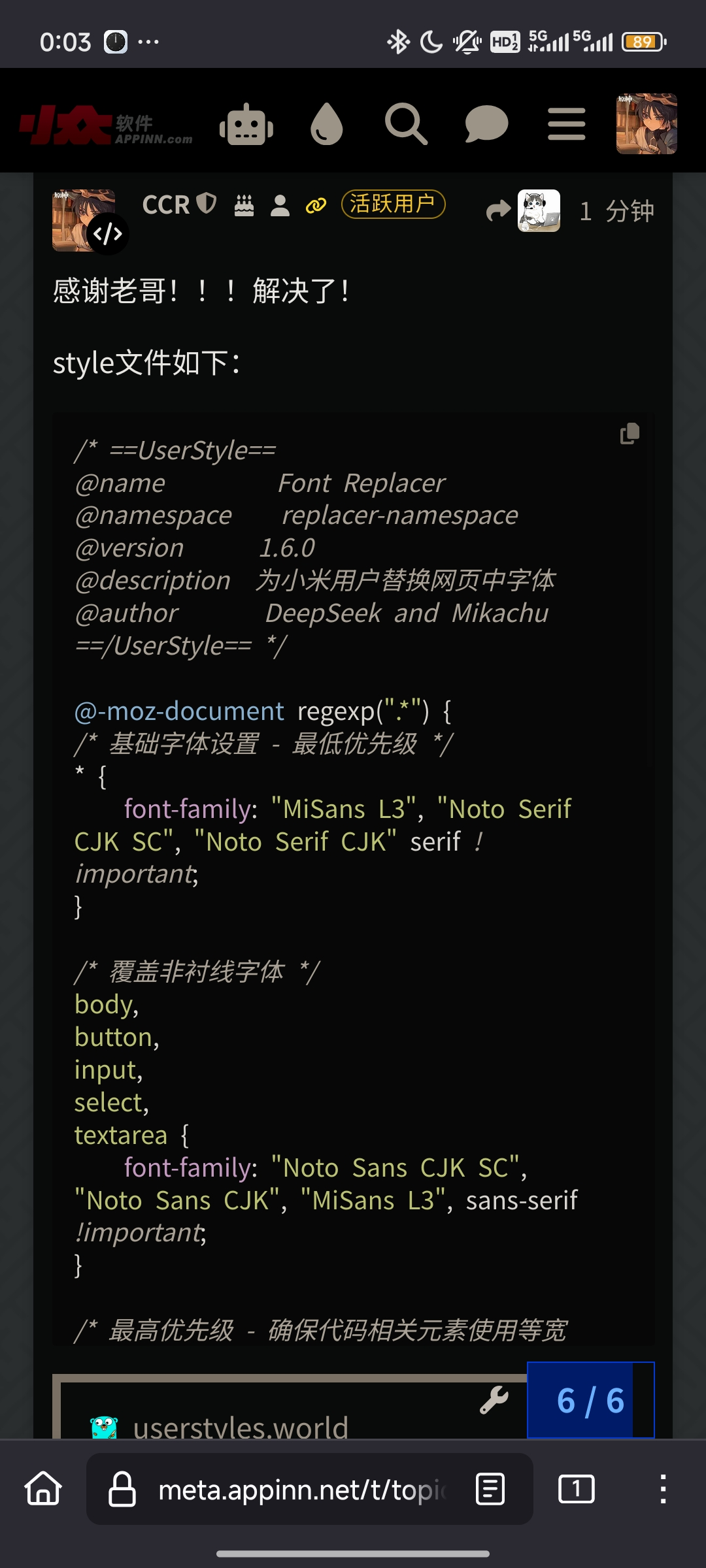
As the pic shows, firefox android has a terrible performance on android to show the code with Chinese characters using its default mono font. (It seems that the default mono font doesn't contains Chinese and therefore it fallback with what system intended defaultly)
So, what should i do to change the font settings? I've.explorered for the anawer and none of them could work...
Zvolené řešení
I've find a solution!!!
Please note that this solution is only tested for China Users With Xiaomi (Mi) Phone.
Thanks to xiaoguai945yeah ! I would never fix it without his help.
First, install ext stylus Second, install this SCRIPT which is wrote with deepseek's help
Then, everything looks wonderful as the following PIC shows!
Přečíst dotaz v kontextu 👍 0Všechny odpovědi (1)
Zvolené řešení
I've find a solution!!!
Please note that this solution is only tested for China Users With Xiaomi (Mi) Phone.
Thanks to xiaoguai945yeah ! I would never fix it without his help.
First, install ext stylus Second, install this SCRIPT which is wrote with deepseek's help
Then, everything looks wonderful as the following PIC shows!