persian font looks weird on arch linux

firefox shows persian font in a very weird way, hard to describe, but you can recognize it if you also use the persian / arabic writing system or anything similar, i dont have many fonts installed, maybe an essential font is missing, names of fonts would be nice or packages.

Všechny odpovědi (6)
You should provide a link to the exact page you're on for us to test.
You can check for issues with (corrupted) fonts.
You can right-click and select "Inspect" to open the built-in Inspector with this element selected.
You can check in the Rules tab in the right panel in the Inspector what font-family is used for selected text. You can check in the Fonts tab in the right panel in the Inspector what font is actually used because Firefox might be using a different font than specified by the website.
jonzn4SUSE said
You should provide a link to the exact page you're on for us to test.
simply check wikipedia persian: https://fa.wikipedia.org/wiki/%D8%B5%D9%81%D8%AD%D9%87%D9%94_%D8%A7%D8%B5%D9%84%DB%8C
cor-el said
You can check for issues with (corrupted) fonts. You can right-click and select "Inspect" to open the built-in Inspector with this element selected. You can check in the Rules tab in the right panel in the Inspector what font-family is used for selected text. You can check in the Fonts tab in the right panel in the Inspector what font is actually used because Firefox might be using a different font than specified by the website.
font family used is monospace which is weird anyways, i think it looks okay for a monospace font but why would it all be in monospace?
What font rules are applied in your case ? Can you identify a rule that could cause Firefox to switch to a monospace font ?
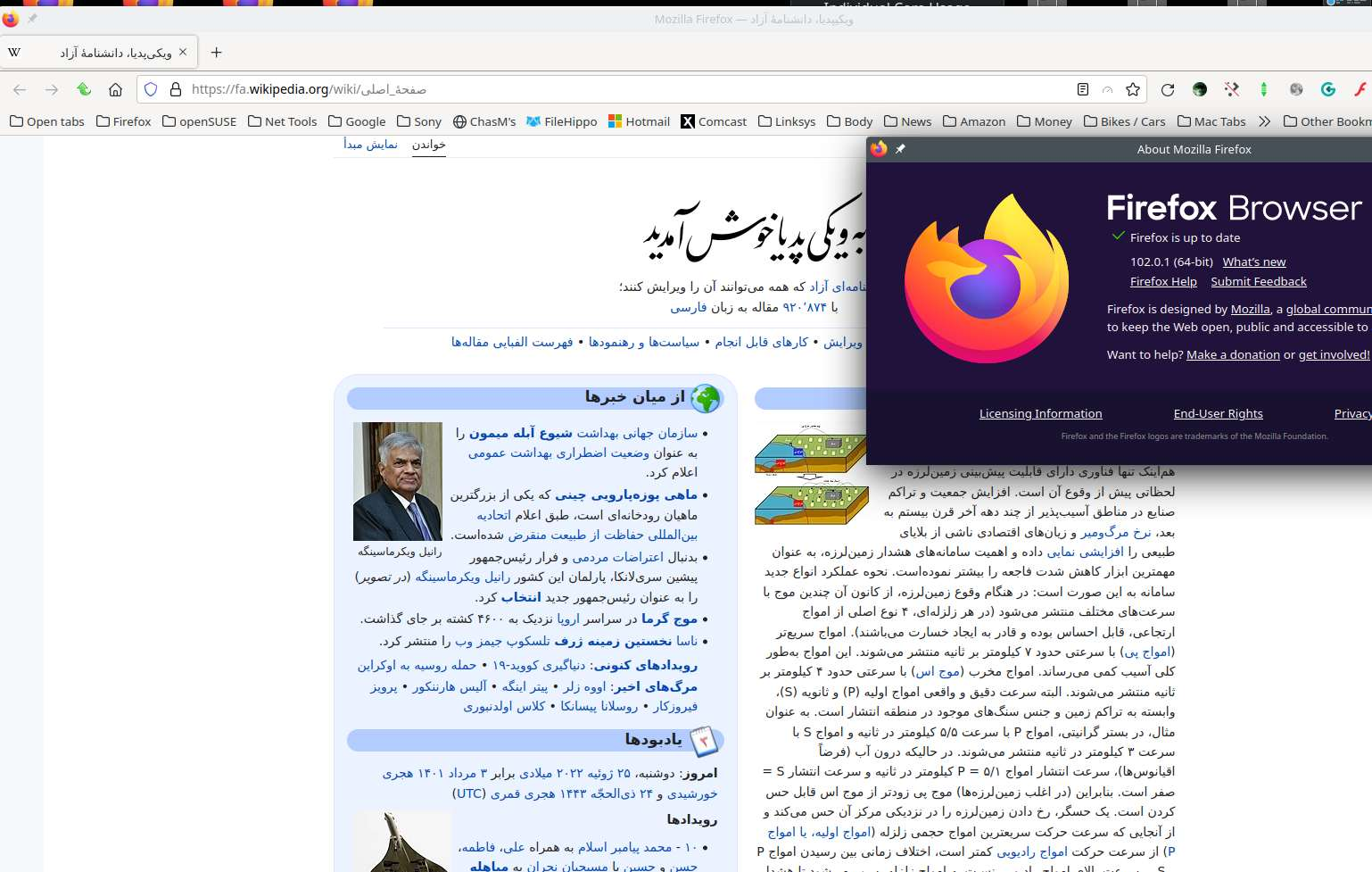
Looks fine to me. see screenshot
Operating System: openSUSE Tumbleweed 20220719
KDE Plasma Version: 5.25.3
KDE Frameworks Version: 5.96.0
Qt Version: 5.15.5
Kernel Version: 5.18.11-1-default (64-bit)
Graphics Platform: X11
Processors: 4 × Intel® Core™ i7-4810MQ CPU @ 2.80GHz
Memory: 31.0 GiB of RAM
Graphics Processor: Mesa Intel® HD Graphics 4600
Manufacturer: Hewlett-Packard
Product Name: HP ZBook 17 G2