


No text in firefox dialog boxes (save password, downloads)

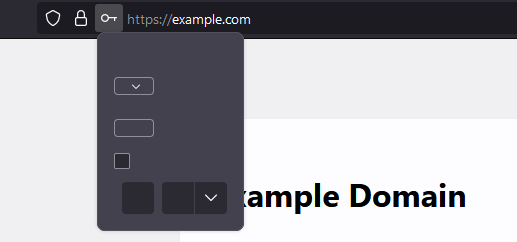
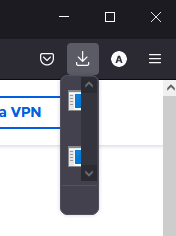
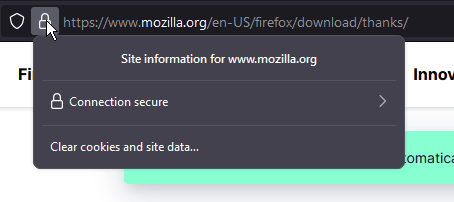
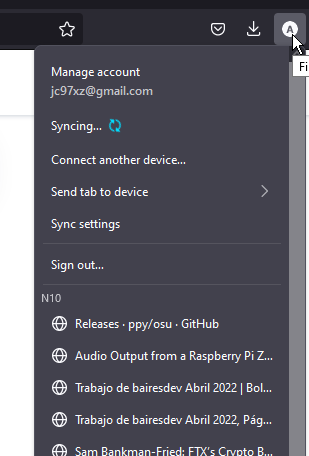
There is no text in the dialog boxes in Firefox. I mainly notice it with the password and download dialog boxes, as i get those frequently. I have tried reinstalling Firefox, but that didn't help. I have tried using firefox in troubleshoot mode and get the same results. I have also deleted all Mozilla folders on my pc between installs in hope of fixing the problem, but nothing changed. The folders I deleted were in the Local, LocalLow, and Roaming folders. Other dialog boxes seem to work fine. It has been this way for about a year, and don't remember what caused it, as I didn't really notice it until I had to download something, and didn't have time to troubleshoot at the time. I would like some guidance on how to fix this issue.
Všechny odpovědi (10)

Is this with all websites/pages, some, a few?
Start Firefox using Troubleshoot(Safe) Mode {web link}
A small dialog should appear. Click Start In Troubleshoot(Safe) Mode (not Refresh). Is the problem still there?
It is with all pages as far as Ive seen. I have already tried safemode, the problem persists.

If the problem happens in troubleshoot mode, the problem may be caused by preferences. See the link below and the articles linked there.
Use these links to create a new profile. Use this new profile as is. Is the problem still there?
https://support.mozilla.org/en-US/kb/how-run-firefox-when-profile-missing-inaccessible
http://kb.mozillazine.org/Profile_folder_-_Firefox#Navigating_to_the_profile_folder
https://support.mozilla.org/en-US/kb/profile-manager-create-and-remove-firefox-profiles
https://support.mozilla.org/en-US/kb/back-and-restore-information-firefox-profiles
Type about:profiles<enter> in the address box.
I created a new profile and used it as is, making sure to restart the browser. The problem persisted.
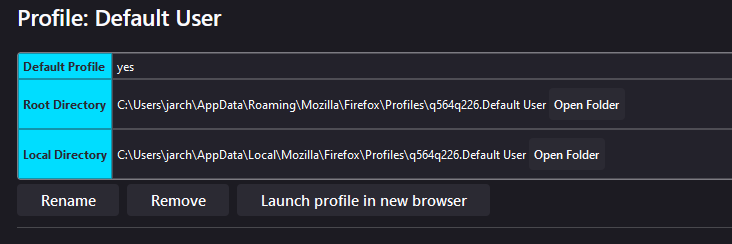
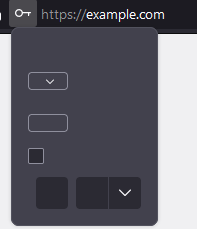
I have checked the preferences as well, but I am not sure what the cause could be. I tried reverting all changes in the preferences, but that didn't seem to do anything, and a few of the changed preferences could not be reverted.
The issue may not be caused by Firefox. Did you try general troubleshooting?
https://support.mozilla.org/en-US/kb/troubleshoot-and-diagnose-firefox-problems
Yes, I have tried everything in general troubleshooting, and nothing seems to help. If the problem is not caused by firefox, what could be causing the problem? I have not had a similar issue with any other application.
Outside my knowledge but perhaps the "Visual C++ installation" in Windows? https://support.mozilla.org/en-US/questions/1351250#answer-1444979
Otherwise, a mystery to me. What is the second (from the left) of your first screenshots? Can I replicate that or any of the others in my browser?
Ill look into it. The second image from the left is the dialog box that opens when you download something in firefox.