


Can I sync customized toolbar layout with Firefox Sync?
I use Firefox on multiple devices, and different versions of Firefox on one device. If I can sync customized toolbar layout with Firefox Sync, it must be great.
Všechny odpovědi (10)
sayo melu said
If I can sync customized toolbar layout with Firefox Sync, it must be great.
Hello sayo melu,
Please see cor-el's post (Chosen Solution) in this thread :
https://support.mozilla.org/en-US/questions/1185771
Would that work for you ?
I can not see uiCustomization in Preferences -> Sync -> Sync Settings. Is it synced?
sayo melu said
I can not see uiCustomization in Preferences -> Sync -> Sync Settings. Is it synced?
You would find that preference in about:config - not in Preferences / Options in the User Interface.
Type about:config in the Location Bar / Address Bar and hit Enter. Then use the Search field at the top of that internal "about:" page to zero in on the prefs that begin with browser.uiCustomization.
I changed the settings in about:config, but can not see in the changes in Preferences -> Sync -> Sync Settings.
sayo melu said
I changed the settings in about:config, but can not see in the changes in Preferences -> Sync -> Sync Settings.
After you changed the setting on the "about:config" page; did you then close and restart Firefox, in order for the change to take affect ?
You may be interested in this article :
https://support.mozilla.org/en-US/kb/how-do-i-choose-what-types-information-sync-firefox
I set 'services.sync.prefs.sync.browser.uiCustomization.state = true' on two Firefox, but it cannot sync.
sayo melu said
I set 'services.sync.prefs.sync.browser.uiCustomization.state = true' on two Firefox, but it cannot sync.
What do you mean "I set" ?? That preference has to be created by the user - it's not a "normal" preference that results from just using Sync.
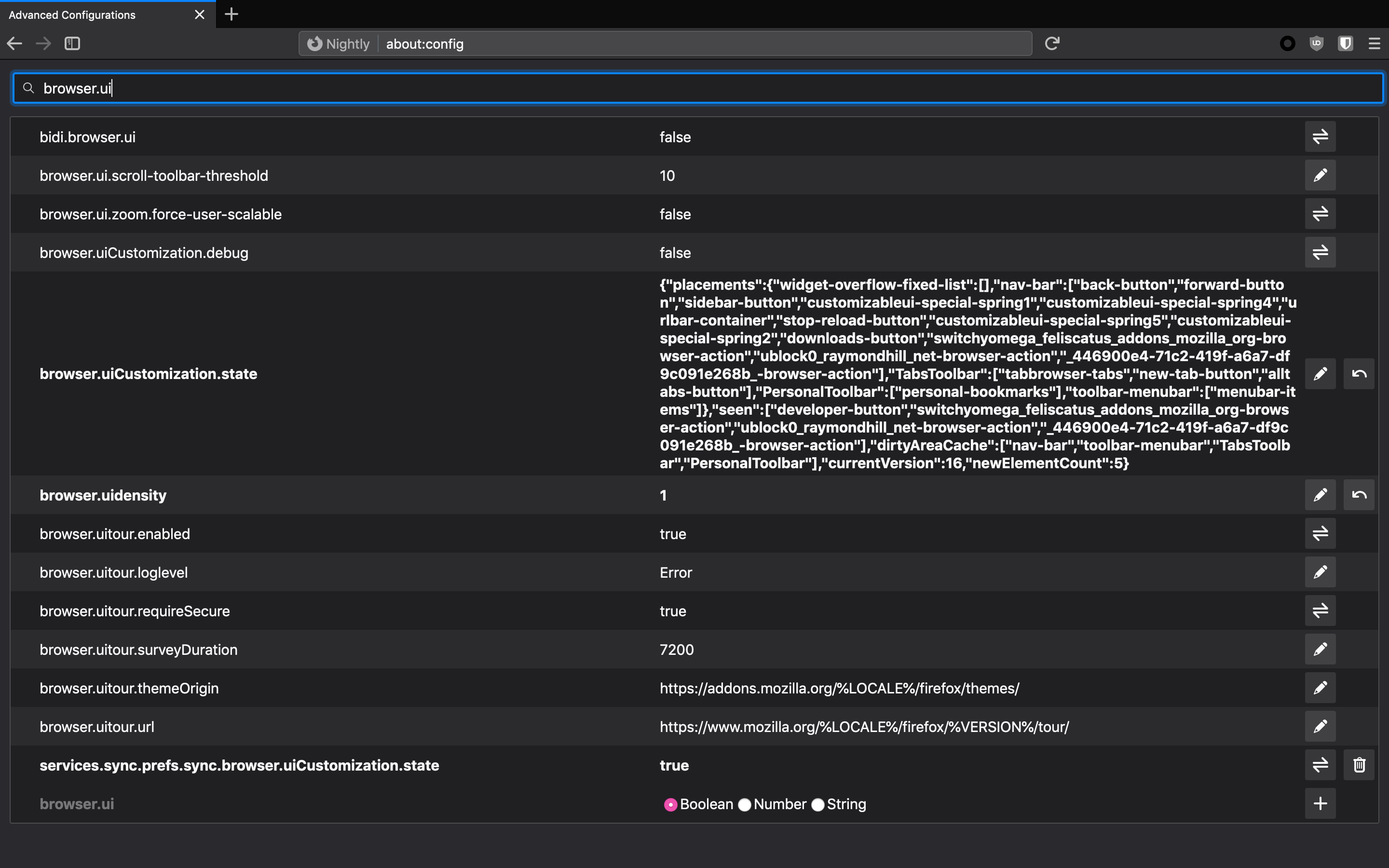
Please provide a screenshot of about:config with browser.ui placed in the Search field so that we can see all the "browser.ui" preferences that you have.
See this support article. How do I create a screenshot of my problem? It is best to use a compressed image type like PNG or JPG to save the screenshot and make sure that you do not exceed a maximum file size of 1 MB.
Then use the Browse .... button below the Post a Reply text box to upload the screenshot.
Also: Does the preference browser.uiCustomization.state show Status as modified and also show string Value of the saved data?
it just like this.
I don't think that it is a good idea to sync browser.uiCustomization.state. This pref stores profile dependent customization data.