


Disabling "recommended by pocket" has no effect. Why?
I have searched around and found multiple sites which make it sound extremely simple to do it: Go to about:config, search for extensions.pocket.enabled, and set to false. Doing this had no effect on the behavior of my browser. Why does this not work? What is my next recourse? Browser version: 67.0.4 64-bit, running on MacBook Pro (Retina, Mid 2012) with Mac OS 10.14.4.
Zvolené řešení
You can opt out of this feature - see :
https://help.getpocket.com/article/1149-firefox-home-layout-study-faq
(you'll have to scroll down to the bottom "How to Opt Out")
Všechny odpovědi (9)
hi, toggling that about:config key is not the proper way to disable pocket recommendations on the default new tab page. instead, click on the gear icon on the top right of the new tab page and disable the pocket recommendations in the settings.
https://help.getpocket.com/article/1142-firefox-new-tab-recommendations-faq
Philipp --
Thanks for your attempt to help. However I had already seen and tried that method.
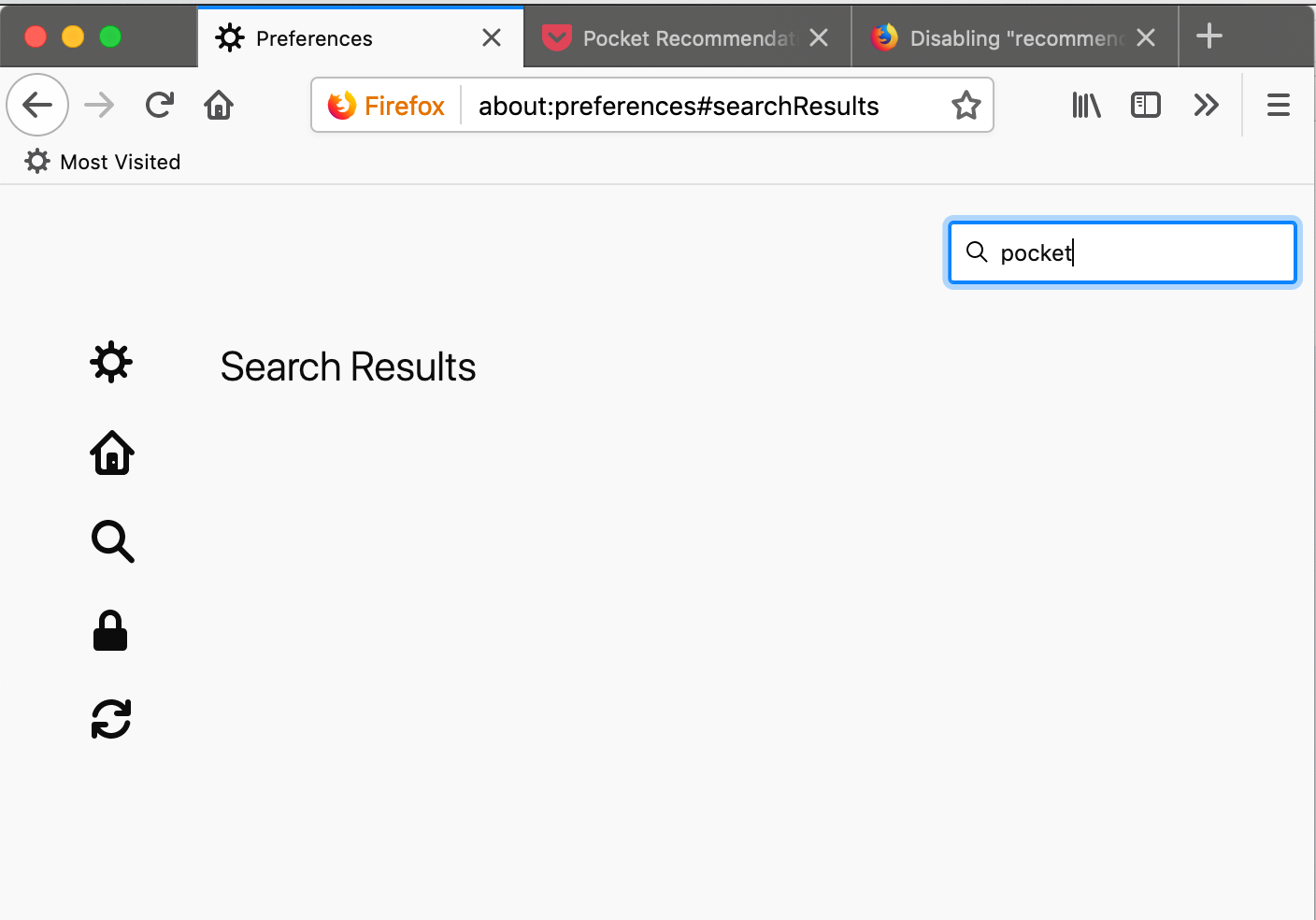
When I click the gear there is no "Recommended by Pocket" option there. Both a visual scan of all of the options down the left side of the window, and a search for "pocket" or "recommended" turns up nothing that would allow me to affect the behavior. I am attaching a screen shot of the completely empty search results when I search for "pocket".
-- Bob
strange, you could also try toggling "browser.newtabpage.activity-stream.feeds.section.topstories" to false in about:config...
See also:
- browser.newtabpage.activity-stream.section.highlights.includePocket
browser.newtabpage.activity-stream.feeds.section.topstories false browser.newtabpage.activity-stream.section.highlights.includePocket false
Still no change.
bob_fischer said
Doing this had no effect on the behavior of my browser.
Hello bob_fisher,
Just curious, but what behavior are you referring to ?
Hello McCoy -- I am trying to disable the "Recommended by Pocket" that appears on all new tabs. To summarize, I have tried:
(about:preferences) disable pocket recommendations in settings [I do not have any entries related to pocket in about preferences]
(about:config) extensions.pocket.enabled, set to false browser.newtabpage.activity-stream.feeds.section.topstories set to false browser.newtabpage.activity-stream.section.highlights.includePocket set to false
Zvolené řešení
You can opt out of this feature - see :
https://help.getpocket.com/article/1149-firefox-home-layout-study-faq
(you'll have to scroll down to the bottom "How to Opt Out")