


Why won't my preferences for autofilling passwords stay set?

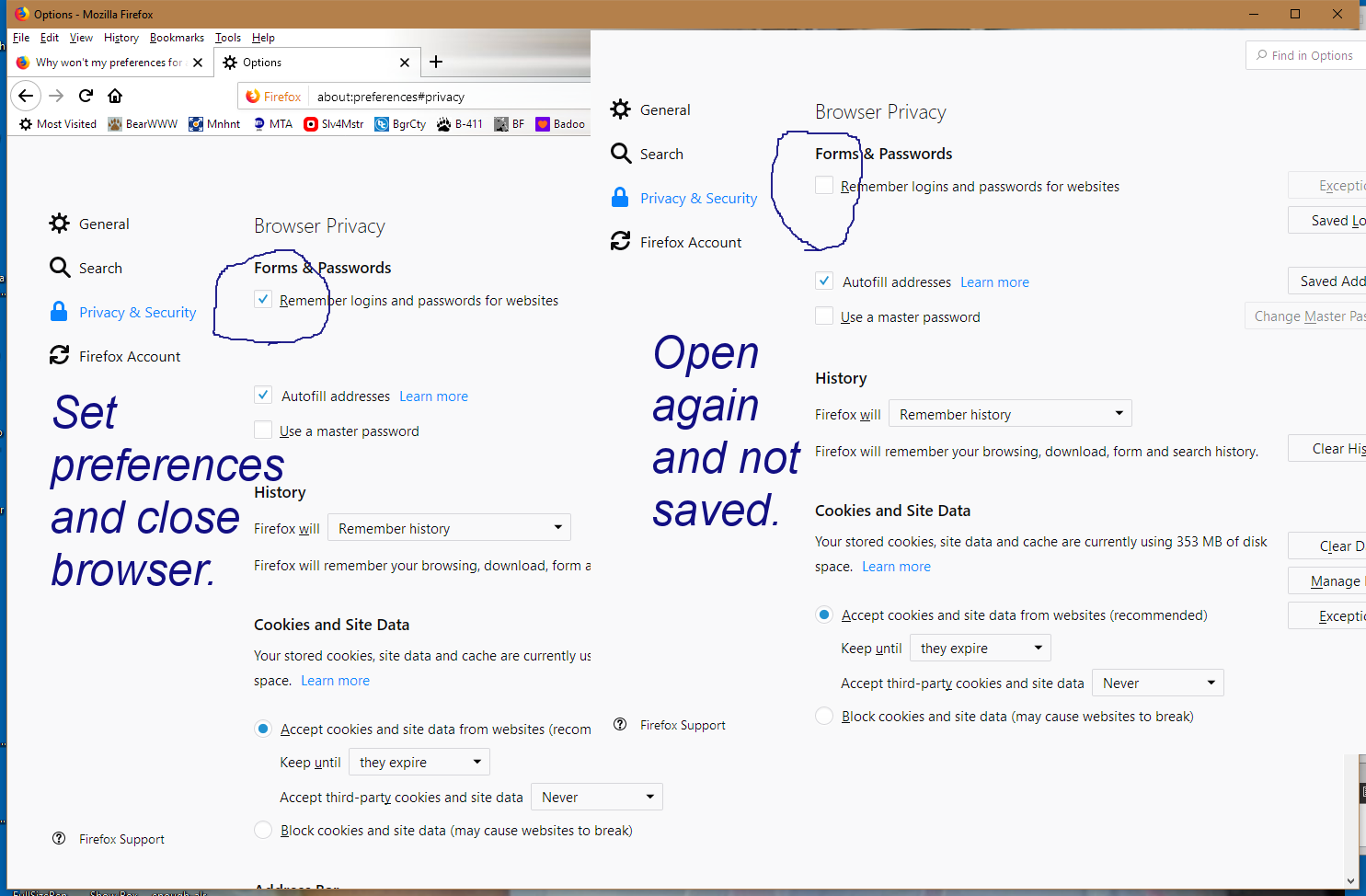
I keep setting my privacy security settings to "Remember logins and passwords" but it never sticks and keeps reverting back to not saving them and autofilling my passwords and usernames. Why won't it keep my settings?
Zvolené řešení
The System Details list shows the RoboForm Password Manager as installed. If you use Roboform then the builtin Firefox Password Manager will be disabled. You will have to choose between Roboform and the Firefox Password Manager.
See:
Přečíst dotaz v kontextu 👍 0The behavior described by you is by design in Chrome and Firefox. A user can disable RoboForm extension to enable the built-in password manager in the browser. The user is intended to use either at a time, not both.
Všechny odpovědi (3)
Hi, is this happening in Firefox or in your Extension : RoboForm Password Manager ?
It maybe a conflict if using both.
It wasn't a problem until about 3 or 4 updates ago. I set it to remember the passwords, and close the options page, and it is fine for that session. But when I close the browser and reopen it, the setting has gone back to being unchecked.
Zvolené řešení
The System Details list shows the RoboForm Password Manager as installed. If you use Roboform then the builtin Firefox Password Manager will be disabled. You will have to choose between Roboform and the Firefox Password Manager.
See:
The behavior described by you is by design in Chrome and Firefox.
A user can disable RoboForm extension to enable the built-in password manager in the browser.
The user is intended to use either at a time, not both.