


FF loads Pinterest in private mode but not regular even with all plugins and extensions disabled. Help, please.

I have been able to access Pinterest in regular mode without any problem for the past year. Suddenly I am unable to access the site. I am using FF 44.0.2 and Windows 10. I am able to access the site in Private Mode with all plug-ins/extensions disabled but when I disable plugins/extensions in regular mode I still cannot access the site. I am able to access Pinterest in other browsers (Chrome/Edge etc). Using Private Mode doesn't help because while I am able to access the site, I am then unable to Pin photos because my extensions are disabled.
I suspect it must be a setting issue but don't know what could have changed as I have not added any new plugins or extensions nor have I deliberately changed any settings.
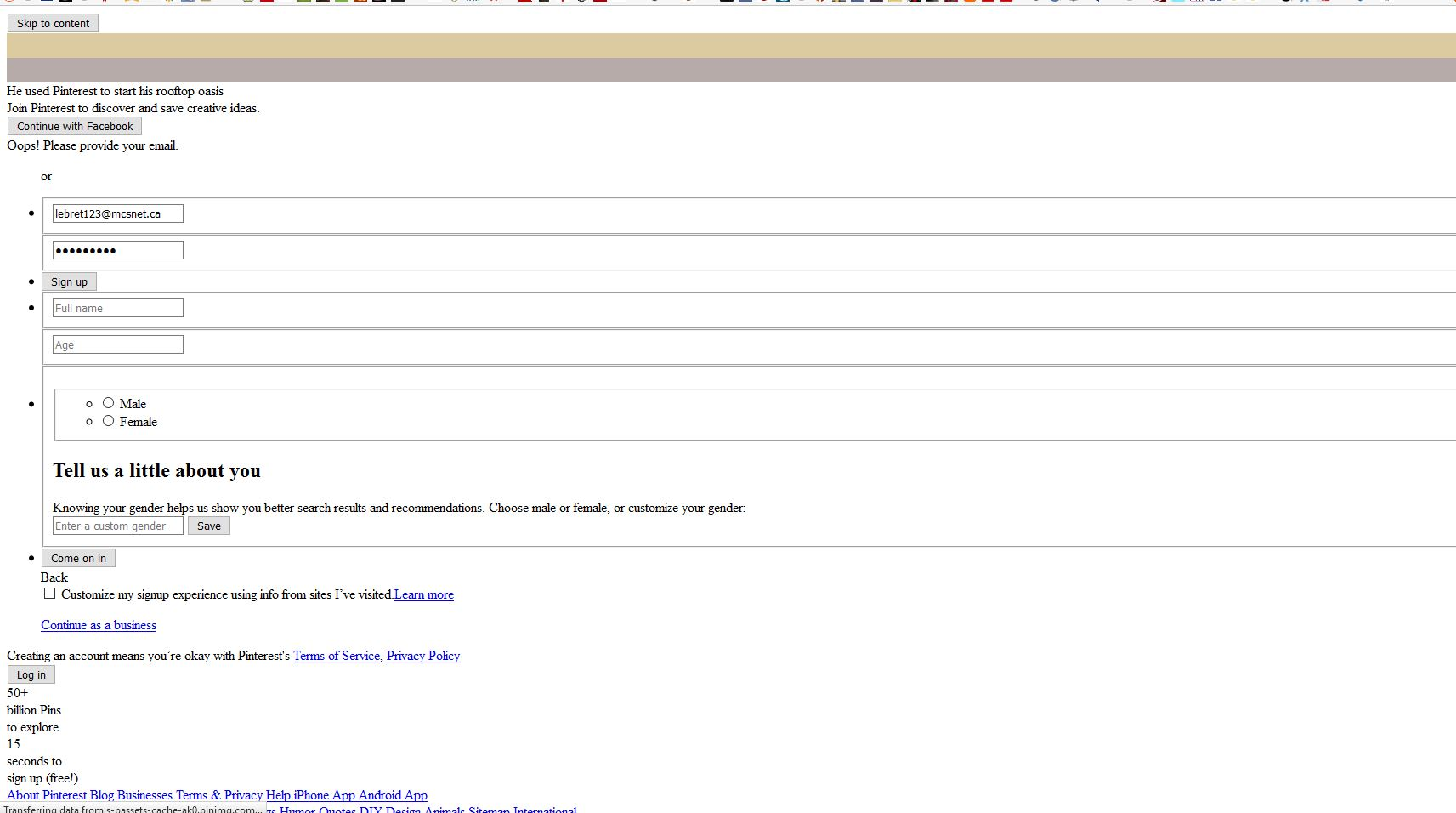
Initially when the problem occurred I got only a blank page when trying to access Pinterest but after I accessed it via Private Mode I now get an odd presentation of the log-in window (please see attached image).
Any thoughts?
Všechny odpovědi (3)
The image is attached below. None of the buttons are responsive.
Upravil uživatel vimy100 dne
Zvolené řešení
You can remove all data stored in Firefox from a specific domain via "Forget About This Site" in the right-click context menu of an history entry ("History > Show All History" or "View > Sidebar > History") or via the about:permissions page.
Using "Forget About This Site" will remove all data stored in Firefox from that domain like bookmarks, history, cookies, passwords, cache, and exceptions, so be cautious. If you have a password or other data from that domain that you do not want to lose then make sure to backup this data or make a note.
You can't recover from this 'forget' unless you have a backup of the involved files.
If you revisit a 'forgotten' website then data from that website will be saved once again.
Thank you so much, cor-el. Your suggestion worked like a charm. Awesome!