


Why can't I get javascript and flash to work in firefox 36.0.4?

When I tried to login at Adobe.com I got an error saying javascript has to be enabled. According to the help topic, my javascript is enabled. When I tried to listen to npr news, it complained that I need the latest version of flash. I installed that and it still doesn't work. Why can't I just open firefox and have it work, as it does in Chrome? I don't have time or expertise to reprogram firefox or my entire computer, so could you keep it simple?
Zvolené řešení
Do you see the Shockwave Flash plugin in "Firefox/Tools > Add-ons > Plugins"?
You would normally see a Lego block icon at the at the left end of the location/address bar to activate the Flash plugin.
Přečíst dotaz v kontextu 👍 0Všechny odpovědi (5)
You need to install the Plugin version of Flash.
Select Plugin-based browsers - the EXE version. https://www.adobe.com/products/flashplayer/distribution3.html
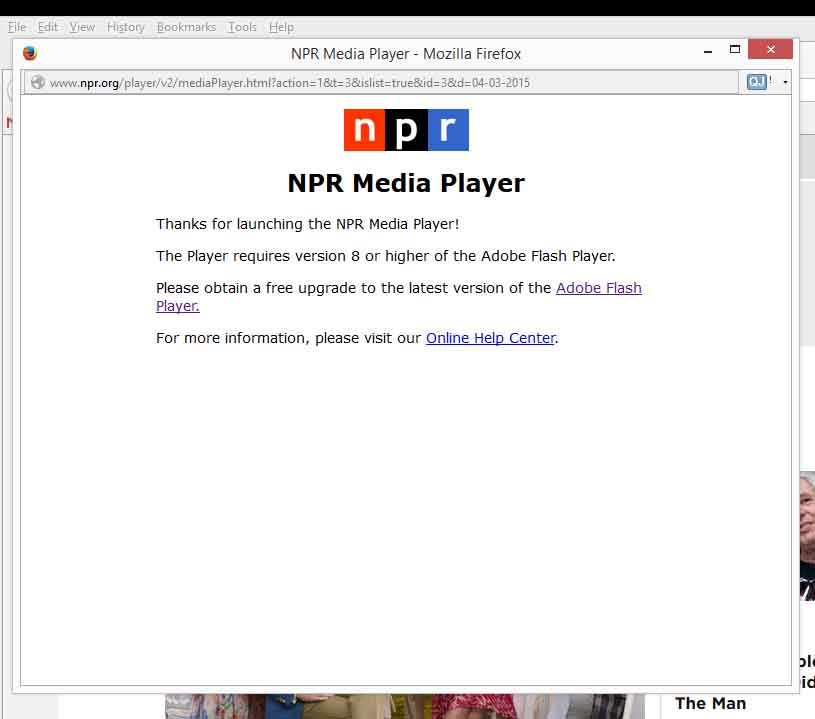
I did that and I still get this. Please see screenshot.
Zvolené řešení
Do you see the Shockwave Flash plugin in "Firefox/Tools > Add-ons > Plugins"?
You would normally see a Lego block icon at the at the left end of the location/address bar to activate the Flash plugin.
Adobe.com has mysteriously started working.
Disgustedworker said
When I tried to login at Adobe.com I got an error saying javascript has to be enabled. According to the help topic, my javascript is enabled. When I tried to listen to npr news, it complained that I need the latest version of flash. I installed that and it still doesn't work. Why can't I just open firefox and have it work, as it does in Chrome? I don't have time or expertise to reprogram firefox or my entire computer, so could you keep it simple?
Thank you the-edmeister and cor-el for helping me!