


I was wondering if ANYBODY could tell me how I can get the Yahoo home page to look the way it used to (I hope you understand what I mean)?
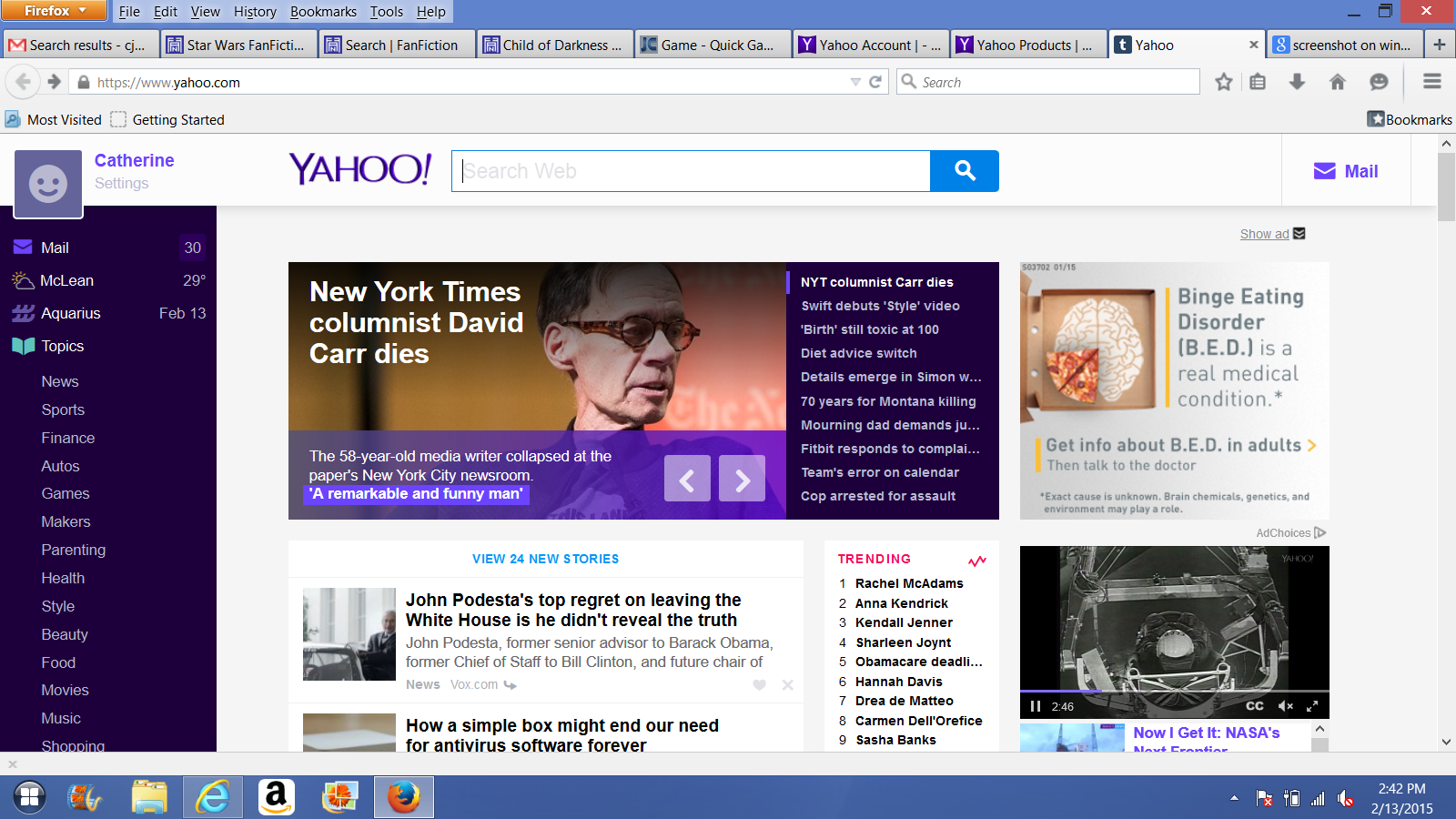
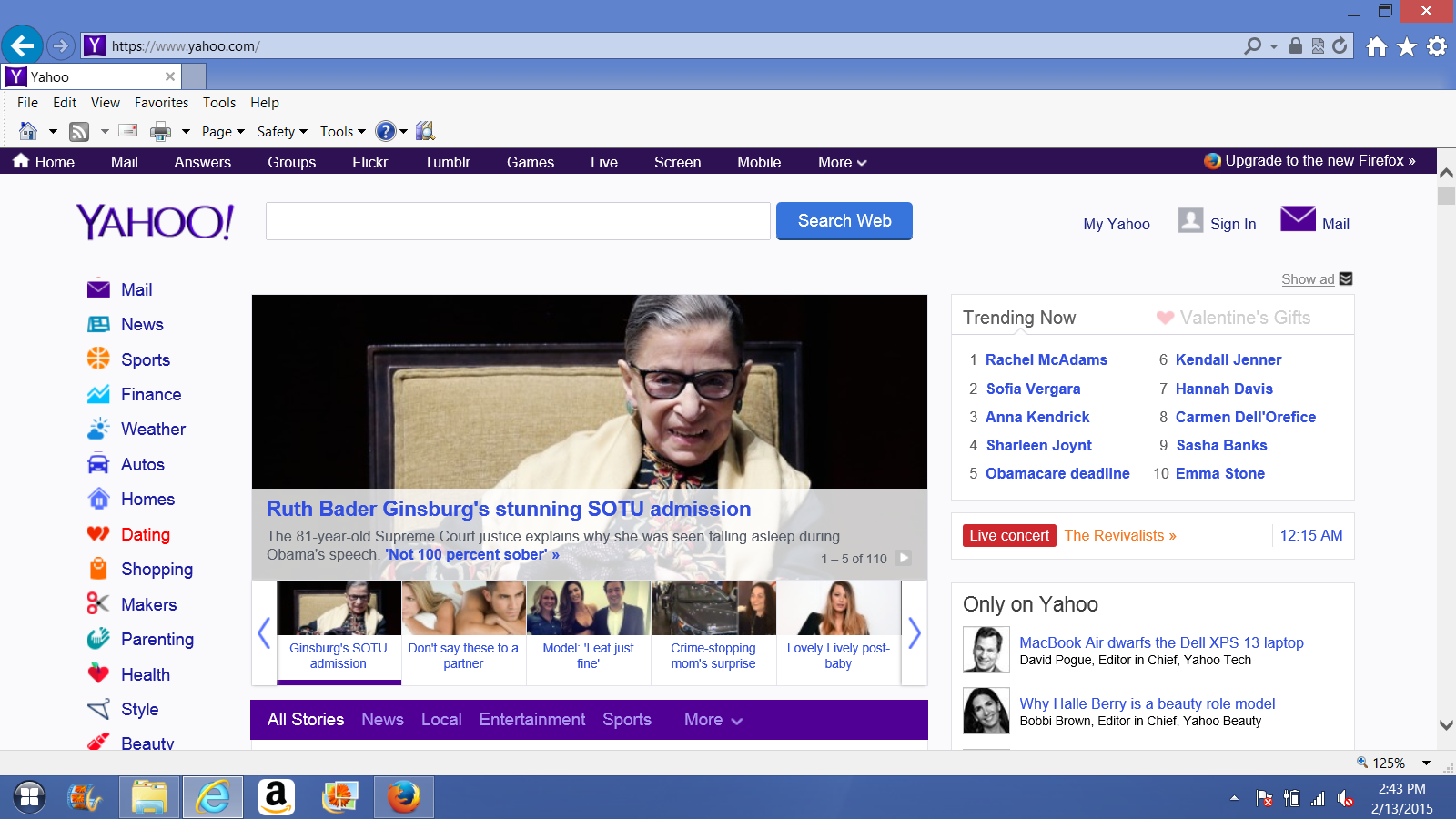
The homepage only appears this way when I use Mozilla, but NOT when I use Internet Explorer. The first screenshot is what it looks like in Mozilla. The second screenshot is what I WANT it to look like (it looks like this in Internet Explorer). Please help! The new layout is absolutely hideous!
Upravil uživatel cje24576 dne
Zvolené řešení
Never mind. I cleared out all the Yahoo cookies & it fixed the problem. Yay!
Přečíst dotaz v kontextu 👍 0Všechny odpovědi (4)

Check out this site and see if it helps.
Have a great day!! Jon
I found out that if I open the website in a private window, it looks normal. Is there a way I can limit the private browsing to ONLY that website (I hope you understand what I'm asking)?
Zvolené řešení
Never mind. I cleared out all the Yahoo cookies & it fixed the problem. Yay!
Glad its working for you!!