


I followed instructions and can't make full screen quit.

I clicked on the menu button and then the full screen button. It gave me a full screen. I then clicked on the menu button and clicked on the full screen button. The top bar went back to normal size and then disappeared still leaving me with a full screen. How do I get back to normal?
Všechny odpovědi (2)
Zvolené řešení
Hello,
The keyboard shortcut for full screen is F11. Could it be that the key is stuck?
Try Firefox Safe Mode to see if the problem goes away. Firefox Safe Mode is a troubleshooting mode that turns off some settings, disables most add-ons (extensions and themes).
If Firefox is open, you can restart in Firefox Safe Mode from the Help menu:
- Click the menu button
 , click Help
  and select Restart with Add-ons Disabled.
If Firefox is not running, you can start Firefox in Safe Mode as follows:
- On Mac: Hold the option key while starting Firefox.
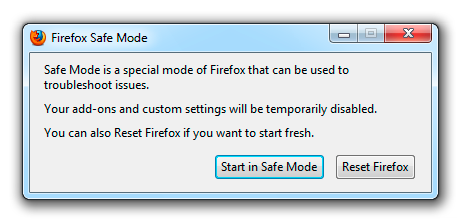
When the Firefox Safe Mode window appears, select "Start in Safe Mode".
If the issue is not present in Firefox Safe Mode, your problem is probably caused by an extension, and you need to figure out which one. Please follow the Troubleshoot extensions, themes and hardware acceleration issues to solve common Firefox problems article to find the cause.
To exit Firefox Safe Mode, just close Firefox and wait a few seconds before opening Firefox for normal use again.
When you figure out what's causing your issues, please let us know. It might help others with the same problem.
Upravil uživatel CoryMH dne
On Mac you can toggle full screen mode via Command+Shift+F.
You can check for problems caused by a corrupted localstore.rdf file.
Try to remove the Firefox plist file (org.mozilla.firefox.plist).
- http://www.macfixit.com/article.php?story=20060606082246983 How .plist files become corrupt and troubleshooting the results
Go to "~/Library/Preferences" and remove the plist file for Firefox (org.mozilla.firefox.plist)